Runway Gen-4.5 is the best AI tool for animation: it animates images and text, with no watermarks and 4K upscaling from Standard at $15 a month. Kling AI is #2 for resolution and motion control from $0.084 a second, and Luma Dream Machine is #3 from $30 a month.
Starter $99 a month billed monthly ($58 a month billed annually); Professional $199 a month ($100 annually)
Business training and explainer teams who want animated characters with AI scripting
Pick by what you want
Best overall
Runway Gen-4.5
Best free start
Google Flow
Best for 3D and mocap
Autodesk Flow Studio
Best character swap
Viggle
Best for beginners
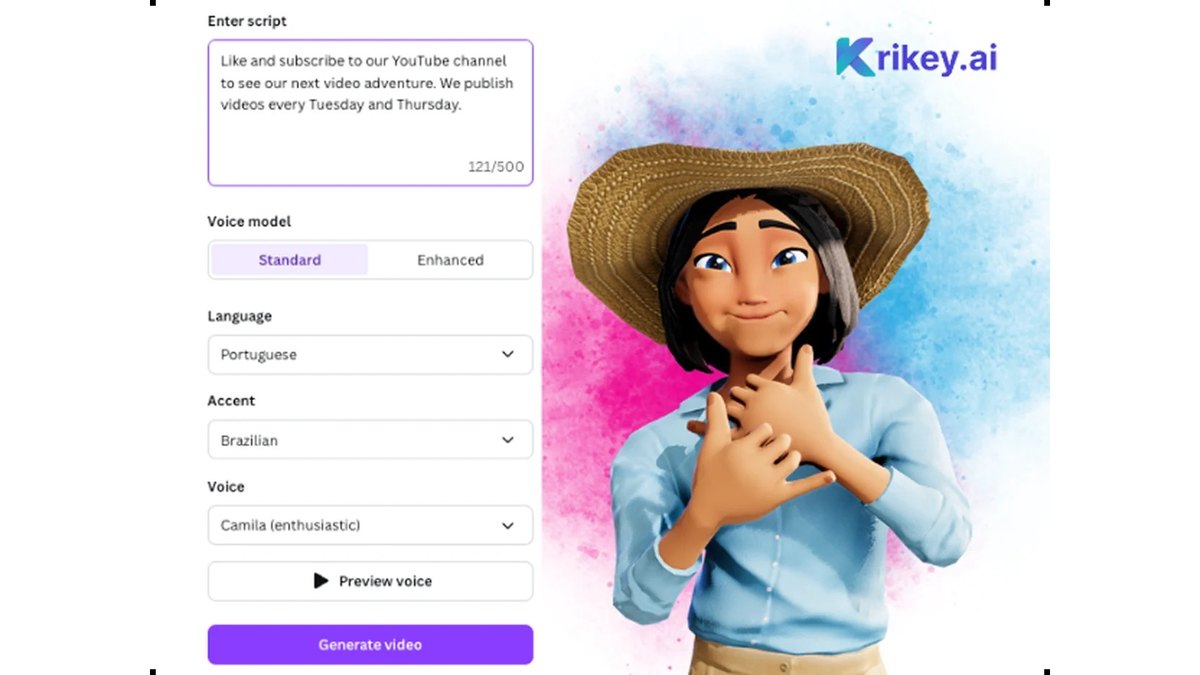
Krikey AI
The ranking
1
Runway Gen-4.5
Answrs VerdictThe most capable all-round AI video animator.
Price: Free $0; Standard $15 a month billed monthly ($12 billed annually); Pro $35 a month ($28 billed annually)Credits: Standard 625 credits a month = 52s of Gen-4.5; Pro 2,250 credits a monthModels: Gen-4.5, Kling 3.0 and other partner video models on Standard and upOutput: No watermarks and 4K upscaling from Standard
Runway Gen-4.5 turns text and images into video. Free is $0; Standard is $15 a month billed monthly ($12 billed annually) with 625 credits a month, equal to 52s of Gen-4.5; Pro is $35 a month ($28 annually) with 2,250 credits. Standard includes partner models such as Kling 3.0, no watermarks and 4K upscaling.
Go ifCreators who want one place to animate images and text with several top video models
Skip ifYou need a character rig you can edit in 3D
Why #1 over #2: It bundles its own Gen-4.5 with partner models and no watermark from $15 a month, while Kling AI lists only per-second API prices.
2
Kling AI
Answrs VerdictThe strongest pay-per-second animator for resolution and control.
Price: API from $0.084 a second (Kling 3.0, 720p, no native audio); app plan prices are not shown on the API pricing pageResolution: Kling 3.0 API prices run from 720p up to 4K ($0.42 a second at 4K)Capabilities: Text-to-video, image-to-video, multi-image-to-video, video extension, avatar, lip sync and video effectsMotion Control: Kling VIDEO 3.0 Motion Control is featured on the Kling AI site
Kling AI lists API prices from $0.084 a second for Kling 3.0 at 720p without native audio, up to $0.42 a second at 4K. Its API covers text-to-video, image-to-video, multi-image-to-video, video extension, avatar, lip sync and video effects, and its site features Kling VIDEO 3.0 Motion Control. App plan prices are not shown on the API page.
Go ifDevelopers and creators who want high-resolution image-to-video with lip sync and motion control
Skip ifYou want a flat monthly price listed up front
Why #2 over #3: It reaches 4K and adds lip sync and motion control, while Luma sells credits in monthly plans.
3
Luma Dream Machine
Answrs VerdictThe best credit pool for mixing several video models.
Price: Plus $30 a month ($300 billed yearly); Pro $90 a month ($900 billed yearly); Ultra $300 a month ($3,000 billed yearly)Credits: Plus 10,000 credits; Pro 40,000; Ultra 150,000Models: Luma’s Ray models, plus third-party models such as Kling 3.0 and Veo 3.1Licensing: Commercial use is included on Plus
Luma Dream Machine sells credits: Plus is $30 a month ($300 billed yearly) with 10,000 credits, Pro $90 a month with 40,000 and Ultra $300 a month with 150,000. Plans cover Luma and third-party models, including Kling 3.0 and Veo 3.1, and Plus includes commercial use.
Go ifFilmmakers who want image-to-video and video-to-video in one credit pool
Skip ifYou want a free plan to start
Why #3 over #4: Its Plus plan includes commercial use at $30 a month, while Pika needs Creator at $35 a month for a commercial license.
4
Pika
Answrs VerdictThe best budget start for short animated clips.
Price: Free $0 (credit packs only); Starter $10 a month; Creator $35 a month; Fancy $95 a month, billed monthlyCredits: Starter 900 credits a month; Creator 3,150; Fancy 8,550Commercial license: Included from Creator; not on Free or StarterVideo apps: Motion Transfer, Pikaframes, Extend Video and Video Studio are listed on its site
Pika has a Free plan on credit packs, then Starter at $10 a month (900 credits), Creator at $35 (3,150) and Fancy at $95 (8,550), billed monthly. Its site lists Motion Transfer, Pikaframes, Extend Video and Video Studio, and the commercial license starts at Creator.
Go ifShort stylized clips, motion transfer and keyframe-to-keyframe animation
Skip ifYou need a commercial license on a low-cost plan
Why #4 over #5: Its $10 Starter plan is cheaper than Runway’s $15 Standard, while Google Flow starts free.
5
Google Flow
Answrs VerdictThe cheapest way into top-tier video models.
Price: Free with a Google account (50 daily credits); Google AI Plus $4.99 a month; AI Pro $19.99 a month; AI Ultra from $99.99 a monthCredits: AI Plus adds 200 monthly credits; AI Pro 1,000; AI Ultra 10,000Tools: Frames to Video, Ingredients to Video, Video Extension, Scenebuilder and CharactersModels: Veo 3.1 and Gemini Omni Flash
Google Flow is free with a Google account and 50 daily credits. Google AI Plus is $4.99 a month (200 monthly credits), AI Pro $19.99 (1,000) and AI Ultra from $99.99 (10,000). Tools include Frames to Video, Ingredients to Video, Video Extension, Scenebuilder and Characters, using Veo 3.1 and Gemini Omni Flash.
Go ifAnyone who wants to animate stills into video starting free
Skip ifYou need a stand-alone plan without a Google AI subscription
Why #5 over #6: Its $4.99 plan undercuts Adobe Firefly’s $9.99 Standard, though Firefly sits inside Adobe apps.
6
Adobe Firefly
Answrs VerdictThe best fit for Adobe-based workflows.
Price: Standard $9.99 a month; Pro $19.99 a month; Pro Plus $49.99 a month, billed monthlyCredits: Standard 2,000 generative credits a month; Pro 4,000; Pro Plus 10,000Video: Standard: up to 20 five-second videos a month; Pro up to 40Partner models: Runway, Kling AI and Luma AI video models are listed in Firefly
Adobe Firefly Standard is $9.99 a month with 2,000 generative credits and up to 20 five-second videos; Pro is $19.99 with 4,000 credits and up to 40 videos; Pro Plus is $49.99 with 10,000. Firefly also lists Runway, Kling AI and Luma AI video models.
Go ifAdobe users who want AI animation next to Photoshop and Premiere
Skip ifYou want long clips from the lowest credit cost
Why #6 over #7: It puts video generation next to Adobe’s creative apps, while Flow Studio focuses on 3D motion capture.
7
Autodesk Flow Studio
Answrs VerdictThe best AI mocap-to-3D pipeline.
Price: Free $0; Lite $10 a month ($7 billed annually); Standard $45 a month ($30 annually); Pro $95 a month ($64 annually)Credits: Free 300 credits a month; Lite 2,100; Standard 6,000; Pro 12,000AI motion capture: Up to 1 performer on Free, 2 on Lite, 3 on Standard and 4 on ProExports: Maya and Blender scene exports; Unreal from Lite; USD from Standard
Autodesk Flow Studio, formerly Wonder Studio, has Free ($0, 300 credits), Lite ($10 a month, 2,100 credits), Standard ($45, 6,000) and Pro ($95, 12,000). AI motion capture covers up to 1 performer on Free, 2 on Lite, 3 on Standard and 4 on Pro, with Maya and Blender exports, Unreal from Lite and USD from Standard.
Go ifPutting CG characters into live footage and exporting animation to Maya, Blender or Unreal
Skip ifYou want text-to-video clips with no filming
Why #7 over #8: It gives editable 3D output for Maya, Blender and Unreal, while Viggle’s motion transfer outputs finished video.
8
Viggle
Answrs VerdictThe best for character swap and motion transfer.
Price: Free; Viggle AI plans from $7.99 a month (listed as was $9.99); PINOC from $10.39 a monthFree plan: 5 free videos a day, 1 generation at a timePro plan: 80 credits a month, no watermark, up to 4 generations at oncePINOC: Rigged 3D characters from photos, with motion exported as FBX or GLB
Viggle swaps characters into video or adds motion to an image. Free gives 5 videos a day; the Pro plan shows $7.99 a month (listed as was $9.99) with 80 credits and no watermark. PINOC, from $10.39 a month, makes rigged 3D characters from photos with motion exported as FBX or GLB.
Go ifSwapping a character into a video or giving an image a dance or motion
Skip ifYou need long scripted scenes
Why #8 over #9: It animates a character from a reference video, while Krikey AI animates from a script.
9
Krikey AI
Answrs VerdictThe easiest 3D character animator for beginners.
Price: Free $0; Pro $15 a month; Teams $10 a month per personCredits: Free 20 one-time credits; Pro 165 monthly credits; Teams 200Exports: MP4, GIF, PNG and FBX files on Pro and TeamsTools: AI text to animation, video to animation, a 3D character library and AI voices in 20+ languages
Krikey AI is free with 20 one-time credits; Pro is $15 a month with 165 monthly credits and Teams is $10 a month per person with 200. Pro and Teams export MP4, GIF, PNG and FBX, and the tools include AI text to animation, video to animation and a 3D character library.
Go ifTeachers and social creators who want 3D animated characters from a script
Skip ifYou want photoreal video
Why #9 over #10: At $15 a month it costs a fraction of Vyond’s $99 Starter plan.
10
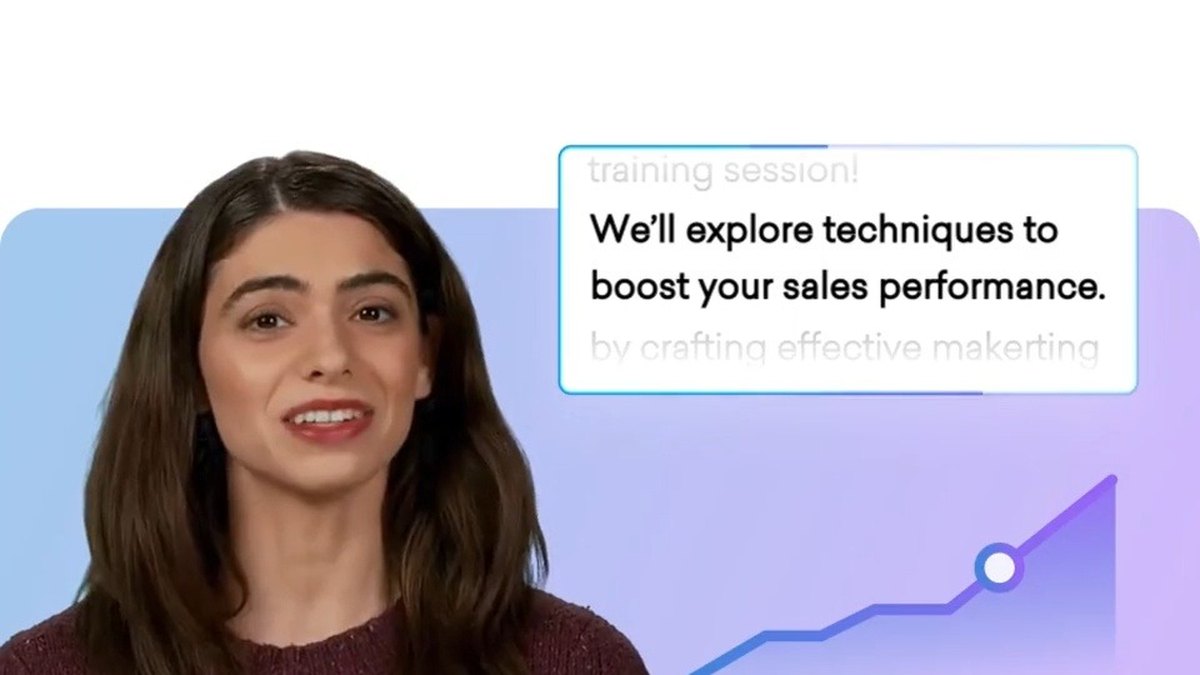
Vyond
Answrs VerdictThe business-grade animated video tool.
Price: Starter $99 a month billed monthly ($58 a month billed annually); Professional $199 a month ($100 annually)Credits: Starter 10,000 credits per user per month; Professional 20,000AI tools: AI avatars, text to video and AI animation creation on StarterVoices: 650+ text-to-speech voices on Starter
Vyond Starter is $99 a month billed monthly ($58 a month billed annually) with 10,000 credits per user, AI avatars, text to video and AI animation creation. Professional is $199 a month ($100 annually) with 20,000 credits. Starter includes 650+ text-to-speech voices.
Go ifBusiness training and explainer teams who want animated characters with AI scripting
Skip ifYou are an individual on a small budget
How we ranked these
We ranked tools by how many ways each one animates (from text, from a still image, from footage or from a character rig) and then by each maker’s published price, using only features and prices on the makers’ own pages. Runway and Pika stayed from the old list (now on their current models); Kling AI is new, and Kaiber, Leonardo AI Animation, Stable Video Diffusion 4D, Morph Studio, Haiper AI, AnimateDiff 3.0, Deforum and Pixverse were not carried over because we could not source the old list’s claims for them. Kling AI’s app plan prices were not on the pages we could read, so only its API prices are listed. Facts are taken from each maker's own published information; check the official site before you buy.
Questions people ask
What is the best AI tool for animation?
Runway Gen-4.5: it animates images and text with Gen-4.5 and partner models, with no watermarks and 4K upscaling from Standard at $15 a month billed monthly.
Is there a free AI animation tool?
Yes. Google Flow is free with a Google account (50 daily credits), Autodesk Flow Studio has a $0 plan with 300 credits, Krikey AI has a free plan with 20 one-time credits, and Viggle gives 5 free videos a day.
Which AI tool makes 3D animation I can edit?
Autodesk Flow Studio exports to Maya and Blender (Unreal from Lite), and Krikey AI Pro exports FBX files.
Which tool swaps a character into a video?
Viggle: its plans swap characters into video one at a time, many at once, or live, and PINOC exports rigged characters as FBX or GLB.
Monthly price of the cheapest paid plan, billed monthly, on each maker’s pricing page at a glance
Google Flow4.99 USD
Adobe Firefly9.99 USD
Pika10 USD
Autodesk Flow Studio10 USD
Runway Gen-4.515 USD
Krikey AI15 USD
Luma Dream Machine30 USD
Vyond99 USD
Monthly price of the cheapest paid plan, billed monthly, on each maker’s pricing page, as published by each maker. Picks without a published figure are left off.