Amazon KDP Cover Creator is the top tool for book covers in our scoring: it is free and calculates cover size from paper type, print type and page count, with stated 300 DPI and 0.125 inch bleed rules. Book Bolt is #2 for auto-sizing to KDP trim, bleed and spine, and Canva is #3 for a license that lists book covers. KDP requires you to report AI-generated cover images. Everything is vendor-stated from pages read on November 2, 2026.
Pro is $19.99 per month billed annually or $23.99 billed monthly; Premium is $29.99 per month billed annually or $35.99 billed monthly; both start with a 3-day free trial (vendor-stated, read November 2, 2026)
KDP publishers making many covers and interiors who want KDP sizing generated from page count
Free is US$0; Premium is US$9.99 per month with 250 generative credits per month; Firefly Pro is US$19.99 per month (vendor-stated, read November 2, 2026)
Authors who want a free template editor with a large font library and AI stated as commercially safe
Plus is $15 per month billed annually ($20 monthly); Pro is $42 per month billed annually ($60 monthly); free accounts may get weekly credits that vary (vendor-stated, read November 2, 2026)
Authors who want a title and author name rendered inside the generated artwork
Free is $0 with limited credits; Basic is $10 per month billed annually; Pro is $16 per month; Teams is $18 per month per seat (vendor-stated, read November 2, 2026)
Authors who want vector art and consistent styles across a series, and will lay out the cover elsewhere
Free is $0 per month with 150 fast tokens per day; Essential is $12 per month; Premium is $30 per month; Ultimate is $60 per month (vendor-stated, read November 2, 2026)
Authors who want a free daily token allowance to explore cover art styles
Pick by what you want
Best overall and free
Amazon KDP Cover Creator
Best for KDP publishers
Book Bolt Cover Designer
Best license for book covers
Canva Book Cover Maker
Best free template editor
Adobe Express Book Cover Maker
Best text inside the art
Ideogram Typography for Covers
The ranking
1
Amazon KDP Cover Creator
Answrs VerdictThe only tool here whose sizing is Amazon's own, at no cost.
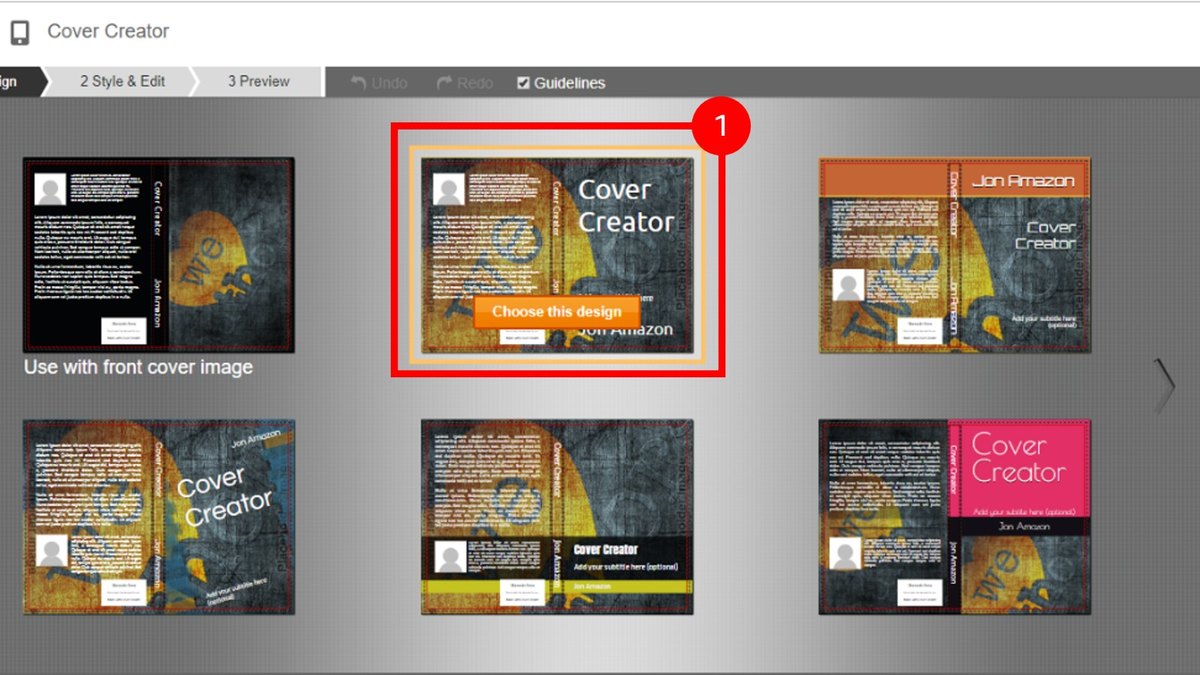
Price: Free; Amazon calls it a free tool for eBook, paperback and hardcover covers (vendor-stated, read November 2, 2026)Print sizing: Cover size is calculated from paper type (white or cream), print type (color or black and white) and interior page count; uploaded images should be at least 300 DPI and bleed images extend 0.125 inch (3.2 mm) past the trim lineText rules: Text must stay inside the red dotted margin, the minimum font size is 7pt, and spine text needs at least 80 pagesImages: Accepts JPG, PNG and TIFF uploads; stock images in the tool cannot be downloaded for use outside the KDP websiteLimits: Does not support Japanese, Hebrew or Yiddish for paperback and hardcover books on kdp.amazon.com
Amazon calls KDP Cover Creator a free tool for eBook, paperback and hardcover covers. Cover size is calculated from paper type, print type and interior page count, uploaded images should be at least 300 DPI, and bleed images extend 0.125 inch (3.2 mm) past the trim line. Text must stay inside the red dotted margin at a minimum of 7pt, and spine text needs at least 80 pages. It accepts JPG, PNG and TIFF, and it does not support Japanese, Hebrew or Yiddish for paperback and hardcover books.
Go ifFirst-time KDP authors who want a free cover already sized to Amazon print rules
Skip ifYou want to generate original artwork from a prompt, which this page does not describe
Why #1 over #2: It is free and states the exact print rules, where Book Bolt charges a subscription.
2
Book Bolt Cover Designer
Answrs VerdictMatches KDP's own sizing and adds a commercial-use font and image library.
Price: Pro is $19.99 per month billed annually or $23.99 billed monthly; Premium is $29.99 per month billed annually or $35.99 billed monthly; both start with a 3-day free trial (vendor-stated, read November 2, 2026)Print sizing: Drag-and-drop covers are auto-sized to KDP trim, bleed and spine specs from your page countFonts and images: A library of 1,200+ fonts and over 1 million royalty-free images, all cleared for commercial useAI credits: Pro includes 1,000 monthly AI credits and Premium includes 4,000Scale: The site says it has helped over 100,000 sellers
Book Bolt's Cover Designer auto-sizes drag-and-drop covers to KDP trim, bleed and spine specs from your page count. Pro is $19.99 per month billed annually and Premium is $29.99, with a 3-day free trial, and Pro includes 1,000 monthly AI credits. The site lists 1,200+ fonts and over 1 million royalty-free images, all cleared for commercial use, and says it has helped over 100,000 sellers.
Go ifKDP publishers making many covers and interiors who want KDP sizing generated from page count
Skip ifYou need a single cover with no subscription, since there is no free tier listed
Why #2 over #3: It generates KDP sizing and states a commercial-use library, where Canva does not state print sizing.
3
Canva Book Cover Maker
Answrs VerdictThe clearest book cover license on the list, without stated print sizing.
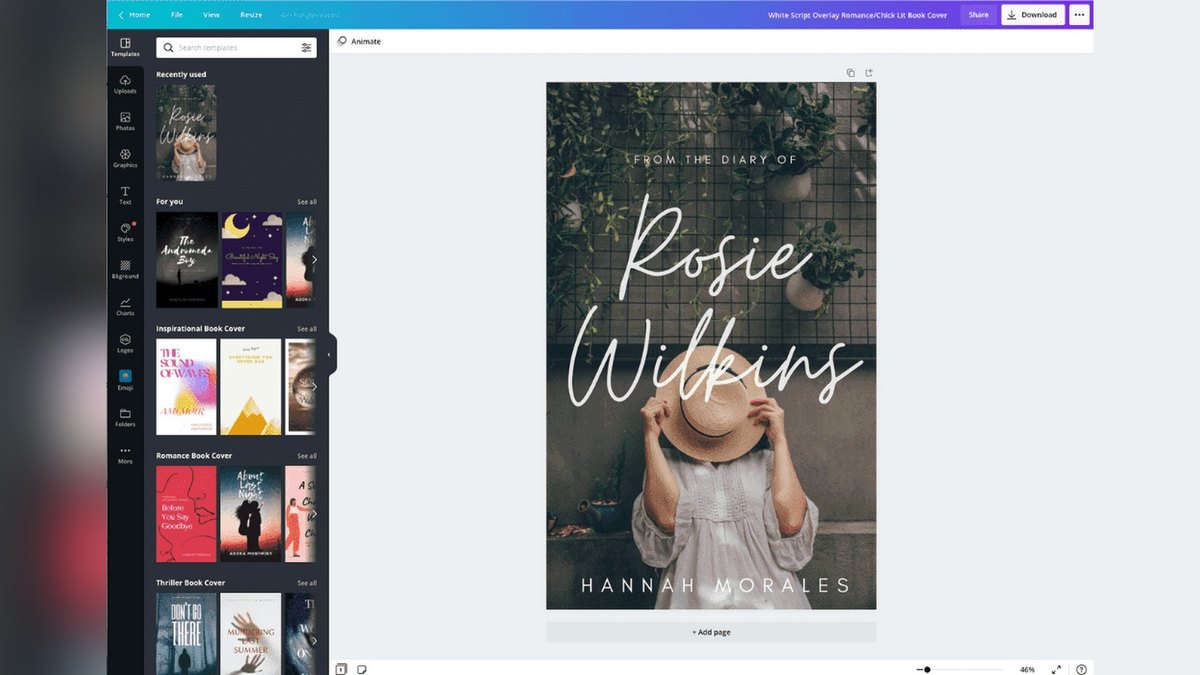
Price: Free is US$0 per year; Pro is US$144 per year for one person; Business is US$250 per year per person (vendor-stated, read November 2, 2026)License: Canva's content license lists books and book covers among permitted uses, for free and Pro content, with no stated reproduction limit on printed promotional materialsTemplates: Choose from hundreds of layouts, with drag-and-drop editing of text, fonts and colors; export is PNG, JPG or PDFAI: Magic Media turns words into images and Dream Lab creates visuals, both marked free; Magic Edit and Magic Expand are marked ProPrint sizing: The cover page does not mention trim size, bleed or spine width
Canva offers hundreds of book cover layouts with drag-and-drop text, fonts and colors, exported as PNG, JPG or PDF. Free is US$0 per year, Pro is US$144 per year and Business is US$250 per year per person. Its content license lists books and book covers among permitted uses, and its cover page does not mention trim size, bleed or spine width.
Go ifAuthors who want a free layout editor with a clearly written license for book covers
Skip ifYou need trim, bleed and spine sizing built in, which this page does not state
Why #3 over #4: It states a book cover license and a free plan, where Adobe Express gives no license wording for covers.
4
Adobe Express Book Cover Maker
Answrs VerdictA deep free tier and stated commercial safety, without print sizing.
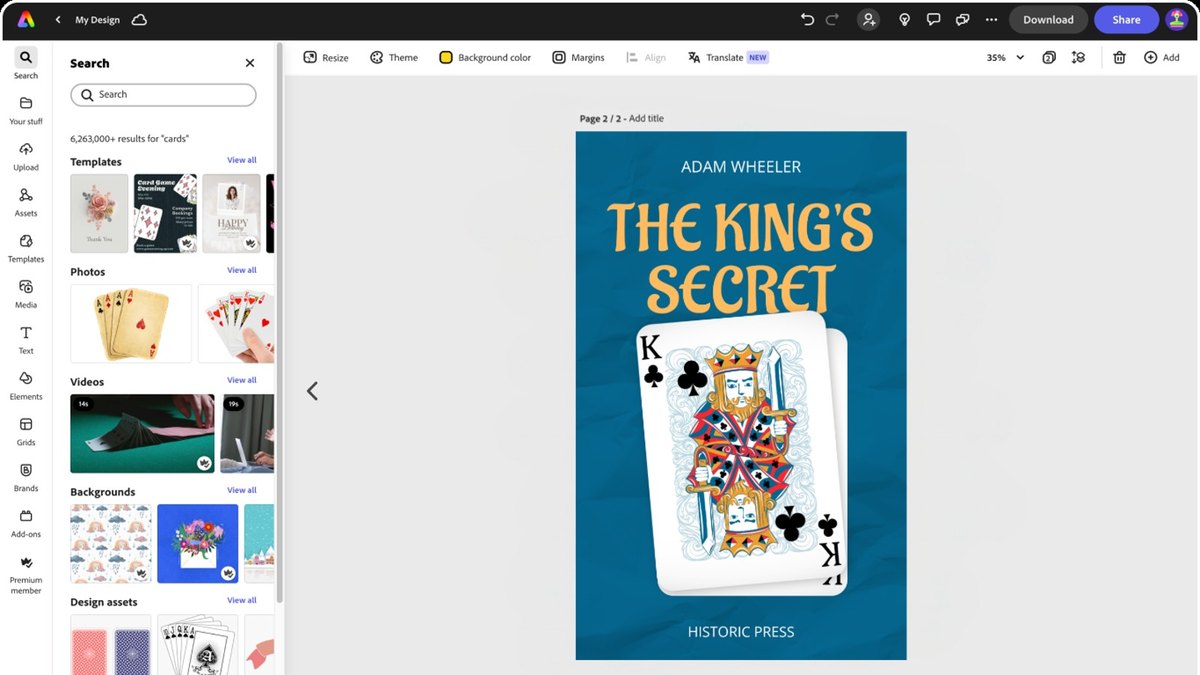
Price: Free is US$0; Premium is US$9.99 per month with 250 generative credits per month; Firefly Pro is US$19.99 per month (vendor-stated, read November 2, 2026)Free tier: Free includes 100,000+ templates, 1M+ royalty-free Adobe Stock assets and 4,000+ Adobe FontsGenerative AI: Premium states its generative AI features are designed to be commercially safeCover page: Describes free book cover templates with generative AI, no credit card requiredPrint sizing: The cover page does not mention trim size, bleed or spine width
Adobe Express lists free book cover templates with generative AI and no credit card needed. Free includes 100,000+ templates and 4,000+ Adobe Fonts; Premium is US$9.99 per month with 250 generative credits and states its generative features are designed to be commercially safe. The cover page does not mention trim size, bleed or spine width.
Go ifAuthors who want a free template editor with a large font library and AI stated as commercially safe
Skip ifYou need KDP-specific print sizing
Why #4 over #5: It has a larger stated free font library, where Ideogram has no layout editor stated.
5
Ideogram Typography for Covers
Answrs VerdictThe strongest stated text rendering, with no print sizing.
Price: Plus is $15 per month billed annually ($20 monthly); Pro is $42 per month billed annually ($60 monthly); free accounts may get weekly credits that vary (vendor-stated, read November 2, 2026)Text accuracy: The vendor claims 95% text rendering accuracy, compared with 30-50% for most other AI image generators, and lists book covers as an example use; the figure is not independently verifiedCommercial use: Ideogram says it does not claim ownership of generated images and that you may use them for any purpose, including commercial useEditing: The site lists Editable text layers under use casesPrint sizing: The pages read do not mention trim size, bleed or spine width
Ideogram claims 95% text rendering accuracy compared with 30-50% for most AI image generators and names book covers as an example; we did not test the figure. Plus is $15 per month billed annually and Pro is $42, and the site says you may use generated images for any purpose, including commercial use. It lists editable text layers but no print sizing.
Go ifAuthors who want a title and author name rendered inside the generated artwork
Skip ifYou need a print-ready KDP wraparound, which these pages do not describe
Why #5 over #6: It states its text accuracy and commercial use, where Placeit has no AI generation stated.
6
Placeit Book Cover Maker
Answrs VerdictA flat price and stated commercial license, with limited cover detail.
Price: Unlimited is from $7.47 per month billed yearly; the page also lists $14.95 per month or $89.69 per year (vendor-stated, read November 2, 2026)License: Placeit says a commercial license is included with all purchasesTemplates: The site lists a Book Covers design category and says it has sold over 7 million templatesPrint sizing: The pages read do not mention trim size, bleed or spine width
Placeit lists a Book Covers design category and says it has sold over 7 million templates. Its Unlimited plan is from $7.47 per month billed yearly, or $14.95 per month or $89.69 per year, and the site says a commercial license is included with all purchases. The pages read do not state trim size, bleed or spine width.
Go ifAuthors who want ready-made book cover templates under a flat subscription with a commercial license
Skip ifYou need KDP print sizing or AI image generation, which these pages do not describe
Why #6 over #7: It states a commercial license and flat prices, where BookBrush gives no license wording.
7
BookBrush Cover Creator
Answrs VerdictStrong author marketing tools, with limited stated print sizing or license terms.
Price: Plus is $149 per year; Gold is $149 per year (listed as $50 off $199); Platinum is $246 per year (vendor-stated, read November 2, 2026)Cover Creator: Hundreds of templates sorted by genre or book format, with choices of print, eBook, audio or Kindle VellaFonts: The plan table lists Upload Fonts and Cover Creator on all three plansMockups: 250+ 3D cover templates are listed, and Instant Mockups and Box Set Creator are in Gold and PlatinumPrint sizing: The pages read do not state trim size, bleed or spine width for single covers
BookBrush's Cover Creator has hundreds of templates by genre or book format, with print, eBook, audio or Kindle Vella options. Plus and Gold are $149 per year and Platinum is $246 per year, with 250+ 3D cover templates and Upload Fonts listed on all three. The pages read do not state trim size, bleed, spine width or a commercial-use license.
Go ifAuthors who want a cover plus 3D mockups and ad images from one annual plan
Skip ifYou need a commercial-use statement or KDP sizing, which these pages do not give
Why #7 over #8: It adds 3D mockups and an author template library, where Recraft states no cover features.
8
Recraft for Book Cover Art
Answrs VerdictClear commercial terms by plan, with no cover-specific features stated.
Price: Free is $0 with limited credits; Basic is $10 per month billed annually; Pro is $16 per month; Teams is $18 per month per seat (vendor-stated, read November 2, 2026)License: The Free plan states no commercial use and public images; Basic adds commercial rights and private generationsDesign output: The homepage lists editable vector graphics, consistent styles and design-ready typographyPrint sizing: The pages read do not mention book covers, trim size, bleed or spine width
Recraft's Free plan is $0 with no commercial use and public images, while Basic at $10 per month billed annually adds commercial rights and private generations; Pro is $16 and Teams is $18 per seat. Its homepage lists editable vector graphics, consistent styles and design-ready typography. The pages read do not mention book covers or print sizing.
Go ifAuthors who want vector art and consistent styles across a series, and will lay out the cover elsewhere
Skip ifYou need a free commercial plan or print sizing
Why #8 over #9: It states commercial terms plan by plan, where ChatGPT Images lists none for covers.
9
ChatGPT Images for Covers
Answrs VerdictClear ownership terms and published prices, with no cover tooling.
Price: Free is $0 with limited image creation; Go is $8 per month; Plus is $20 per month; Pro is from $100 per month (vendor-stated, read November 2, 2026)Ownership: OpenAI's terms say that as between you and OpenAI, you own the output and OpenAI assigns its rights in it to you, to the extent permitted by lawText rendering: The 4o image generation post, dated March 25, 2025, says the model excels at accurately rendering textPrint sizing: The pages read do not mention book covers, trim size, bleed or spine width
ChatGPT Free is $0 with limited image creation, Go is $8 per month, Plus is $20 and Pro is from $100. OpenAI's terms say you own the output as between you and OpenAI, to the extent permitted by law, and its 4o image generation post from March 25, 2025 says the model excels at rendering text. The pages read do not mention book covers or print sizing.
Go ifAuthors who want to refine cover art through conversation and already use ChatGPT
Skip ifYou need print sizing or a layout editor
Why #9 over #10: It states ownership of output, where Leonardo.Ai ties ownership to a paid plan.
10
Leonardo.Ai for Cover Art
Answrs VerdictPublished prices and paid-plan ownership, with no cover or text features stated.
Price: Free is $0 per month with 150 fast tokens per day; Essential is $12 per month; Premium is $30 per month; Ultimate is $60 per month (vendor-stated, read November 2, 2026)Ownership: The terms say paid subscribers' rights in content they create vest in them on creation, subject to compliance and the extent permitted by lawPrint: The homepage says upscaling can prepare assets for print and high-resolution displaysPrint sizing: The pages read do not mention book covers, text rendering, trim size, bleed or spine width
Leonardo.Ai's Free plan is $0 per month with 150 fast tokens per day, and Essential is $12, Premium $30 and Ultimate $60 per month. Its terms say content created by paid subscribers vests in them on creation, subject to the terms and the law. The homepage says upscaling can prepare assets for print, but the pages read do not mention book covers, text rendering or print sizing.
Go ifAuthors who want a free daily token allowance to explore cover art styles
Skip ifYou need typography control or print sizing for covers
How we ranked these
This list covers tools an author can use to make a book cover, from KDP's own free creator to AI image generators. Each was scored out of 100 with the same rubric and evidence standard from its own pages, read on November 2, 2026: cover print features such as KDP trim, bleed and spine sizing (30 points), text and typography control (20), commercial-use terms as published (20), published pricing (20) and maturity or scale evidence on its own pages (10). Scores: Amazon KDP Cover Creator seventy-eight, Book Bolt seventy-seven, Canva seventy-three, Adobe Express sixty-three, Ideogram sixty-two, Placeit sixty-one, BookBrush fifty-seven, Recraft fifty-three, ChatGPT Images fifty-two and Leonardo.Ai forty-seven. The weights and scores are our judgment from the pages read, not vendor data. No pick was adjusted for any company, and small vendors were weighed on the same rubric as large ones. All prices and claims are vendor-stated and change often; we ran none of these tools, and the 95% text accuracy figure is Ideogram's own claim. Midjourney was not scored: its pricing and terms pages were readable, but no example output from its own site could be retrieved for this edition. Amazon KDP requires authors to report AI-generated content, including covers, when publishing. Facts are taken from each maker's own published information; check the official site before you buy.
Questions people ask
What is the best AI tool for book covers in 2027?
Amazon KDP Cover Creator scores highest here: it is free and sizes covers from paper type, print type and page count. Book Bolt is #2 for auto-sizing to KDP trim, bleed and spine, and Canva is #3 for its book cover license terms.
Does Amazon KDP allow AI-generated covers?
KDP requires you to report AI-generated content, including cover and interior images and artwork, when you publish or republish. It says AI-generated content must be disclosed even if you applied substantial edits afterwards, and that disclosing AI-assisted content is not required.
What print specs does KDP list for covers?
KDP Cover Creator says images should be at least 300 DPI, bleed images extend 0.125 inch (3.2 mm) past the trim line, and the minimum font size is 7pt. Spine text needs at least 80 pages, and cover size is calculated from paper type, print type and page count.
Can I use an AI-generated cover commercially?
It depends on the tool. Ideogram says generated images may be used for any purpose including commercial use, and Recraft states commercial rights only from its Basic plan up. OpenAI and Leonardo.Ai terms assign output rights to the user, subject to law and, for Leonardo.Ai, a paid subscription.
Lowest published paid plan in USD per month, read November 2, 2026 (Ideogram and Book Bolt are billed annually; Canva and BookBrush bill yearly only and are not shown) at a glance
ChatGPT Go8 USD per month
Adobe Express Premium9.99 USD per month
Recraft Basic10 USD per month
Leonardo Essential12 USD per month
Placeit monthly plan14.95 USD per month
Ideogram Plus15 USD per month
Book Bolt Pro19.99 USD per month
Lowest published paid plan in USD per month, read November 2, 2026 (Ideogram and Book Bolt are billed annually; Canva and BookBrush bill yearly only and are not shown), as published by each maker. Picks without a published figure are left off.