Pacdora is the best AI tool for packaging design: its AI lays out a dieline with your design on it, opens a 3D preview and exports a high-resolution mockup plus the dieline file. Packify is #2 with 3D concepts, print-ready dielines and published prices, and Fotor is #3 for dielines and label mockups.
Basic is listed at $19.9 per month, or $14.9 per month billed $179 annually, with 1,000 credits a month; Pro is $29.9 or $19.9 with 2,500 credits and Business is $49.9 or $29.9 with 3,500
Small brands that want concepts, labels and dielines with published prices
Firefly Standard is US$9.99 per month with 2,000 generative credits, Pro is US$19.99 with 4,000, Pro Plus is US$49.99 with 10,000 and Premium is US$199.99 with 50,000
Designers who want AI concepts and vector artwork that move into Illustrator and Photoshop
Brand Kit Subscription is $96 per year billed annually; a Basic Logo Package is $35 and a Premium Logo Package is $72, both one-time
New brands that need a logo and brand kit before designing a pack
Pick by what you want
Best overall
Pacdora
Best published prices
Packify
Best for quick presentations
Canva
Best for artwork compliance
Esko Verify Comply
Best for vector label art
Kittl
The ranking
1
Pacdora
Answrs VerdictThe most complete dieline-plus-mockup workflow on the list.
Price: Not published: the pricing page copy I read shows $0 per month on every plan, which is not a usable priceAI mockup on a dieline: Takes your product brief and lays out the dieline with your design already on it, then opens in a 3D preview; it exports a high-resolution mockup and the underlying dieline fileLibrary: Pacdora says it integrates 7,000+ 3D mockups with AI, covering boxes, pouches, bottles and cansPrint files: Download the finished product image in 4K or 8K, then export the dieline as a PDF or DXF file for your printerCredits and licence: Plans list 50 credits on Free, 300 a month on Lite, 3,000 on Pro and 10,000 on Business; only Business lists commercial use permitted
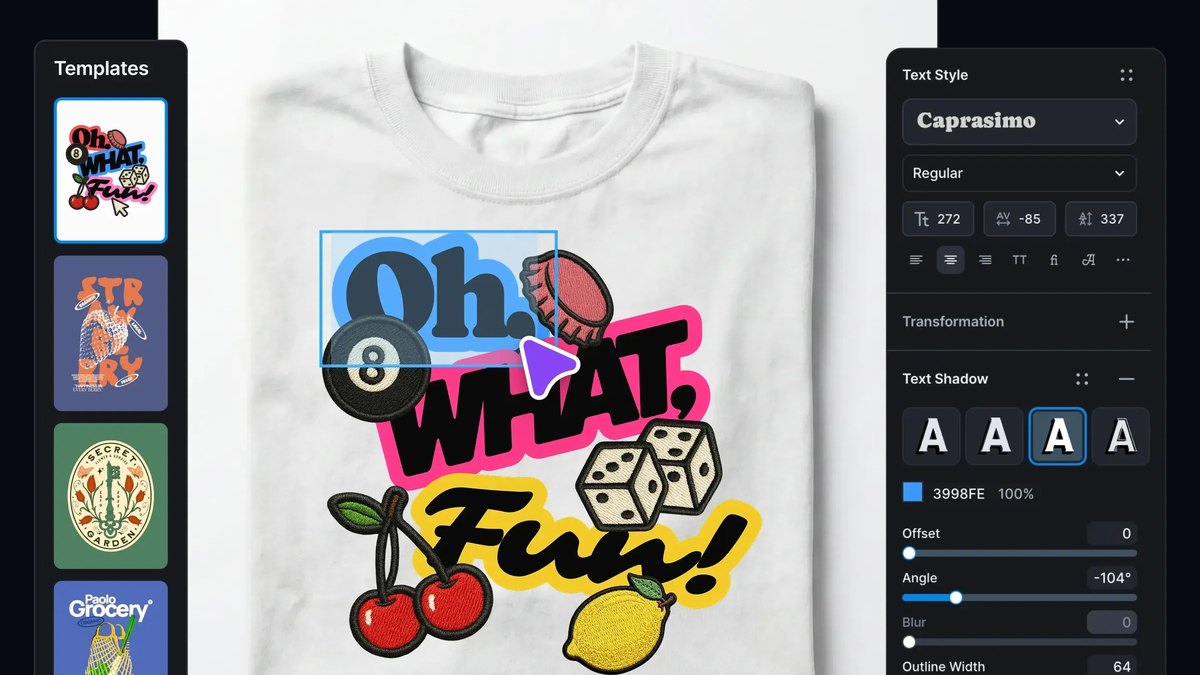
Pacdora’s AI takes a product brief and lays out the dieline with your design already on it, then opens it in a 3D preview. It exports a high-resolution mockup and the dieline file, as PDF or DXF, and says it combines 7,000+ 3D mockups with AI. Credits are 50 on Free, 300 a month on Lite, 3,000 on Pro and 10,000 on Business, and only Business lists commercial use as permitted. The pricing page copy I read shows $0 on every plan, so a price is not published.
Go ifAnyone who needs a real dieline and 3D mockup from one text brief
Skip ifYou need a clear published price before you start
Why #1 over #2: It builds on a real dieline and exports it, where Packify’s lower-cost plans reserve editable dieline export for higher tiers.
2
Packify
Answrs VerdictA packaging-first AI tool with the clearest price ladder here.
Price: Basic is listed at $19.9 per month, or $14.9 per month billed $179 annually, with 1,000 credits a month; Pro is $29.9 or $19.9 with 2,500 credits and Business is $49.9 or $29.9 with 3,500What it makes: Turns text prompts into 3D packaging concepts and provides print-ready dielines, a label generator and nutrition factsFree plan: New users get 100 one-time credits that do not refresh; AI Design or Edit costs 10 credits and AI Photoshoot costs 5Licence: Basic and Pro list a personal commercial license and Business lists a company commercial licenseDielines and API: Business and Enterprise list editable dieline export and API access for design and photography
Packify turns text prompts into 3D packaging concepts and provides print-ready dielines, a label generator and nutrition facts. Basic is listed at $19.9 per month, or $14.9 billed $179 annually, with 1,000 credits a month; Pro is $29.9 or $19.9 with 2,500 credits and Business is $49.9 or $29.9 with 3,500. Basic and Pro list a personal commercial license and Business a company license, and new users get 100 one-time credits.
Go ifSmall brands that want concepts, labels and dielines with published prices
Skip ifYou want credits that roll over, since subscription credits do not
Why #2 over #3: It publishes a full price ladder, where Fotor’s packaging page lists no prices.
3
Fotor
Answrs VerdictStrong all-round packaging mockups inside a broader creative suite.
Price: Not published on the AI packaging page, which says you can try the AI packaging designer for freeDielines: Creates a ready-to-use dieline from an uploaded image or text prompt, which you can customise or fold into a 3D mockupPackaging mockups: The Generate Packaging Mockup option applies a custom label design to photos of unbranded containersBranding mockups: Add Branding Mockup makes uniform logo mockups from your brand logo and product photosDownloads: The page says downloads are watermark-free and high-resolution
Fotor creates a ready-to-use dieline from an uploaded image or text prompt, which you can customise or fold into a 3D mockup. Generate Packaging Mockup applies a custom label design to photos of unbranded containers, and Add Branding Mockup makes logo mockups from your logo and product photos. The page says downloads are watermark-free and high-resolution; a price is not published on that page.
Go ifSellers who want label art, branded mockups and a dieline in one general AI studio
Skip ifYou want a packaging-only tool with a published price
Why #3 over #4: It covers dielines, label art and branded mockups together, where Canva’s pages I read do not mention dielines.
4
Canva
Answrs VerdictThe easiest route to a presentable packaging mockup, not a dieline tool.
Price: Free is US$0; Pro is US$144 per year for one person and Business is US$250 per year per personPackaging mockups: Elements > Mockups > Packaging opens templates; upload a JPG or PNG and place it on a water bottle, product box, pouch or paper bagAI editing: Magic Edit transforms any design element, and Magic Expand and Magic Eraser are marked ProPackaging Design app: An AI app by Imgkits designs packaging boxes from a product image, product name, packaging type and design styleExport: Save a mockup as a JPG, PNG, SVG or PDF
Canva’s packaging mockups sit under Elements > Mockups > Packaging: upload a JPG or PNG and place it on a water bottle, product box, pouch or paper bag, then save as JPG, PNG, SVG or PDF. Magic Edit transforms design elements, and an AI Packaging Design app by Imgkits designs boxes from a product image, name, packaging type and style. Free is US$0, Pro is US$144 per year for one person and Business is US$250 per year per person.
Go ifMarketers and founders who want quick packaging presentations in a tool they already know
Skip ifYou need dielines, which the pages I read do not mention
Why #4 over #5: It is the simplest way to present a pack, where Adobe Firefly is aimed at concepts and vector artwork.
5
Adobe Firefly
Answrs VerdictBest for pack-concept imagery and brand graphics inside Adobe tools.
Price: Firefly Standard is US$9.99 per month with 2,000 generative credits, Pro is US$19.99 with 4,000, Pro Plus is US$49.99 with 10,000 and Premium is US$199.99 with 50,000Free use: You do not need a plan for free daily generations across image, video and audioProduct mockups: The Firefly AI Assistant is described as handling creative explorations through detailed product mockupsVectors: Firefly creates and edits images, videos, audio and vector graphics from text promptsSafe models: Includes Adobe’s own commercially safe generative AI models, and generated content can go into Photoshop and Illustrator for further editing
Firefly creates and edits images, videos, audio and vector graphics from text prompts, and its AI Assistant is described as handling work through detailed product mockups. Adobe’s own models are described as commercially safe, and content can go into Photoshop and Illustrator. Standard is US$9.99 per month with 2,000 generative credits, Pro is US$19.99 with 4,000, Pro Plus is US$49.99 with 10,000 and Premium is US$199.99 with 50,000.
Go ifDesigners who want AI concepts and vector artwork that move into Illustrator and Photoshop
Skip ifYou need dielines, which the pages I read do not mention
Why #5 over #6: It has the clearest commercial-safety wording, where Esko Verify Comply does not generate art at all.
6
Esko Verify Comply
Answrs VerdictThe one AI tool here for packaging compliance rather than creation.
Price: Not published; each access option links to a Book a Discovery Call pageCopy and claims: Matches artwork text against approved content, including allergensBarcodes: Verifies barcode symbology and encoded data, including size, contrast and quiet zonesPlain-language rules: Lets you give AI your requirements in plain language and turn them into reusable checks across SKUs and marketsAccess: Runs inside WebCenter Enterprise or WebCenter Go, or on its own
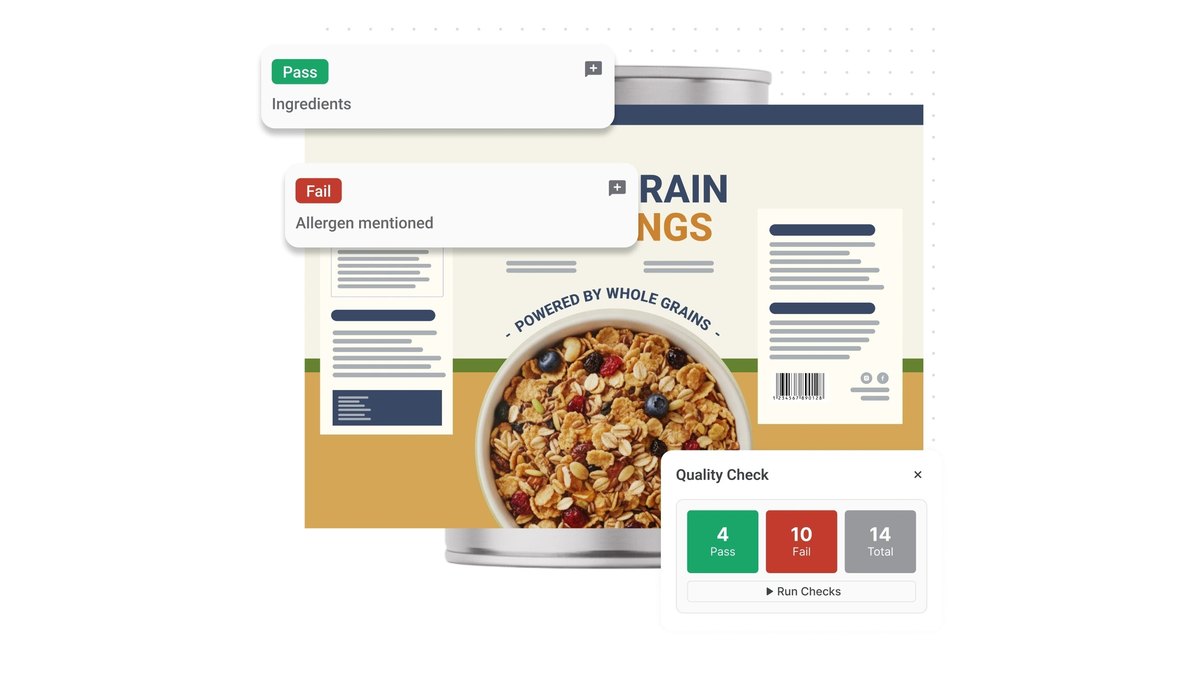
Esko Verify Comply is AI-assisted software that checks packaging artwork: it matches copy against approved content including allergens, verifies barcode symbology and encoded data, and turns plain-language requirements into reusable checks across SKUs and markets. It runs inside WebCenter Enterprise or WebCenter Go, or on its own. A price is not published; each option links to a Book a Discovery Call page.
Go ifBrands and converters that must check label and artwork compliance before print
Skip ifYou want to generate packaging art, since this checks artwork instead
Why #6 over #7: It solves compliance before print, which Kittl’s label templates do not address.
7
Kittl
Answrs VerdictGood for label art, with a clear copy limit on its licence.
Price: Not published on the pages I read; plans are Free, Pro, Expert and Max, with yearly billing said to save up to $200Label templates: A Packaging Labels page lists templates by style, including Wine, Candle and BeerAI vectors: The AI Vector Generator is described as creating clean, editable vector artworkMockups: Professional mockups to preview and present your work realisticallyCommercial licence: Pro and Expert include a Commercial License covering up to 500,000 copies; Free is for personal use only
Kittl lists packaging label templates by style, including Wine, Candle and Beer, an AI Vector Generator for clean, editable vector artwork, and mockups to preview your work realistically. Plans are Free, Pro, Expert and Max, and prices were not published on the pages I read. Pro and Expert include a Commercial License covering up to 500,000 copies, while Free is personal use only.
Go ifSmall brands designing label and brand graphics with editable vector artwork
Skip ifYou need dielines or a published monthly price
Why #7 over #8: It offers ready label templates with editable vectors, where Recraft does not name packaging.
8
Recraft
Answrs VerdictStrong brand-graphics engine; packaging is implied rather than stated.
Price: Not published on the pages I read; plans are Free, Basic, Pro and Teams, and annual billing is described as save 20%Vector graphics: Lists complex editable vector graphics, consistent styles and design-ready typographyMockups: Includes a Mockup Generator toolBrand style: Upload your own images to make a reusable, editable style without trainingCommercial rights: Paid plans grant full ownership and commercial rights; Free images are not licensed for commercial use
Recraft lists complex editable vector graphics, consistent styles, design-ready typography and a Mockup Generator, and you can upload your own images to make a reusable style without training. Its home page does not mention packaging. Plans are Free, Basic, Pro and Teams, with prices not published on the pages I read; paid plans grant full ownership and commercial rights.
Go ifDesigners who want consistent vector brand art and mockups for packaging concepts
Skip ifYou want a tool that names packaging or dielines, which the home page does not
Why #8 over #9: It gives stronger brand-style control than Artificial Studio, though it does not name packaging.
9
Artificial Studio
Answrs VerdictA cheap way to get concept visuals; confirm costs before relying on them.
Price: Each mockup costs 5 credits, and 2,000 credits are listed at $15What it makes: Generates packaging mockups from text prompts: product type, brand colors and a style descriptionPackaging types: Supports bottles, cans, jars, pouches, bags, labels, cartons and boxesOutputs: Delivers visuals as PNG or SVGDielines: Not published on the page I read
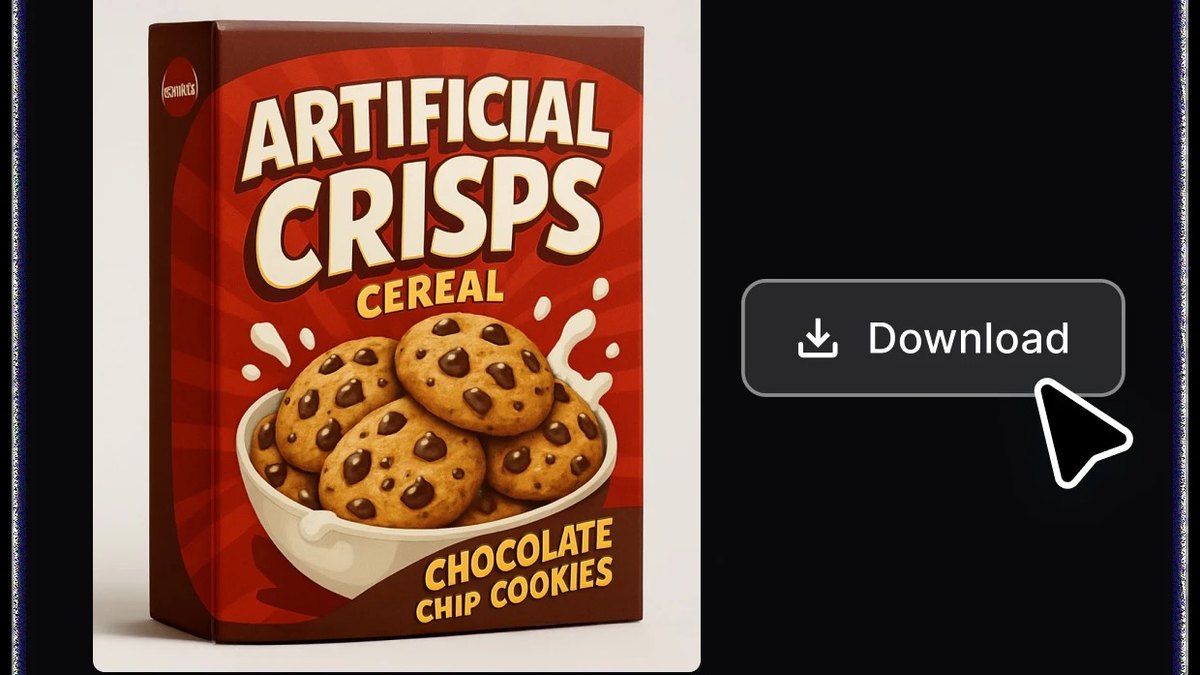
Artificial Studio generates packaging mockups from a product type, brand colors and a style description, covering bottles, cans, jars, pouches, bags, labels, cartons and boxes, delivered as PNG or SVG. Each mockup costs 5 credits, and 2,000 credits are listed at $15. The page also quotes a second per-mockup figure that does not match, so check costs before buying.
Go ifPay-as-you-go pack concept images without a subscription
Skip ifYou need dielines, or the page’s per-mockup cost figures are not consistent for you
Why #9 over #10: It prices a single mockup in credits, where Looka sells logo packages and a subscription.
10
Looka
Answrs VerdictA brand-graphics starting point, not a packaging tool.
Price: Brand Kit Subscription is $96 per year billed annually; a Basic Logo Package is $35 and a Premium Logo Package is $72, both one-timeLogo mockups: Instantly generates 100s of custom logo mockups, shown on T-shirts, pens and other real-life itemsBrand Kit: Creates 300+ branded templates personalised to your logo, such as invoices, flyers and email signaturesLogo files: Premium includes multiple high-res file types (PNG, EPS, SVG, PDF) with full ownershipPackaging: Not mentioned on the pages I read, so it supplies the logo and brand assets that go on packs
Looka generates 100s of custom logo mockups on items such as T-shirts and pens and builds 300+ branded templates around your logo. Brand Kit Subscription is $96 per year billed annually; a Basic Logo Package is $35 and a Premium Logo Package is $72, both one-time. The pages I read do not mention packaging, so it supplies the logo and brand assets that go on a pack.
Go ifNew brands that need a logo and brand kit before designing a pack
Skip ifYou need packaging structures, dielines or pack mockups
How we ranked these
We ranked tools by how directly their own pages show packaging jobs such as dielines, 3D mockups, label art and brand graphics, then by published prices and stated commercial-use terms. Every fact comes from the vendor’s own pages; where a page showed no price or did not mention a feature, we say so. Esko Studio, a 3D packaging tool, was left out because its page does not describe AI features, and Vizcom and Packhelp were left out because their pages did not show an AI packaging workflow. Pacdora’s pricing page showed $0 on every plan when read, so we could not confirm its prices. This is a general guide, not legal advice on design rights. Facts are taken from each maker's own published information; check the official site before you buy.
Questions people ask
What is the best AI tool for packaging design?
Pacdora ranks first here: its AI lays out a dieline with your design on it, opens a 3D preview and exports a high-resolution mockup plus the dieline file. Packify and Fotor follow.
Can AI make a dieline?
Yes, some can. Pacdora exports the dieline as a PDF or DXF file, Packify lists print-ready dielines, and Fotor creates a ready-to-use dieline from an image or prompt. Canva’s pages I read do not mention dielines.
Which AI packaging tools have a free plan?
Packify gives new users 100 one-time credits, Canva Free is US$0, Adobe Firefly offers free daily generations, and Fotor says you can try its AI packaging designer for free.
Can I use AI packaging designs commercially?
It depends on the plan. Packify lists a personal commercial license on Basic and Pro and a company license on Business, Recraft paid plans grant commercial rights, and Kittl Pro and Expert cover up to 500,000 copies.
Listed price per month of paid plans on monthly billing (Packify and Adobe Firefly only; others do not publish a comparable price) at a glance
Adobe Firefly Standard9.99 USD
Packify Basic19.9 USD
Adobe Firefly Pro19.99 USD
Packify Pro29.9 USD
Packify Business49.9 USD
Adobe Firefly Pro Plus49.99 USD
Listed price per month of paid plans on monthly billing (Packify and Adobe Firefly only; others do not publish a comparable price), as published by each maker. Picks without a published figure are left off.