Adobe Illustrator is the best AI tool for print design: Adobe says its artwork stays sharp from business cards to billboards and Generative Expand can add bleeds. Adobe InDesign is #2 and Canva is #3. All features are maker claims.
Adobe calls InDesign a professional page layout application for print and digital publishing that lets you design, preflight, and publish for print, web, and tablet apps
Brochures, magazines, posters and catalogs that go to a commercial printer
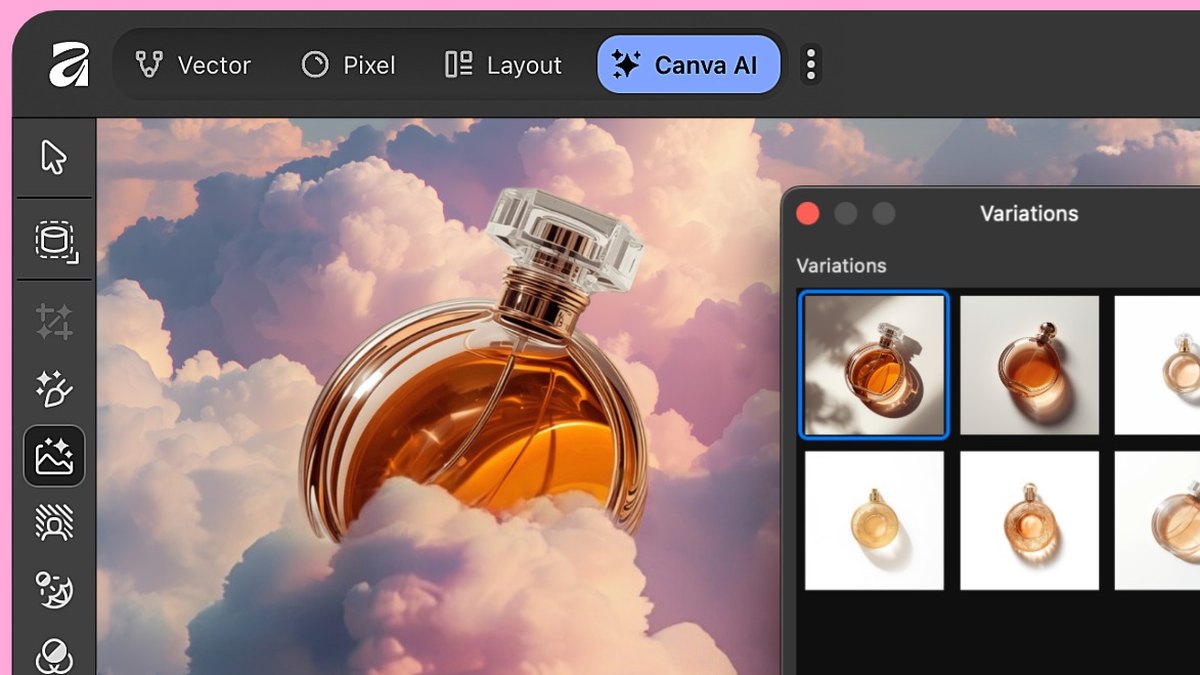
Affinity combines vector, pixel and layout in one app, and its Preflight panel flags low-resolution or missing images, missing fonts, RGB elements, and content extending past the trim area
Designers who want free print layout with preflight and optional Canva AI
Pacdora launched AI Creation, which generates artwork directly on production-accurate dielines and keeps bleed, fold, and structural geometry tied to the layout
Brands designing boxes, bags and labels that need real dielines
Vectorizer.AI describes AI-powered tracing for logos, illustrations, print, web, CAD, CNC, and design workflows
Turning low-res logos and artwork into vectors a printer can scale
Pick by what you want
Best overall
Adobe Illustrator
Best page layout and preflight
Adobe InDesign
Best design-to-print in one place
Canva
Best free layout app
Affinity by Canva
Best for packaging dielines
Pacdora
Best low-cost vector tracing
Vectorizer.AI
The ranking
1
Adobe Illustrator
Answrs VerdictThe vector standard for print artwork, now with generative vector tools.
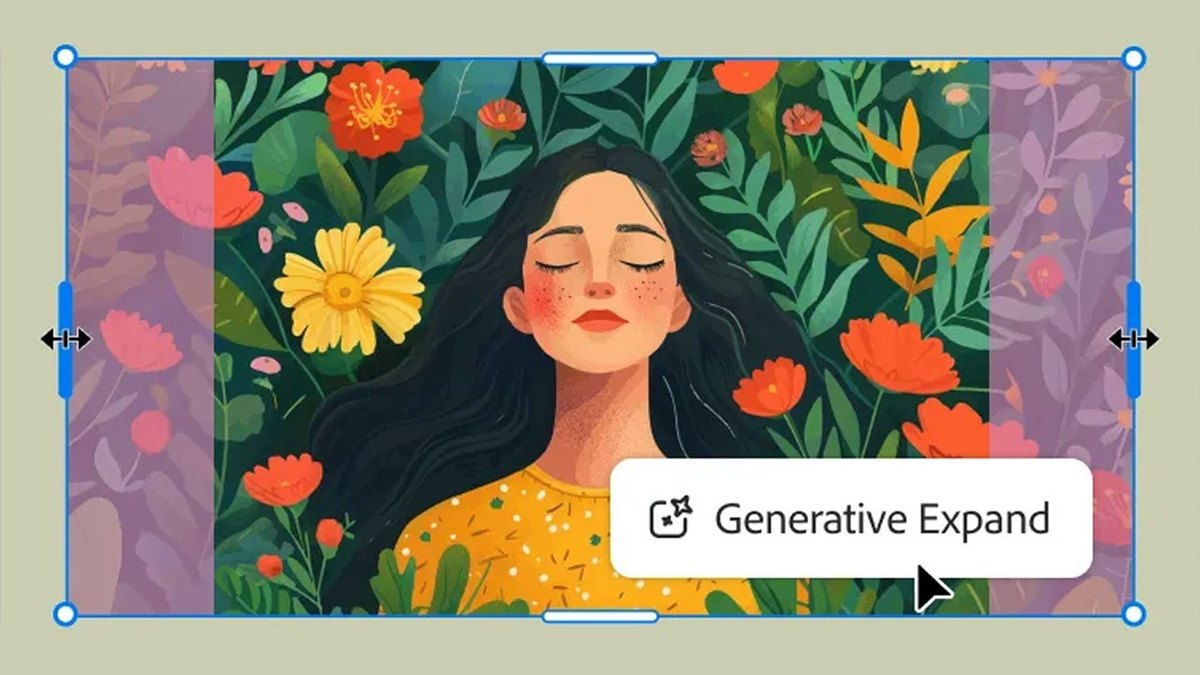
Print feature: Adobe says illustrations stay perfectly sharp and clear in print and digital, from business cards to billboardsGenerative Expand: Generative Expand lets you resize graphics, add bleeds, and explore concepts for professional designsAI vectors: Generative Shape Fill, Text to Vector Graphic, Text to Pattern, and Generative Expand generations are editable vectors that can easily be scaledModels: Illustrator natively integrates Adobe Firefly and offers a choice of third party models like GPT 4o, Nano Banana, Ideogram, Imagen 4 and morePrice: US$22.99/mo for the annual billed monthly plan
Illustrator is Adobe’s vector tool, and Adobe says illustrations stay perfectly sharp and clear in print and digital, from business cards to billboards. Generative Expand lets you resize graphics and add bleeds, and Generative Shape Fill, Text to Vector Graphic and Text to Pattern generations are editable vectors. It natively integrates Adobe Firefly and offers third party models like GPT 4o, Nano Banana, Ideogram and Imagen 4. It costs US$22.99/mo on the annual billed monthly plan.
Go ifLogos, labels and packaging art that must stay sharp at any print size
Skip ifYou mostly lay out multi-page documents rather than draw artwork
Why #1 over #2: It draws and generates the artwork itself as editable vectors, while InDesign’s AI focuses on fitting images to margins and bleeds.
2
Adobe InDesign
Answrs VerdictThe print layout and preflight tool, with AI that fixes bleed gaps.
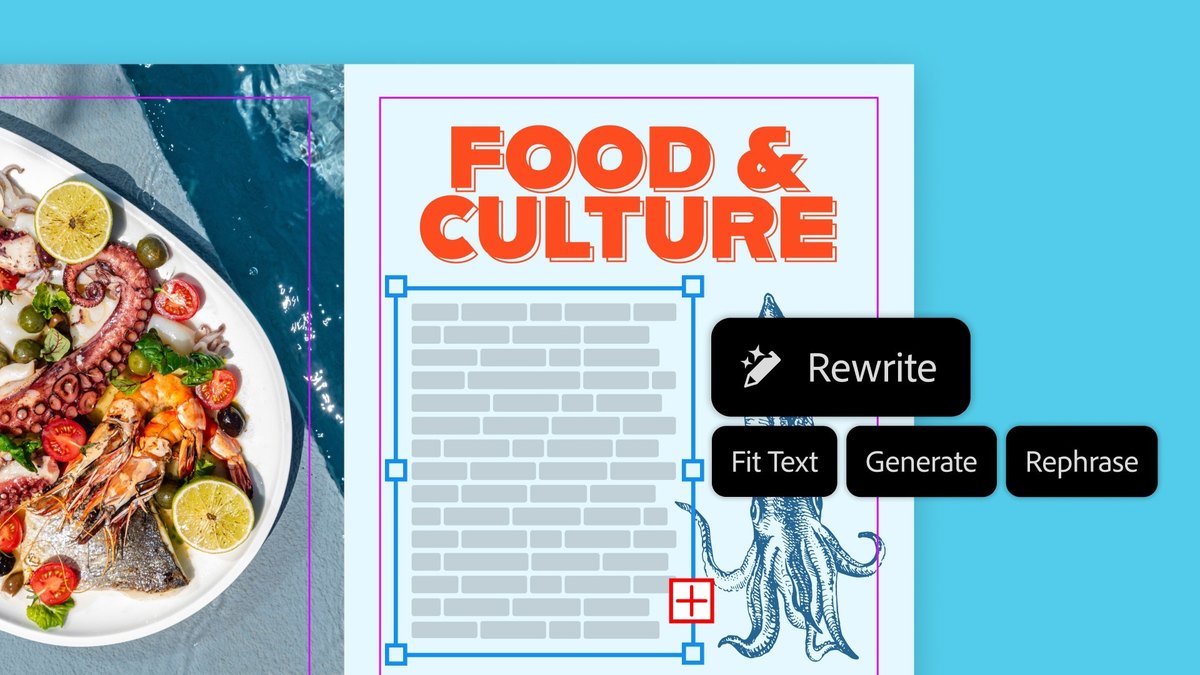
Print feature: Adobe calls InDesign a professional page layout application for print and digital publishing that lets you design, preflight, and publish for print, web, and tablet appsGenerative Expand: Pesky margins and bleeds are no match for AI-powered Generative Expand, now in InDesign, which resizes images to fitOutput: Native support for PDF files gives reliable, consistent output whether you publish to print, the web, or devicesCredits: The plan includes 25 monthly generative creditsPrice: US$22.99/mo for InDesign on the annual, billed monthly plan
InDesign is Adobe’s page layout application for print and digital publishing, and Adobe says it lets you design, preflight, and publish for print, web, and tablet apps. Generative Expand is now in InDesign to resize images and fix margins and bleeds, and native PDF support gives consistent output. The plan includes 25 monthly generative credits and costs US$22.99/mo on the annual, billed monthly plan.
Go ifBrochures, magazines, posters and catalogs that go to a commercial printer
Skip ifYou need to draw or generate original artwork rather than lay out pages
Why #2 over #3: It adds preflight and multi-page layout for the printer, which Canva’s Automated Proofing handles with automated checks only.
3
Canva
Answrs VerdictThe easiest design-to-print path, with proofing built in.
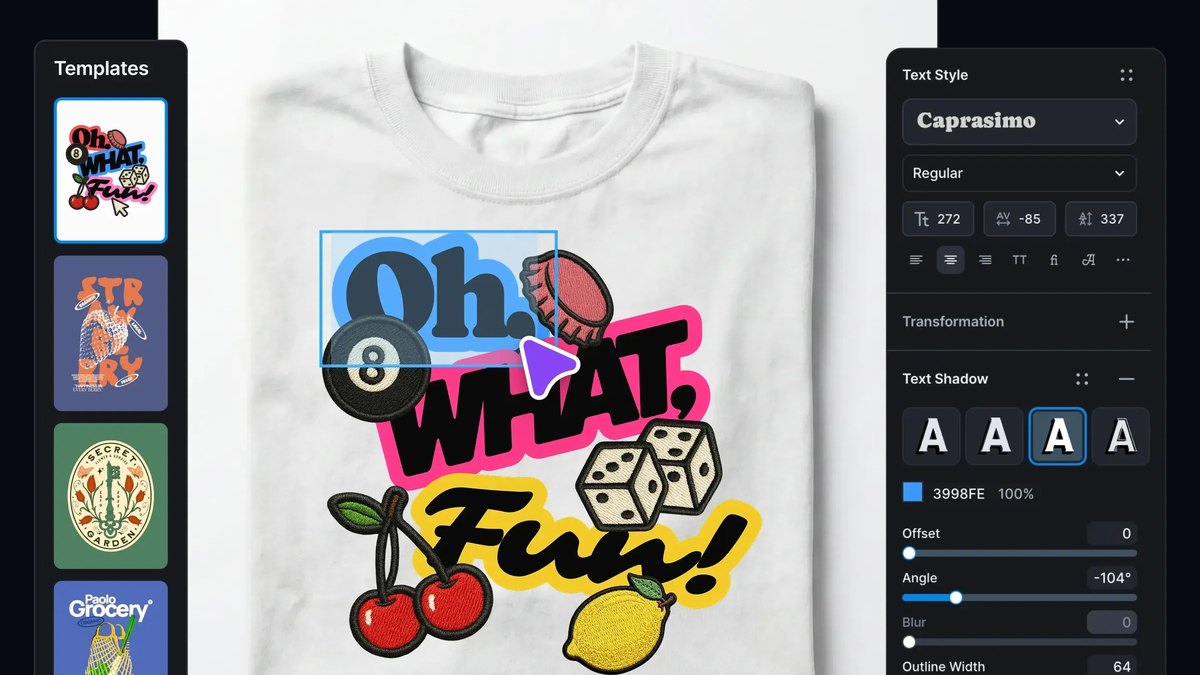
Print feature: Canva Print lets you design and print in one place, with free shipping always available and a Happiness Guarantee on print productsAutomated Proofing: Automated Proofing detects ideal text size, checks elements too close to the bleed zone, and ensures image resolution is pixel-perfectAI helpers: Canva lists one-click background removal for print-ready photos, instant resizing for any print, and Magic Layers that turn a flat design into an editable layoutImage size: Canva says photography should be no less than 96 DPI but, ideally, around 300 DPIPrice: Canva has a Free plan; its pricing page lists Business at US$250/year per person
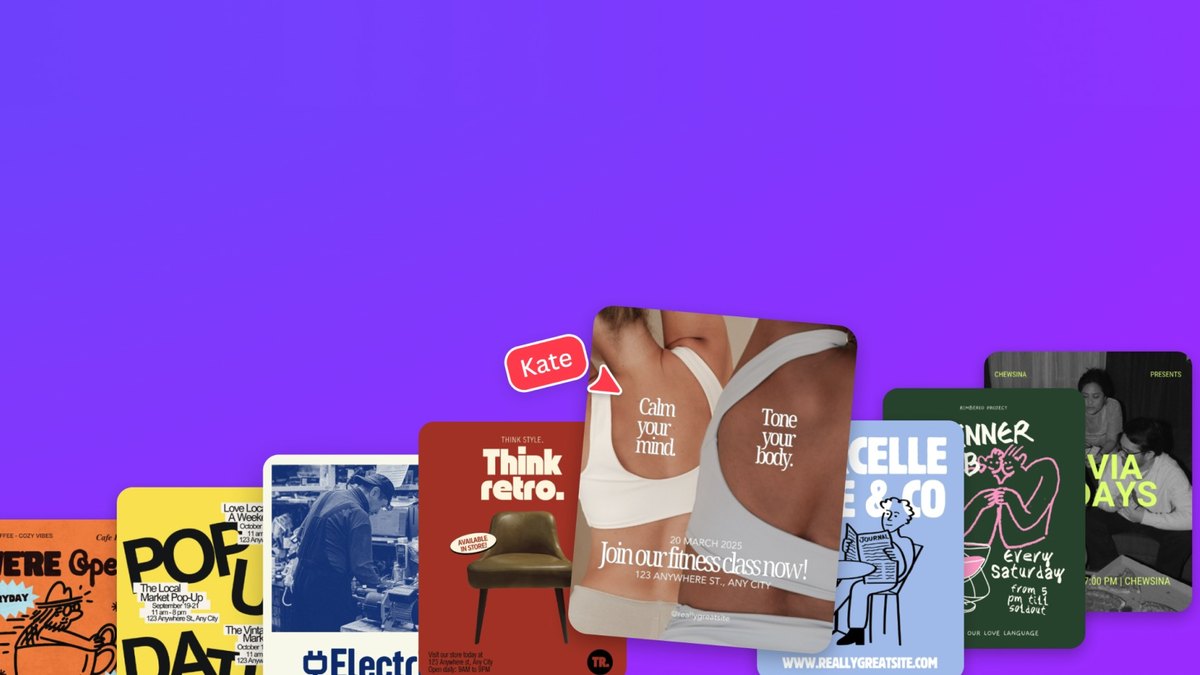
Canva lets you design and print in one place, with free shipping always available and a Happiness Guarantee on print products. Automated Proofing detects ideal text size, checks elements too close to the bleed zone and ensures pixel-perfect image resolution, and Canva lists one-click background removal, instant resizing and Magic Layers. It says photos should be no less than 96 DPI but ideally around 300 DPI. There is a Free plan, and Business is listed at US$250/year per person.
Go ifSmall teams that want to design and order flyers, cards and posters in one browser tab
Skip ifYour printer needs hand-tuned prepress control beyond automated checks
Why #3 over #4: It sells the print order itself, which CorelDRAW does not state on its page.
4
CorelDRAW Graphics Suite
Answrs VerdictA prepress-minded vector suite with text-to-vector AI.
Print feature: Corel cites a powerful color management engine and superior prepress tools, with integrated Pantone color libraries at no additional costAI: The 2026 suite includes generative AI with Text-to-vector, plus AI image generation and AI background removalCredits: Subscriptions include 2,000 AI credits per monthData use: Corel says your creative work in CorelDRAW is never used to train its AI features or third-party AI modelsPrice: Annual plan listed at $16.58/mo, monthly plan at $39.00/mo, and a one-time purchase at $399.00
CorelDRAW Graphics Suite pairs vector and layout tools with what Corel calls a powerful color management engine and superior prepress tools, plus integrated Pantone libraries at no additional cost. The 2026 suite includes generative AI with Text-to-vector, AI image generation and AI background removal, and subscriptions include 2,000 AI credits per month. Corel lists an annual plan at $16.58/mo, a monthly plan at $39.00/mo and a one-time purchase at $399.00.
Go ifSign shops and print designers who want Pantone libraries and prepress tools in a vector suite
Skip ifYou want the generative tools in a free app
Why #4 over #5: It lists Pantone libraries and prepress tools, where Affinity’s page content centers on preflight and PDF/X.
5
Affinity by Canva
Answrs VerdictFree pro layout and preflight, with Canva AI as an option.
Print feature: Affinity combines vector, pixel and layout in one app, and its Preflight panel flags low-resolution or missing images, missing fonts, RGB elements, and content extending past the trim areaPDF/X: Affinity says PDF/X-1a is the strictest version: all colors must be CMYK or spot colors, and all fonts must be embeddedBleed: Affinity recommends a standard 3mm bleed on each edgeAI: If you are on a Canva premium plan, you can unlock AI tools directly in AffinityPrice: Free for individuals; the AI tools need a Canva premium plan
Affinity combines vector, pixel and layout in one app. Its Preflight panel flags low-resolution or missing images, missing fonts, RGB elements and content extending past the trim area, and its print guide describes PDF/X-1a as needing all colors in CMYK or spot colors and recommends a 3mm bleed. Affinity is free for individuals, and Canva premium plan members can unlock AI tools directly in the app.
Go ifDesigners who want free print layout with preflight and optional Canva AI
Skip ifYou want the AI tools without a Canva premium plan
Why #5 over #6: It is free for individuals, while Kittl’s free plan is personal use only.
6
Kittl
Answrs VerdictAn AI-first design tool that now exports CMYK PDF for printers.
Print feature: Kittl lets you export PDF and JPEG designs in CMYK, with the file converted automatically on exportResolution: Kittl suggests exporting at 300 DPI for print, and notes that printed colors may varyUpscaler: The AI Image Upscaler raises size and resolution, with output up to 4096x4096 pixelsLicence: Pro and Expert plans include a Commercial License to reproduce designs in up to 500,000 copies across packaging, marketing, digital media, or printPrice: Starts at $0; the Free plan is for personal use only with no commercial rights
Kittl lets you export PDF and JPEG designs in CMYK, converting the file automatically on export, and its help center suggests 300 DPI for print while warning that printed colors may vary. The AI Image Upscaler outputs up to 4096x4096 pixels. Pro and Expert plans include a Commercial License for up to 500,000 copies across packaging, marketing, digital media or print, and pricing starts at $0.
Go ifMerch, label and poster designers who want AI type and graphics with CMYK export
Skip ifYou need CMYK for transparent PNG files, which Kittl advises to export in RGB
Why #6 over #7: It exports CMYK PDF directly, which Recraft lists only as TIFF.
7
Recraft
Answrs VerdictAI image and vector generation with CMYK TIFF export.
Print feature: Recraft supports high-resolution raster (JPG/PNG), vector (SVG), TIFF (CMYK, up to 300 DPI), PDF, and LottieVector AI: You can create editable SVGs directly from text prompts or raster imagesProfessional tools: Recraft lists Custom DPI and CMYK among its tools for professionalsFree plan: Free plan: 3 generations per style per day, personal use only, no commercial usePrice: Basic is $10 per month billed annually ($120); Pro is $16 per month billed annually ($192)
Recraft supports high-resolution raster (JPG/PNG), vector (SVG), TIFF (CMYK, up to 300 DPI), PDF and Lottie, and lists Custom DPI and CMYK among its tools for professionals. You can create editable SVGs from text prompts or raster images. The Free plan is personal use only with 3 generations per style per day; Basic is $10 per month billed annually ($120) and Pro is $16 per month billed annually ($192).
Go ifIllustrators who want AI-generated vector art and CMYK TIFF output
Skip ifYou need page layout with bleed and crop marks
Why #7 over #8: It generates vector art from text, which Pacdora applies only to packaging dielines.
8
Pacdora
Answrs VerdictAI packaging art generated straight onto printable dielines.
Print feature: Pacdora launched AI Creation, which generates artwork directly on production-accurate dielines and keeps bleed, fold, and structural geometry tied to the layoutDielines: The Dieline Template Maker customizes dimensions, materials, and paper thickness and gives you a print-ready dieline template instantlyReview step: You can check the design as a 3D mockup in the same session, then download it in a file type ready for printCredits: The Pro plan includes 3,000 credits, and a standard 6-panel box uses 60 creditsPrice: AI Creation is included starting with the Pro plan at $17 per month when billed annually
Pacdora’s AI Creation generates artwork directly on production-accurate dielines and keeps bleed, fold and structural geometry tied to the layout. Its Dieline Template Maker customizes dimensions, materials and paper thickness and gives a print-ready dieline template instantly, and you can check a 3D mockup before downloading a print-ready file. AI Creation is included from the Pro plan at $17 per month billed annually, with 3,000 credits.
Go ifBrands designing boxes, bags and labels that need real dielines
Skip ifYou are designing flat flyers or posters rather than packaging
Why #8 over #9: It builds on real dielines for boxes and bags, which Topaz and Vectorizer.AI do not address.
9
Topaz Gigapixel
Answrs VerdictThe image upscaler to run before a big print.
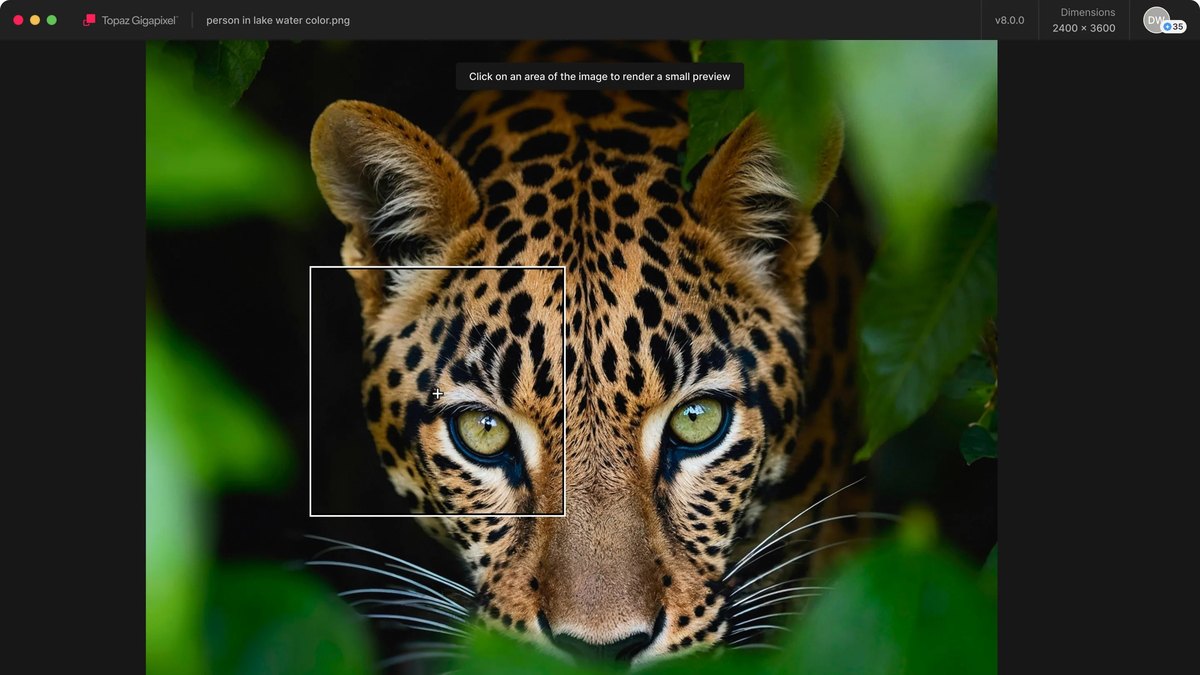
Print feature: Topaz presents Gigapixel as a pre-print step: from poster to billboard, ensure every detail is crisp, defined, and boldUpscaling: Gigapixel can upscale almost any image 6xModels: The page describes nine enhancement models, including Standard, High Fidelity, Low Res, Text & Shapes, Recover and RedefinePlatforms: It is available for Mac and Windows as a standalone app or as a plugin for Photoshop and Lightroom ClassicPrice: Personal is $149 billed annually ($12/mo); Pro is $499 billed annually ($42/mo)
Topaz Gigapixel is an image enhancer that Topaz presents as a pre-print step, from poster to billboard. It can upscale almost any image 6x, offers nine enhancement models, and runs on Mac and Windows as a standalone app or a Photoshop and Lightroom Classic plugin. Personal is $149 billed annually ($12/mo) and Pro is $499 billed annually ($42/mo).
Go ifEnlarging low-resolution photos for posters, banners and large-format prints
Skip ifYou need a layout or vector tool, since it only enhances images
Why #9 over #10: It enlarges photos for big prints, which Vectorizer.AI does only by converting images to vectors.
10
Vectorizer.AI
Answrs VerdictA focused AI tracer that turns pixels into print-ready vectors.
Print feature: Vectorizer.AI describes AI-powered tracing for logos, illustrations, print, web, CAD, CNC, and design workflowsOutput: It produces SVG, EPS, DXF, and PDF vector output, plus cleaned up PNG pixel outputLimits: The max image pixel size is 3 megapixels and the max image file size is 30 megabytesUse: Vectorizer.AI says results can be used to print, cut, embroider, and morePrice: Web App unlimited images is $9.99 / month, billed monthly, cancel anytime
Vectorizer.AI is AI-powered tracing for logos, illustrations, print, web, CAD and CNC workflows. It outputs SVG, EPS, DXF and PDF vectors plus cleaned up PNG, with a max image pixel size of 3 megapixels and max file size of 30 megabytes, and says results can be used to print, cut and embroider. The Web App is $9.99 / month for unlimited images.
Go ifTurning low-res logos and artwork into vectors a printer can scale
Skip ifYou need to generate new artwork or lay out pages
How we ranked these
We ranked tools on how clearly the maker documents print-ready output on its own pages (bleed, CMYK, preflight, dielines, high-resolution files), how much AI it adds to a print workflow, and whether it publishes a price. Every feature is a maker claim and we did not test output with a printer. Midjourney Print Plugin, DALL-E 3 Pro, Clipdrop Print Pack, Leonardo AI Print Mode, Recraft Print Suite, Affinity Publisher AI and VistaCreate AI from the old list were replaced because we could not find those named products or print claims on the makers’ own pages. Canva Magic Studio is now the Canva pick, CorelDRAW AI is the CorelDRAW Graphics Suite, and Recraft stays under its real product name. Facts are taken from each maker's own published information; check the official site before you buy.
Questions people ask
What is the best AI tool for print design?
Adobe Illustrator is our top pick: Adobe says artwork stays sharp from business cards to billboards, and Generative Expand can add bleeds. Adobe InDesign is #2 for layout and Canva is #3 for design-to-print in one place.
Which AI print design tools export CMYK?
Kittl exports PDF and JPEG in CMYK, Recraft lists TIFF (CMYK, up to 300 DPI), and Affinity says PDF/X-1a needs all colors in CMYK or spot colors. Corel cites a color management engine and prepress tools.
Which AI tool helps with bleed?
Adobe says Generative Expand can add bleeds in Illustrator and fixes margins and bleeds in InDesign. Canva Automated Proofing checks elements too close to the bleed zone, and Affinity recommends a 3mm bleed.
Is there a free option?
Affinity is free for individuals, and Canva, Kittl and Recraft each have a Free plan. Kittl and Recraft do not give the free plan commercial rights, and Affinity needs a Canva premium plan for AI tools.
Entry paid plan price in USD per month as each maker lists it (billing differs: Adobe annual billed monthly; Corel, Recraft, Pacdora and Topaz billed annually; Vectorizer.AI monthly) at a glance
Vectorizer.AI9.99 USD/mo
Recraft10 USD/mo
Topaz Gigapixel12 USD/mo
CorelDRAW Graphics Suite16.58 USD/mo
Pacdora17 USD/mo
Adobe Illustrator22.99 USD/mo
Adobe InDesign22.99 USD/mo
Entry paid plan price in USD per month as each maker lists it (billing differs: Adobe annual billed monthly; Corel, Recraft, Pacdora and Topaz billed annually; Vectorizer.AI monthly), as published by each maker. Picks without a published figure are left off.