The 10 Best AI Tools for Restoring Old Photos in 2027
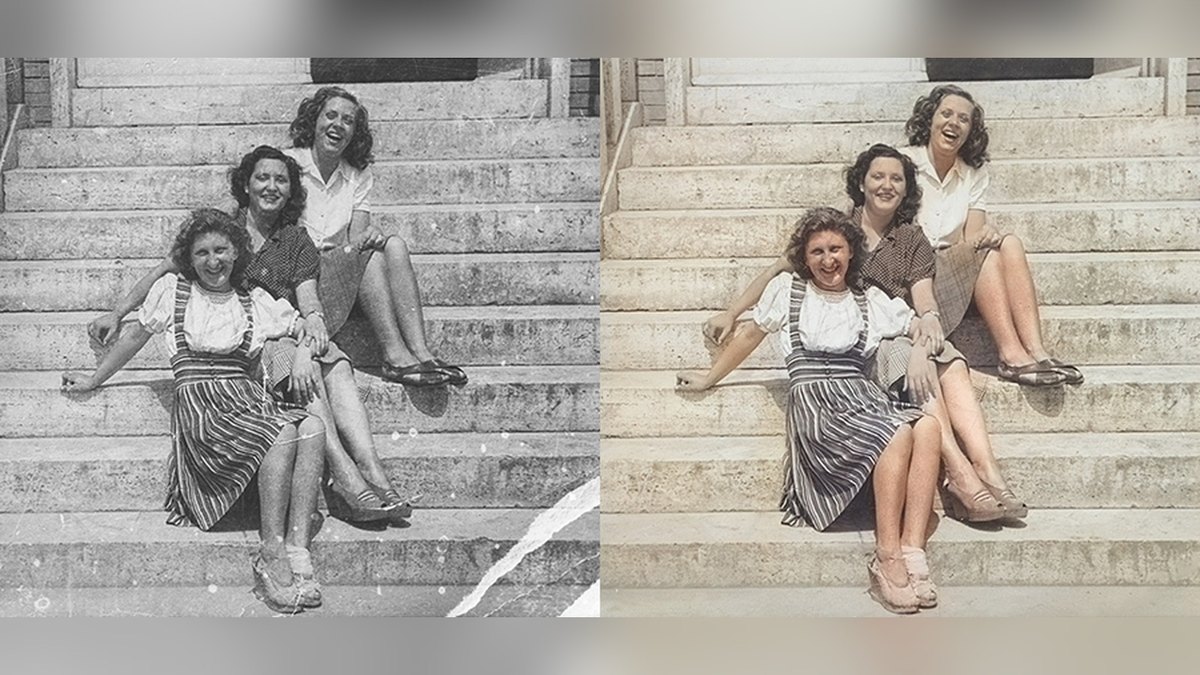
Adobe Photoshop is the best AI tool for restoring old photos: its Photo Restoration Neural Filter has scratch reduction and face sliders, with Colorize and healing brushes to finish, from US$22.99 a month. Remini is #2 for one-tap face restoration, and Topaz Photo is #3 for scanned prints.
At a glance
| # | Pick | Price | Best for |
|---|---|---|---|
| 1 | Adobe Photoshop (Photo Restoration Neural Filter) | Photoshop plan US$22.99 a month, annual plan billed monthly | Restorers who want AI first and full manual control after |
| 2 | Remini | Free app with in-app subscriptions on the App Store: Remini Pro Weekly $9.99 and 1 Month $9.99; Remini Lite Weekly $7.99 | Fast one-tap restoration of faded faces and group photos |
| 3 | Topaz Photo | Personal $199 a year, or $25 a month billed monthly on an annual commitment | Scanned prints you want cleaned and sharpened at full resolution |
| 4 | MyHeritage Photo Enhancer | Complete plan $299 a year ($199 for the first year); Complete subscribers can enhance an unlimited number of photos | Family historians who already use MyHeritage for their tree |
| 5 | Luminar Neo | Lifetime plans listed as Black Friday prices: Desktop Only $99, All Platforms $139, Max $159, one-time payment | Photographers who want restoration inside a full photo editor |
| 6 | VanceAI Old Photo Restoration | Starter $15 a month (260 credits), Popular $30 (650), Creator $45 (1,300), Studio $75 (2,600) | Heavily scratched or torn prints on a pay-per-use credit plan |
| 7 | Fotor | Pro $8.99 a month or $39.99 billed annually; Pro+ $11.99 a month or $89.99 billed annually | Beginners who want repair, colorizing and face fixes in a browser |
| 8 | Let’s Enhance | Starter $12 a month ($9 billed annually) for 100 credits; Pro $32 ($24 annually) for 300; Max $45 ($34 annually) for 500 | Restoring a scan and then upscaling it for print |
| 9 | HitPaw FotorPea | One-time credit packs: 200 credits for $4.99 restores 100 old photos; 1,000 credits for $21.99 restores 500 | Desktop restoration with scratch repair and colorizing in one app |
| 10 | Hotpot Photo Restorer | Credit packs from $12 for 1,000 credits to $240 for 20,000; credit cost per restore not published | Quick restores with a choice of finish |
Pick by what you want
The ranking
Adobe Photoshop (Photo Restoration Neural Filter)
Adobe Photoshop restores old photos with Filter > Neural Filters > Photo Restoration, which has sliders for image enhancement, enhance face and scratch reduction. Colorize adds color on a flattened copy, and the Spot Healing Brush and Clone Stamp clean up what remains. The Photoshop plan is US$22.99 a month on an annual plan billed monthly, with a 7-day free trial.
Remini

Remini is a free app from Bending Spoons with in-app subscriptions: Remini Pro Weekly is $9.99, 1 Month is $9.99 and Remini Lite Weekly is $7.99. Its restorer removes blur, sharpens details and cleans up grain in one click, and it finds faces in blurry group photos from decades ago. The app is rated 4.6 out of 5 from about 357K ratings.
Topaz Photo

Topaz Photo costs $199 a year, or $25 a month billed monthly on an annual commitment. It includes a Dust & Scratch model and a Recover Faces model, and Topaz says you can remove dust and scratches, adjust lighting and color, and restore images to their original sharpness. The plugin handles images up to 512 megapixels.
MyHeritage Photo Enhancer
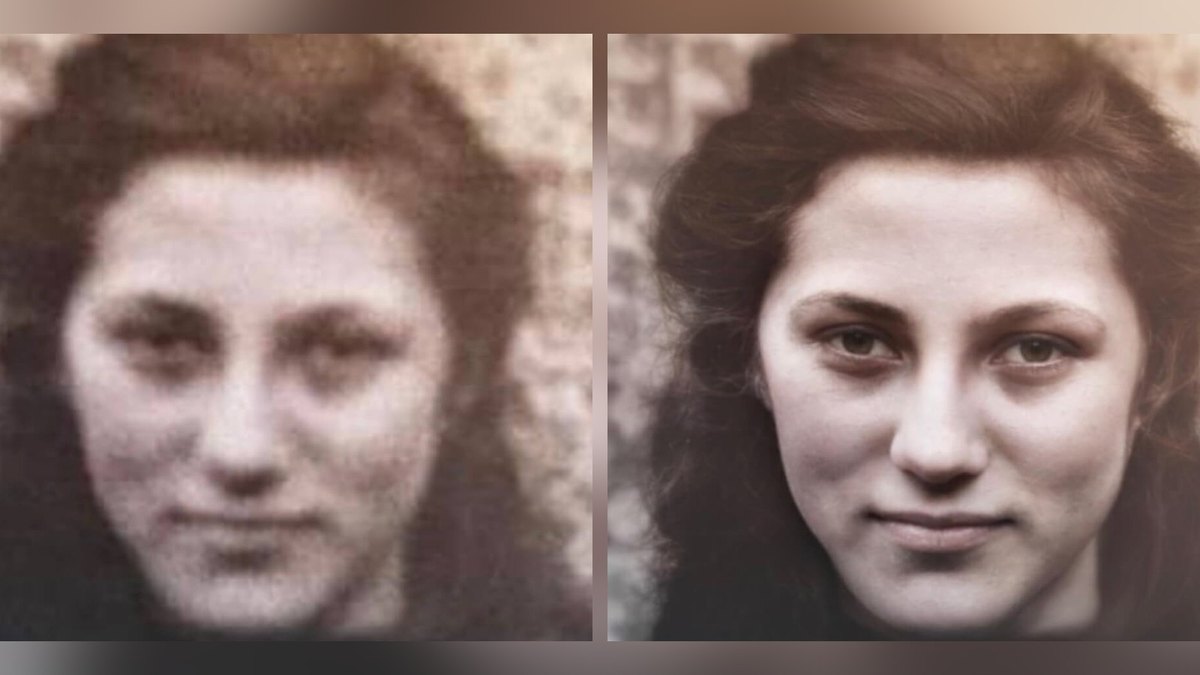
MyHeritage Photo Enhancer lets anyone enhance 10 photos for free, then requires a subscription; the Complete plan is $299 a year ($199 for the first year) and enhances an unlimited number of photos. Its face upscaling technology is licensed from the creators of the Remini mobile app. Free results carry a MyHeritage logo watermark.
Luminar Neo
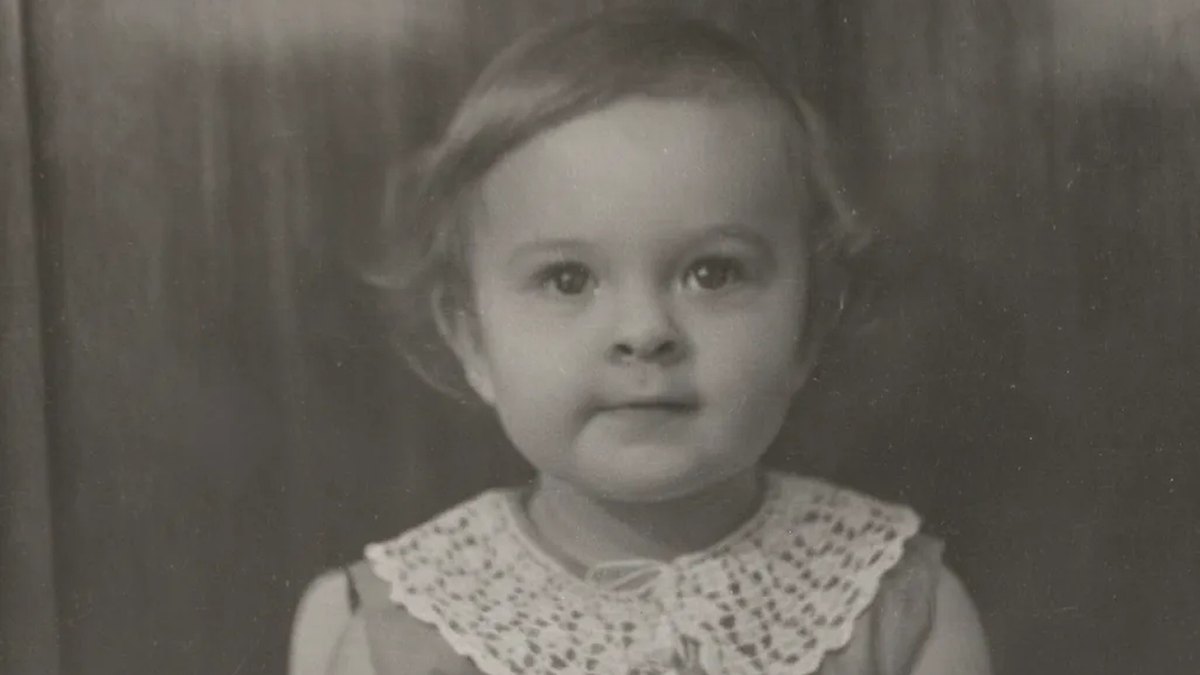
Luminar Neo includes a Restoration tool with three modes: Full removes scratches and restores color, Color adds color to black-and-white photos, and Scratches removes visible damage while keeping the original tones. It needs an internet connection and does not support batch processing. Lifetime plans are listed at $99, $139 and $159 as Black Friday prices.
VanceAI Old Photo Restoration

VanceAI Old Photo Restoration repairs scratches, tears, cracks, creases, stains, spots, dust, faded color and yellowing. Restore costs 4 credits at 1K/2K and 10 credits at 4K; plans run from Starter at $15 a month for 260 credits to Studio at $75 for 2,600, and new users get 10 credits to try it.
Fotor

Fotor’s restoration tool heals surface scratches, deep folds, ripped tears and liquid stains, colorizes black-and-white photos, corrects faded tones and unblurs faces, even in group photos. Pro is $8.99 a month or $39.99 billed annually, and Pro+ is $11.99 a month or $89.99 billed annually. New users get complimentary credits to preview and download watermark-free results.
Let’s Enhance

Let’s Enhance has an Old Photo model that repairs scratches, fixes fading and removes damage into a clean 1 MP base image, which you then upscale. Starter is $12 a month ($9 billed annually) for 100 credits, Pro is $32 ($24) for 300 and Max is $45 ($34) for 500, and new users get 10 free credits. It recommends scanning at 300 DPI minimum.
HitPaw FotorPea

HitPaw FotorPea is a desktop tool with a Colorize Model, Scratch Repair, Color Calibration and a Face Model, plus modes for low-quality images and for single-person or group old photos. One-time credit packs start at $4.99 for 200 credits, which restores 100 old photos, and $21.99 buys 1,000 credits for 500 photos. It has a 7-day free desktop trial.
Hotpot Photo Restorer
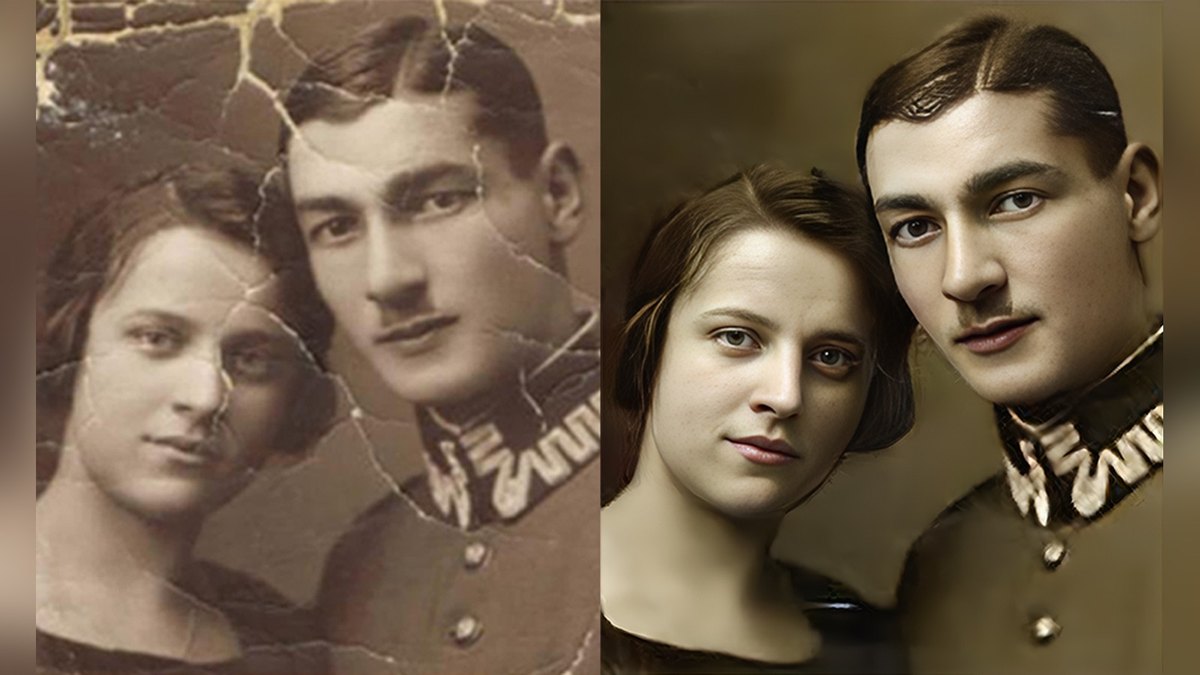
Hotpot Photo Restorer reduces scratches, sharpens faded details and enhances faces in black-and-white or color photos, with style options such as Classic black & white and Vintage. Credit packs run from $12 for 1,000 credits to $240 for 20,000, though the credit cost per restore is not published. Hotpot warns that AI may invent details where damage is unclear.
How we ranked these
Questions people ask
What is the best AI tool for restoring old photos?
Adobe Photoshop: its Photo Restoration Neural Filter has image enhancement, enhance face and scratch reduction sliders, and Colorize and the healing tools finish the job, from US$22.99 a month with a 7-day free trial.
Can AI restore a photo with scratches and tears?
Yes. Fotor heals surface scratches, deep folds, ripped tears and liquid stains, and VanceAI repairs scratches, tears, cracks, creases, stains and dust.
Is there a free way to restore old photos?
MyHeritage lets anyone enhance 10 photos for free, and Let’s Enhance gives new users 10 free credits; both add limits such as a watermark or a subscription after that.
How should I scan an old photo before restoring it?
Let’s Enhance recommends scanning at 300 DPI minimum, 600 DPI better, and saving the scan as a lossless format such as PNG.
Lowest monthly price listed, in USD (annual-commitment plans billed monthly where marked) at a glance
Official sites
- Adobe Photoshop (Photo Restoration Neural Filter) · adobe.com
- Remini · remini.ai
- Topaz Photo · topazlabs.com
- MyHeritage Photo Enhancer · myheritage.com
- Luminar Neo · skylum.com
- VanceAI Old Photo Restoration · vanceai.com
- Fotor · fotor.com
- Let’s Enhance · letsenhance.io
- HitPaw FotorPea · hitpaw.com
- Hotpot Photo Restorer · hotpot.ai
Sources
- adobe.com
- apps.apple.com
- topazlabs.com
- education.myheritage.com
- myheritage.com
- support.skylum.com
- skylum.com
- vanceai.com
- h5.fotor.com
- letsenhance.io
- hitpaw.com
- hotpot.ai
Prices, specs and availability change; confirm on the official site before you buy.