Timely is the best AI tool for time tracking: it auto-captures your work, auto-allocates it and drafts the timesheet for one-click approval, with a 14-day free trial. TimeCamp is #2 for an AI Time Tracker that assigns activity to projects, and Timing is #3 for Mac users who want AI summaries.
Starter $9 per user a month billed yearly ($11 billed monthly), up to 5 users and 20 projects; Premium $16 yearly ($20 monthly), up to 50 users; Unlimited $22 yearly ($28 monthly); 14-day free trial with every feature and no credit card
Agencies and consultancies that want timesheets filled in automatically
Starter $3.99 per user a month billed yearly ($5.49 month to month); Premium $6.99 ($9.99); Ultimate $9.99 ($13.99); AI Time Tracker is billed by token usage, estimated at about $6 per user a month
People who want an AI agent to draft entries they approve in minutes
Professional $9 a month billed annually ($11 monthly) for 1 Mac; Expert $11 annually ($14 monthly); Connect from $16 per user annually ($20 monthly); 30-day free trial
Mac users who want automatic tracking with AI-built entries
Free $0 for a limited number of users; Starter $9 per user a month billed annually ($12 monthly); Premium $16 annually ($24 monthly); 30-day trial of paid plans
Freelancers and small teams that want a polished timer with AI help
Solo Focus $7 a month billed annually ($9 monthly); Solo+ with Timesheets $12 annually ($15 monthly); Team $10 per user annually; Team+ $16 per user annually; 14-day free trial
Individuals who want automatic tracking plus focus tools
Starter $4.99 per seat a month billed annually; Grow $7.50; Team $10; Enterprise $25; the first three have a 2 seat minimum; 14-day free trial with no credit card
Teams that need automatic timesheets, payroll data and AI-flagged anomalies
Lite free forever; Starter $10 per seat a month; Business $15 per seat a month
People who want AI to analyze calendar time rather than log client hours
Pick by what you want
Best overall
Timely
Best AI project matching
TimeCamp
Best for Mac
Timing
Best AI questions
Toggl Track
Best for teams
Hubstaff
Best data on device
Memtime
Best free plan
Clockify
The ranking
1
Timely
Answrs VerdictThe AI time tracker that auto-captures and drafts the timesheet.
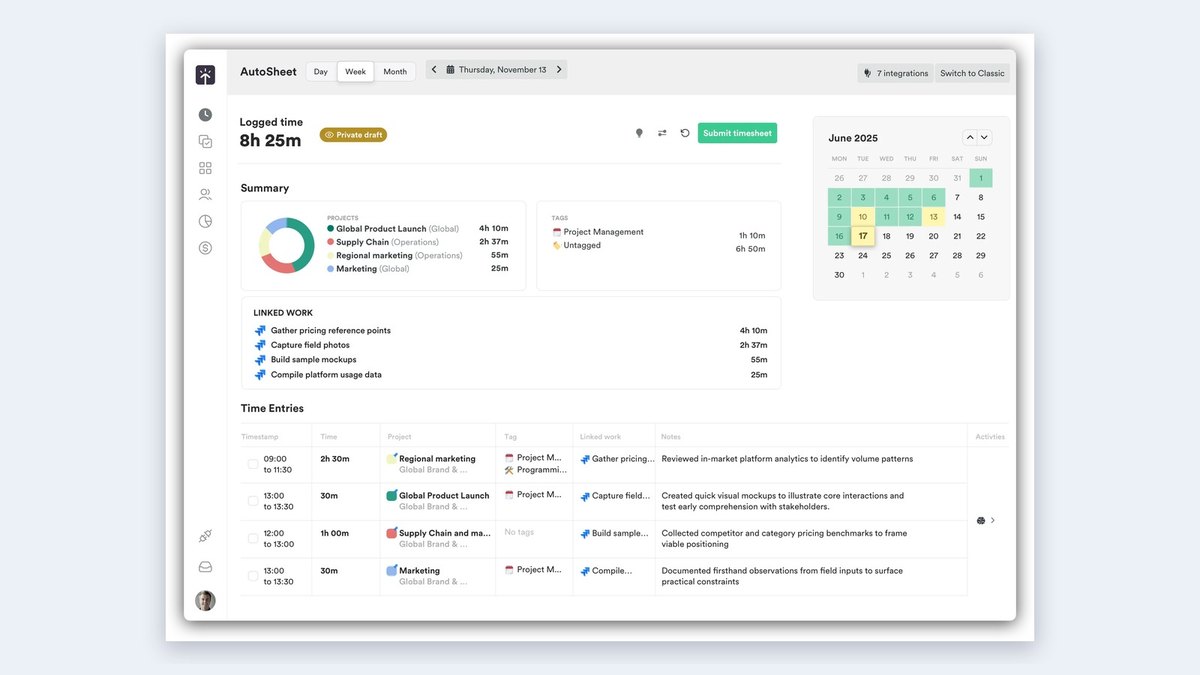
Price: Starter $9 per user a month billed yearly ($11 billed monthly), up to 5 users and 20 projects; Premium $16 yearly ($20 monthly), up to 50 users; Unlimited $22 yearly ($28 monthly); 14-day free trial with every feature and no credit cardAI time tracker: Auto-capture, auto-allocate and one-click approve: Timely completes timesheets automaticallyAI categories: Starter includes Automatic Time Tracking, Categorize your time with AI, and tracking on thousands of apps and websitesPrivacy: The home page calls it privacy-first by design and lists ISO 27001 compliance for enterpriseScale: Trusted by 5,000+ businesses worldwide
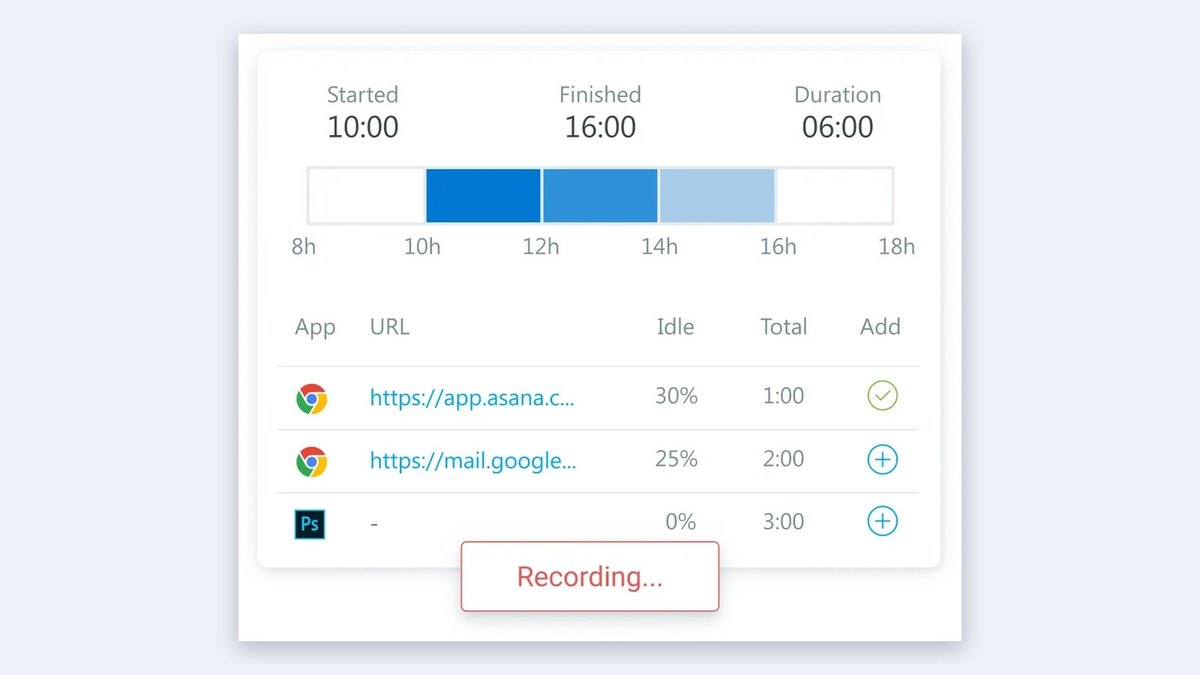
Timely’s AI time tracker auto-captures, auto-allocates and lets you approve in one click, completing timesheets automatically. Starter includes Automatic Time Tracking, AI categorization of your time and tracking on thousands of apps and websites. Starter is $9 per user a month billed yearly for up to 5 users, Premium is $16 and Unlimited is $22, and the 14-day free trial includes every feature.
Go ifAgencies and consultancies that want timesheets filled in automatically
Skip ifYou want a free plan
Why #1 over #2: It completes the whole timesheet, while TimeCamp asks you to review suggestions and bills AI by token usage.
2
TimeCamp
Answrs VerdictThe most direct AI tracker, with a privacy-first design.
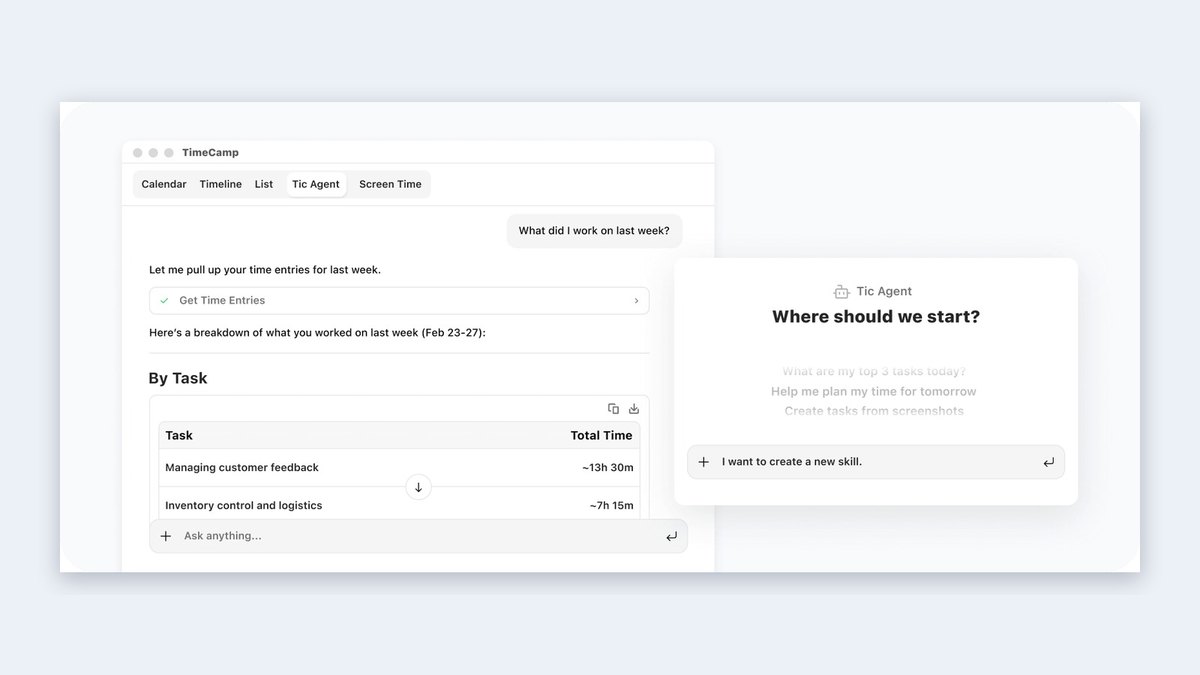
Price: Starter $3.99 per user a month billed yearly ($5.49 month to month); Premium $6.99 ($9.99); Ultimate $9.99 ($13.99); AI Time Tracker is billed by token usage, estimated at about $6 per user a monthAI Time Tracker: A lightweight desktop app runs in the background, analyzes your activity and assigns it to the right projectsReview step: At the end of the day you review and approve the entry suggestions, with a stated maximum of 2 minutes on your timesheetPrivacy: Screenshots are processed locally to suggest task matches and deleted afterward; the page says no keystrokes or browsing history are collectedLearning: It recognizes your patterns the next day and remembers each task you reassign
TimeCamp’s AI Time Tracker is a lightweight desktop app that runs in the background, analyzes your activity and assigns it to the right projects. You review and approve suggestions at the end of the day, with a stated maximum of 2 minutes on your timesheet. Screenshots are processed locally and deleted afterward. Starter is $3.99 per user a month billed yearly, with AI estimated at about $6 per user a month in token usage.
Go ifPeople who want an AI agent to draft entries they approve in minutes
Skip ifYou do not want to pay token-based AI fees on top of the plan
Why #2 over #3: It starts at $3.99, well below Timing’s $9, and learns from each task you reassign.
3
Timing
Answrs VerdictThe Mac-native tracker with AI summaries and AI-grouped entries.
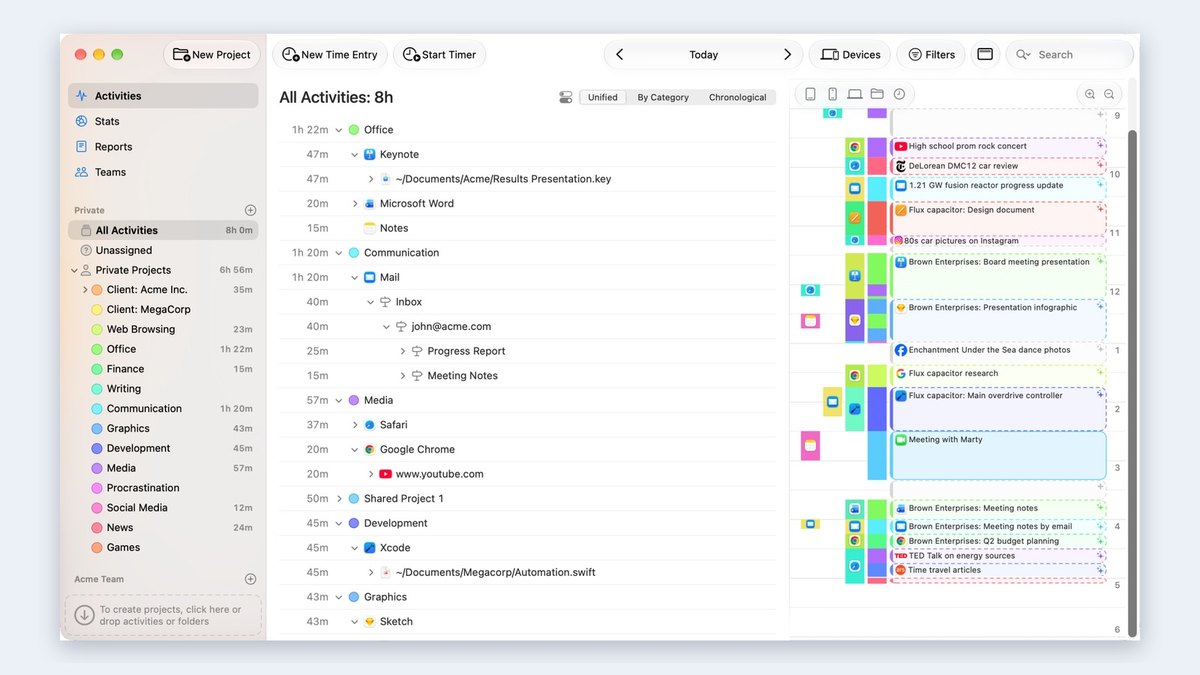
Price: Professional $9 a month billed annually ($11 monthly) for 1 Mac; Expert $11 annually ($14 monthly); Connect from $16 per user annually ($20 monthly); 30-day free trialAI summaries: AI summaries reveal what you worked on and highlight key patterns, and AI groups related activities to build time entriesAutomatic tracking: Tracks every app, document and website you use on your Mac, including the full file path or URLMeetings: Automatically asks you to record time after each video or audio callPricing page: AI activity summaries and AI integration via MCP appear in the plan feature list
Timing is an automatic Mac time tracker. Its AI summaries reveal what you worked on and highlight key patterns, and AI groups related activities to build entries. It tracks every app, document and website, including the full file path or URL, and asks you to record time after each video or audio call. Professional is $9 a month billed annually for 1 Mac, with a 30-day free trial.
Go ifMac users who want automatic tracking with AI-built entries
Skip ifYou work on Windows or Linux
Why #3 over #4: Its AI builds entries from a full activity log, while Toggl Track relies on timers and rules.
4
Toggl Track
Answrs VerdictThe friendly timer with AI questions and rule-based auto-tracking.
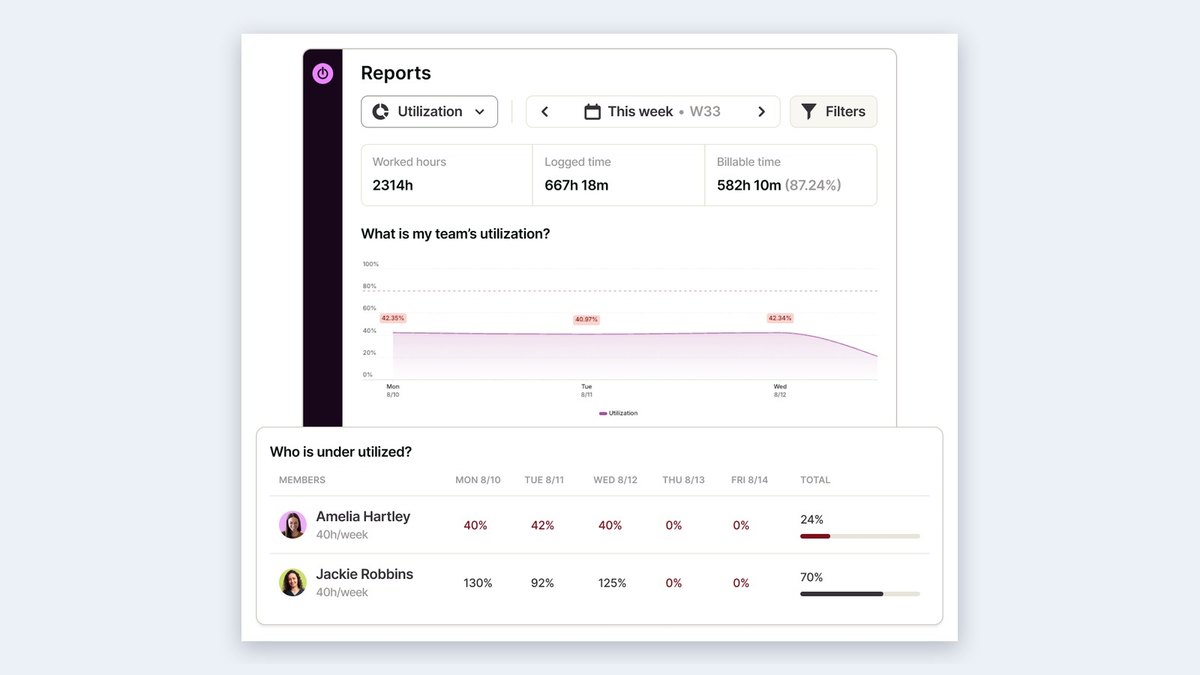
Price: Free $0 for a limited number of users; Starter $9 per user a month billed annually ($12 monthly); Premium $16 annually ($24 monthly); 30-day trial of paid plansToggl AI: Ask Toggl AI plain-language questions about hours logged, billable versus non-billable and projects over estimate, and get an answer with the numbers behind itAutomatic tracking: Auto-track calendar events, auto-track selected pages through the browser extension, and trigger tracking by keyword on the Windows and macOS desktop appsAI tasks: Ask Toggl AI to create projects and tasks or log time for you; admins can turn it offFree plan: The FAQ says the free tier works for up to 3 users and includes manual and real-time timers and calendar integrations
Toggl Track lets you ask Toggl AI plain-language questions about hours logged, billable versus non-billable and projects over estimate, and it can create projects and tasks or log time for you. It can auto-track calendar events and selected pages through the browser extension, and trigger tracking by keyword on desktop. Free is $0, Starter is $9 per user a month billed annually and Premium is $16.
Go ifFreelancers and small teams that want a polished timer with AI help
Skip ifYou want fully hands-off capture of every app
Why #4 over #5: Its AI answers questions about your hours, while RescueTime’s AI matches projects on a timesheet.
5
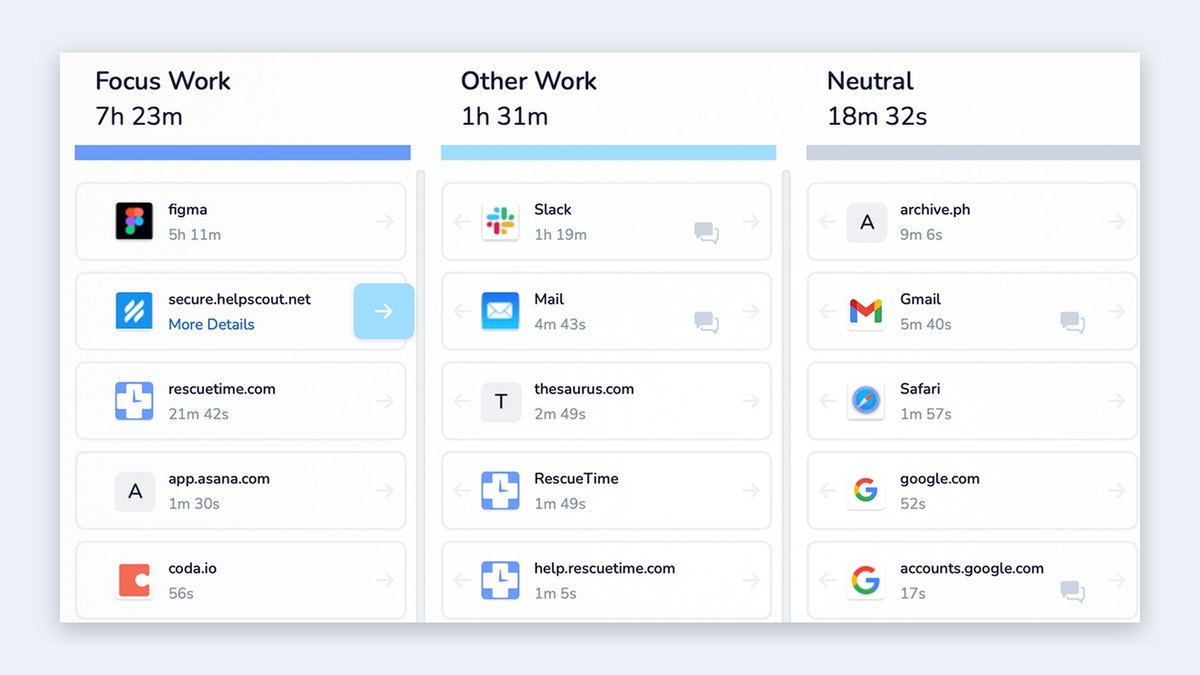
RescueTime
Answrs VerdictThe long-running automatic tracker with optional AI project matching.
Price: Solo Focus $7 a month billed annually ($9 monthly); Solo+ with Timesheets $12 annually ($15 monthly); Team $10 per user annually; Team+ $16 per user annually; 14-day free trialAutomatic tracking: Tracks time on apps and websites automatically, no timers neededAI smart fill: Timesheets can use the optional AI and RT smart fill to assign your projects, and you review and approve suggestions before they reach the final timesheetCalendar: Connect your calendar to auto-log meetings that appear on your timelineFocus: Focus Sessions block distracting websites, apps and even email or chat
RescueTime tracks time on apps and websites automatically with no timers, and its Timesheets can use optional AI and RT smart fill to assign projects, with a review step before anything reaches the final timesheet. You can connect a calendar to auto-log meetings, and Focus Sessions block distracting sites. Solo Focus is $7 a month billed annually, Solo+ with Timesheets is $12, and there is a 14-day free trial.
Go ifIndividuals who want automatic tracking plus focus tools
Skip ifYou need a permanent free plan
Why #5 over #6: Its AI is optional and sits on top of automatic tracking, where Hubstaff uses machine learning to flag anomalies.
6
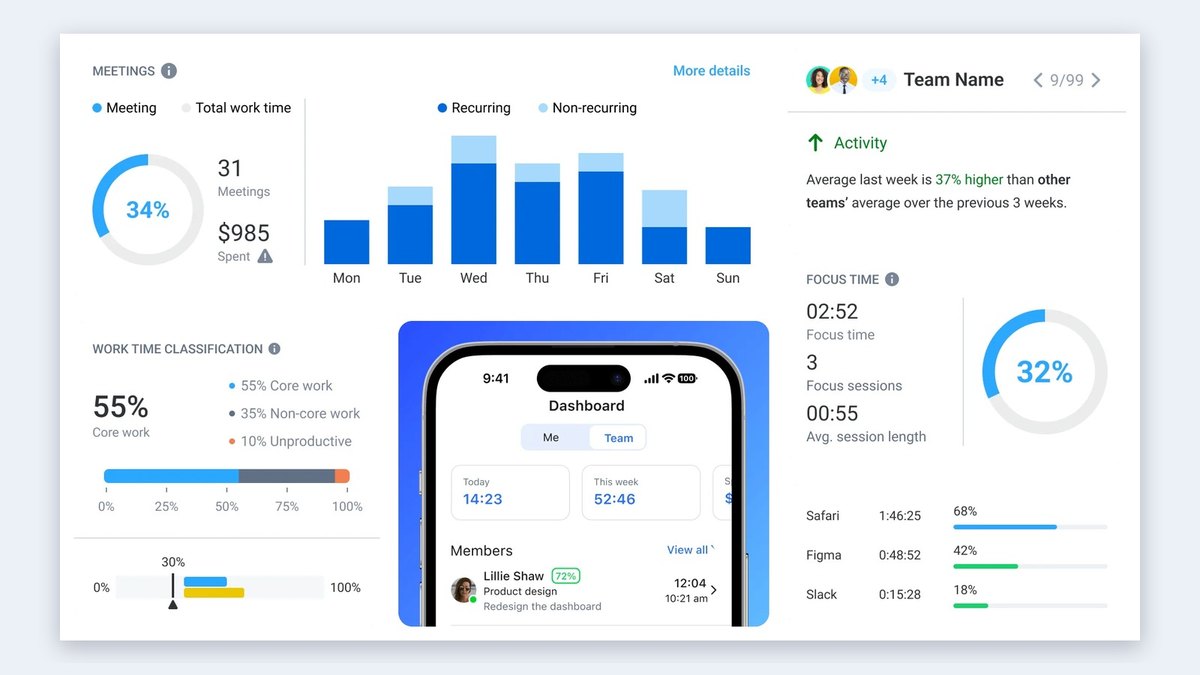
Hubstaff
Answrs VerdictThe workforce suite with AI anomaly detection and automatic timesheets.
Price: Starter $4.99 per seat a month billed annually; Grow $7.50; Team $10; Enterprise $25; the first three have a 2 seat minimum; 14-day free trial with no credit cardAI detection: Flags unusual activity patterns using machine learning, such as mouse jigglers or scripted activityAutomatic timesheets: Timesheets update automatically as time is tracked, so employees add notes, review hours and submit for approvalAI-ready data: Connect workforce data to AI tools and get answers through the Hubstaff MCPGPS: Job sites can automatically clock teams in and out
Hubstaff flags unusual activity patterns with machine learning, such as mouse jigglers or scripted activity, and timesheets update automatically as time is tracked. Workforce data can be connected to AI tools through its MCP, and job sites can automatically clock teams in and out. Starter is $4.99 per seat a month billed annually with a 2 seat minimum, Grow is $7.50 and Team is $10.
Go ifTeams that need automatic timesheets, payroll data and AI-flagged anomalies
Skip ifYou are a solo user who wants a minimal tracker
Why #6 over #7: It adds AI anomaly detection and payroll-ready timesheets, which DeskTime’s AI summary does not.
7
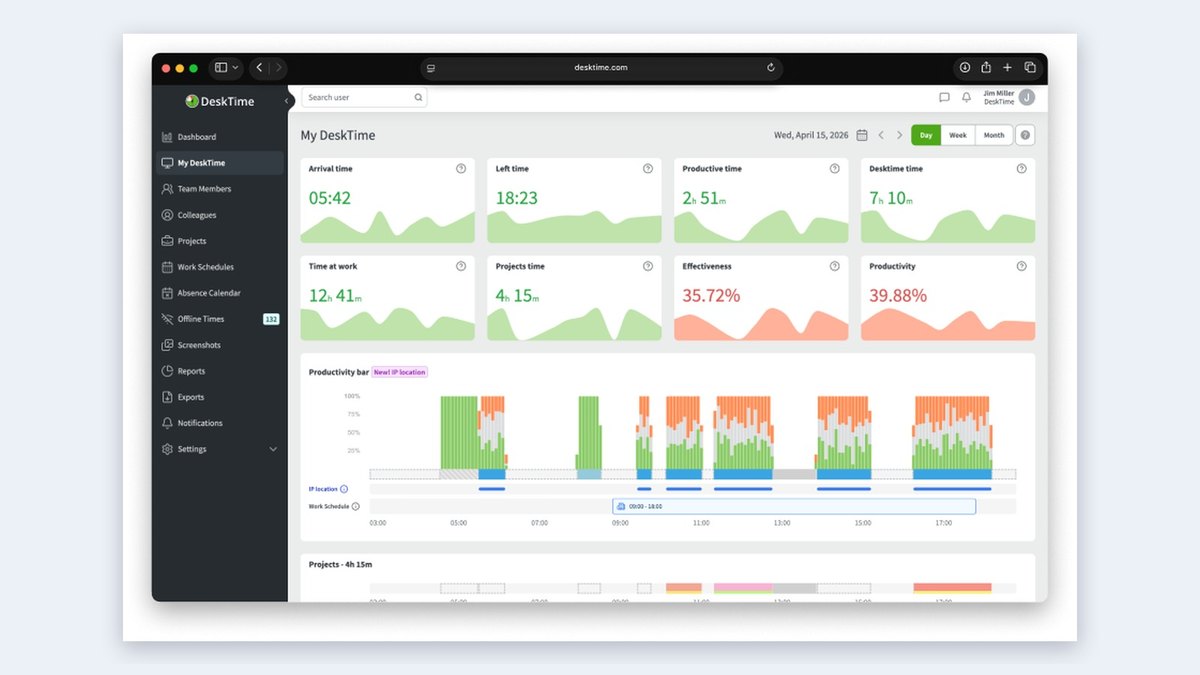
DeskTime
Answrs VerdictThe automatic tracker with productivity scoring and AI summaries.
Price: Pro $6.42 per user a month billed annually; Premium $9.17; Enterprise custom for 200+ users; 14-day free trialAutomatic tracking: Starts tracking the moment a device is turned on, sorting apps, websites and documents into productive or unproductive categoriesAI summary: See daily and weekly insights instantly with AI-powered summariesPremium: Premium adds screenshots, integrations and API, and shift schedulingPro: Pro includes document title tracking, productivity calculations and calendar integrations
DeskTime starts tracking the moment a device is turned on and sorts apps, websites and documents into productive or unproductive categories, and its AI-powered summaries give daily and weekly insights instantly. Pro is $6.42 per user a month billed annually and includes document title tracking and productivity calculations; Premium is $9.17 and adds screenshots and shift scheduling. A 14-day free trial is offered.
Go ifTeams that want automatic tracking with AI summaries of the day and week
Skip ifYou want a permanent free plan
Why #7 over #8: It pairs automatic capture with AI summaries, while Memtime keeps its data offline and describes no AI.
8
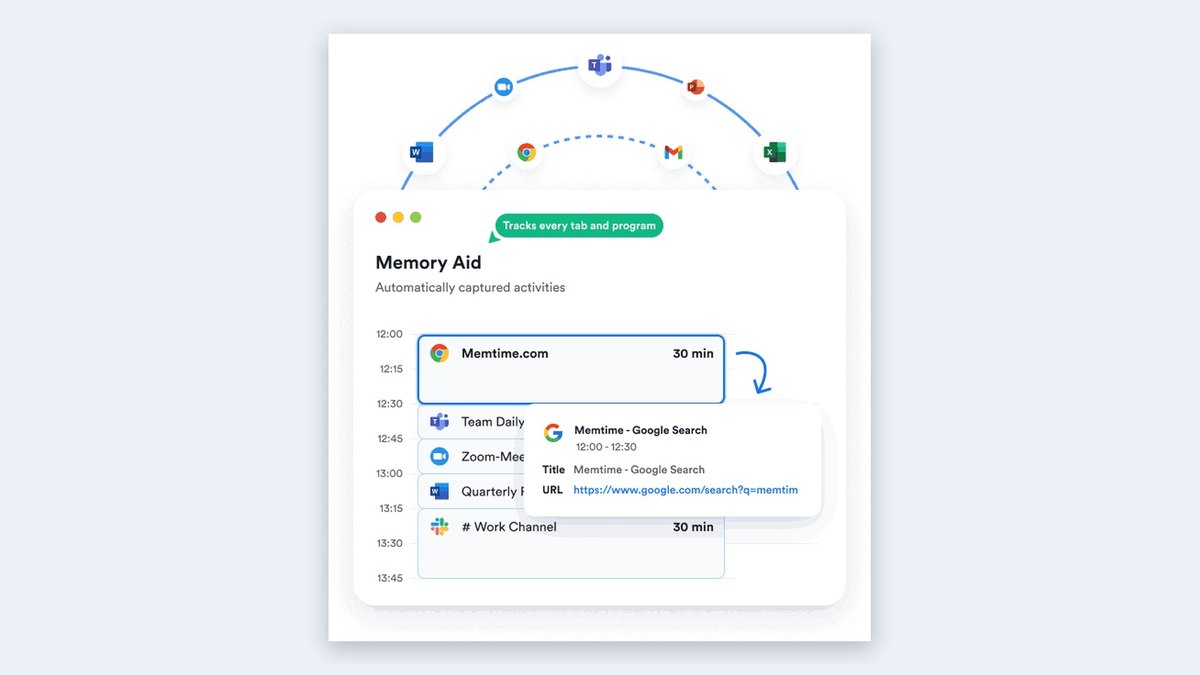
Memtime
Answrs VerdictThe privacy-first automatic recorder that never uploads your timeline.
Price: Basic €12 per user a month on annual billing (€15 quarterly, €10 two-yearly); Connect €18; Premium €25; 14-day free trial with no credit cardAutomatic tracking: Records every program, document, email, video call, meeting and browser tabOffline data: All tracking data is stored only on the user’s device and never on a serverEntries: Reads file names, email subjects and browser tab titles so you can see which project you worked onBasic plan: Basic includes automatic and offline time tracking, calendar integrations and unlimited custom reports
Memtime records every program, document, email, video call, meeting and browser tab, and stores all tracking data only on the user’s device and never on a server. It reads file names, email subjects and tab titles so you can see which project you worked on. Basic is €12 per user a month on annual billing and includes automatic and offline tracking, calendar integrations and unlimited custom reports. The site describes automatic capture rather than AI.
Go ifProfessionals who bill by the hour and want tracking data kept on the device
Skip ifYou want an AI assistant; the site describes automatic capture, not AI
Why #8 over #9: Its offline design keeps data on your device, while Clockify’s auto tracker comes with a free plan.
9
Clockify
Answrs VerdictThe low-price all-rounder with a free plan and an auto tracker.
Price: Free $0; Basic $3.99 per seat a month billed annually; Standard $5.49 ($6.99 monthly); Pro $7.99; Enterprise $11.99; 7-day free trial of Pro featuresAuto tracker: Automatically tracks time spent on apps and websites, visible only to youFree plan: Track as much time as you want and invite up to 4 people for freeScale: Trusted by 7M+ users in companies worldwideExtras: Pomodoro timer, idle detection and reminders, and calendar sync with Outlook or Google Calendar
Clockify’s auto tracker automatically tracks time spent on apps and websites, visible only to you. The free plan lets you track as much time as you want and invite up to 4 people for free. Basic is $3.99 per seat a month billed annually, Standard is $5.49, Pro is $7.99 and Enterprise is $11.99. The site shows an auto tracker rather than AI drafting.
Go ifBudget-minded teams that want an auto tracker and a free plan
Skip ifYou want AI drafting; the site shows an auto tracker, not AI
Why #9 over #10: It has a free plan with unlimited tracking, which Reclaim’s calendar analysis does not replace for billing.
10
Reclaim
Answrs VerdictThe AI calendar assistant that measures where your week goes.
Price: Lite free forever; Starter $10 per seat a month; Business $15 per seat a monthAI time tracking: Track and analyze time across meetings, tasks, habits and work-life balance with AIAI insights: AI chat for weekly insights and AI recommendations to improve focusAnalysis: Planned versus actual time analysis and time breakdown by event typeScale: Trusted by +600,000 users across 70,000 companies
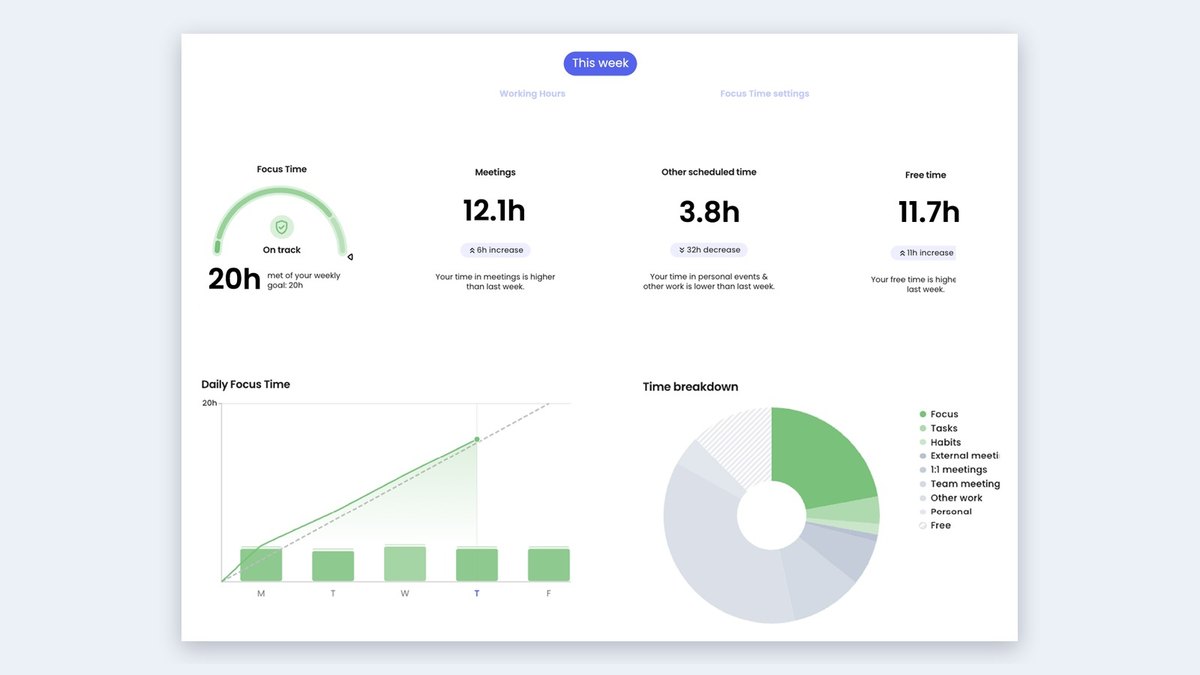
Reclaim uses AI to track and analyze time across meetings, tasks, habits and work-life balance, with AI chat for weekly insights, AI recommendations to improve focus and planned versus actual time analysis. Lite is free forever, Starter is $10 per seat a month and Business is $15 per seat a month. It analyzes calendar time rather than producing billable timesheets.
Go ifPeople who want AI to analyze calendar time rather than log client hours
Skip ifYou need billable timesheets and invoices
How we ranked these
We ranked tools that use AI to capture, categorize or draft time entries first, then automatic trackers without AI, then AI calendar analysis, using each maker’s own published features and prices. The old list also had Harvest, Time Doctor and Timeular, which we replaced with TimeCamp, Timing and Reclaim: Harvest’s site shows no automatic tracking or AI, Time Doctor’s site could not be checked and Timeular’s address now shows another product. Facts are taken from each maker's own published information; check the official site before you buy.
Questions people ask
What is the best AI tool for time tracking?
Timely is our top pick: it auto-captures, auto-allocates and drafts timesheets for one-click approval, and it offers a 14-day free trial. TimeCamp is #2 with an AI Time Tracker that assigns your activity to projects for you to approve.
Which AI time trackers keep my data private?
Memtime stores all tracking data only on your device. TimeCamp says screenshots are processed locally and deleted afterward, and Timely calls itself privacy-first by design.
Is there a free AI time tracker?
Reclaim has a Lite plan that is free forever, and Clockify is free with an auto tracker for apps and websites. Toggl Track has a free plan, but its AI features are listed on the paid pricing page.
How much does an AI time tracker cost?
On annual billing the cheapest paid plans start at $3.99 per user a month at TimeCamp and Clockify, $4.99 per seat at Hubstaff and $6.42 at DeskTime. Timely, Timing and Toggl Track start at $9.
Advertised monthly price of the cheapest paid plan billed annually on each maker’s pricing page (Hubstaff per seat, Timely per user) at a glance
TimeCamp3.99 USD
Clockify3.99 USD
Hubstaff4.99 USD
DeskTime6.42 USD
RescueTime7 USD
Timely9 USD
Timing9 USD
Toggl Track9 USD
Reclaim10 USD
Advertised monthly price of the cheapest paid plan billed annually on each maker’s pricing page (Hubstaff per seat, Timely per user), as published by each maker. Picks without a published figure are left off.