Google Veo and Gemini Omni Flash are the best AI video generation tools on our checks: Omni Flash makes 3 to 15 second videos with native audio, 4K with upsampling is listed, and per-second prices are published, about $0.07 per second at 720p. Vidu is #2 with clips up to 16s and plans from $0 to Ultimate. Kling AI is #3 with up to 15 seconds at 1080p and credit costs published.
Gemini Omni Flash video output is $12.00 per 1M tokens on the paid tier, about $0.07 per second at 720p, $0.104 per second at 1080p with upsampling and $0.209 per second at 4K with upsampling; the free tier is not available
Developers and filmmakers who want long clips with audio and a per-second price they can budget
Free is $0; Standard shows 8.25 a month with $10 and Billed yearly as $99 beside it; Premium shows 35.42 a month with $43 and Billed yearly as $425; Ultimate shows 95.83 a month with $115 and Billed yearly as $1150
Creators who want the longest stated clip length and a published price ladder
Charged in credits: a 5-second Native Audio 1080p video costs 60 Credits and a 5-second No Native Audio 720p video costs 30 Credits; a dollar price is not on the pages we read
Creators who want 15 second clips with native audio and clear credit costs
Plus is $30 a month with $300 billed yearly and 10,000 credits; Pro is $90 a month with $900 billed yearly and 40,000 credits; Ultra is $300 a month with $3,000 billed yearly and 150,000 credits
Creators who want HDR options and per-clip credit costs spelled out by resolution
Standard is $15 a month or $12 a month billed annually for 625 credits; Pro is $35 or $28 for 2250 credits; Max is $95 or $76 for 9500 credits; Free gives 125 one-time credits
Creators who want one subscription with several video models and clear credit costs
Free is $0 with 800 credits (one time); Lite is $15 or $12 a month billed yearly at $144 with 8,000 credits a month; Standard is $35 or $28 a month with 28,000 credits a month
Filmmakers who want storyboards, camera controls and audio-to-video in one app
Filmmakers who care about licensed training data and want camera and motion controls
Pick by what you want
Best overall
Google Veo
Longest stated clip
Vidu
Best for 2K output
MiniMax Hailuo H3
Best free option
Wan
Best multi-model subscription
Runway
Best for HDR
Luma
The ranking
1
Google Veo
Answrs VerdictLongest clip with 4K listed and a published per-second price.
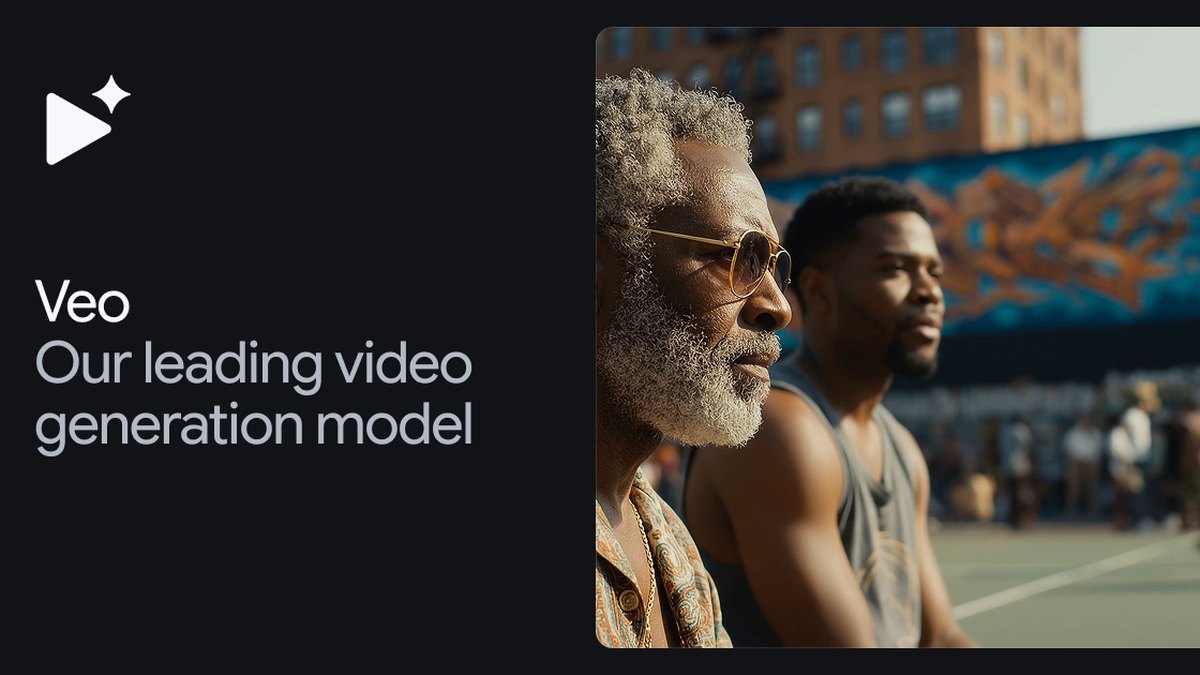
Price: Gemini Omni Flash video output is $12.00 per 1M tokens on the paid tier, about $0.07 per second at 720p, $0.104 per second at 1080p with upsampling and $0.209 per second at 4K with upsampling; the free tier is not availableMax resolution: 4K with upsampling is listed on the Gemini API pricing pageClip length: Gemini Omni Flash makes 3 to 15 second videos with native audio, and up to 15 second video generationVeo status: Google DeepMind calls Veo 3.1 its leading video generation model, and the Gemini API docs say the Veo 3.1 Preview in the Gemini API was shut down on October 22, 2026 with Gemini Omni Flash as the migration target
Google lists Gemini Omni Flash video output at $12.00 per 1M tokens on the paid tier, about $0.07 per second at 720p, $0.104 per second at 1080p with upsampling and $0.209 per second at 4K with upsampling. It makes 3 to 15 second videos with native audio. Google DeepMind calls Veo 3.1 its leading video generation model, while the Gemini API docs say the Veo 3.1 Preview there was shut down on October 22, 2026.
Go ifDevelopers and filmmakers who want long clips with audio and a per-second price they can budget
Skip ifYou want a flat monthly price, since the Gemini API page lists per-token billing
Why #1 over #2: It states 4K, 15 seconds and a per-second price, while Vidu lists 1080p.
2
Vidu
Answrs VerdictUp to 16 second clips and four published prices.
Price: Free is $0; Standard shows 8.25 a month with $10 and Billed yearly as $99 beside it; Premium shows 35.42 a month with $43 and Billed yearly as $425; Ultimate shows 95.83 a month with $115 and Billed yearly as $1150Clip length: Standard, Premium and Ultimate plans each list Supports 3-16s video generation, and the comparison table lists ViduQ3 11-16s video generationResolution: The plan comparison lists 1080p video generation; Q4 model usage is shown as 540P 2 credits/secCommercial use: Generated content can be used commercially on paid plans
Vidu lists Free at $0, Standard at 8.25 a month with $10 and Billed yearly as $99 beside it, Premium at 35.42 a month and Ultimate at 95.83 a month. Paid plans list Supports 3-16s video generation, the comparison table lists 1080p video generation, and generated content can be used commercially.
Go ifCreators who want the longest stated clip length and a published price ladder
Skip ifYou need 4K output, since the page we read lists 1080p video generation
Why #2 over #3: It states a longer clip and four price points, while Kling shows credits but no dollar price.
3
Kling AI
Answrs Verdict15 second 1080p clips with credit costs, no dollar price.
Clip length: Video 3.0 generates up to 15 seconds of continuous video, with a flexible duration from 3 to 15 secondsResolution: Video 3.0 offers Native Audio and No Native Audio modes, each supporting 1080p and 720pPrice: Charged in credits: a 5-second Native Audio 1080p video costs 60 Credits and a 5-second No Native Audio 720p video costs 30 Credits; a dollar price is not on the pages we readNewer model: The home page announces All-New Kling 4.0; the guide we read documents Video 3.0
Kling Video 3.0 generates up to 15 seconds of continuous video, from 3 to 15, with Native Audio and No Native Audio modes at 1080p and 720p. A 5-second Native Audio 1080p video costs 60 Credits and a 5-second No Native Audio 720p video costs 30 Credits. The home page announces Kling 4.0, but the guide we read documents Video 3.0.
Go ifCreators who want 15 second clips with native audio and clear credit costs
Skip ifYou need a dollar price before you sign up
Why #3 over #4: It states 15 seconds, 1080p and credit costs, while Luma tops out at 10 seconds.
4
Luma
Answrs VerdictPublished prices, 1080p and HDR, but 10 second clips.
Price: Plus is $30 a month with $300 billed yearly and 10,000 credits; Pro is $90 a month with $900 billed yearly and 40,000 credits; Ultra is $300 a month with $3,000 billed yearly and 150,000 creditsResolution: Ray3.2 text-to-video and image-to-video list 360p, 540p, 720p and 1080pClip cost: Ray3.2 at 1080p costs 400 credits per 5 sec or 1200 credits per 10 sec; at 720p it is 100 credits per 5 secHDR: The Ray3.2 pricing table lists SDR (base), HDR (2x) and HDR+EXR (3x)
Luma lists Plus at $30 a month with 10,000 credits, Pro at $90 with 40,000 credits and Ultra at $300 with 150,000 credits. Ray3.2 lists 360p through 1080p and costs 400 credits per 5 sec or 1200 credits per 10 sec at 1080p, with SDR, HDR (2x) and HDR+EXR (3x) options.
Go ifCreators who want HDR options and per-clip credit costs spelled out by resolution
Skip ifYou need clips longer than 10 seconds, since the table lists 5 and 10 second costs
Why #4 over #5: It publishes plan prices, while MiniMax H3 gives only a relative price claim.
5
MiniMax Hailuo H3
Answrs Verdict15 second clips at 2K by default, but no price listed.
Clip length and resolution: MiniMax H3 generates video with native stereo sound, up to 15 seconds at 2K resolution, with 2K resolution by defaultInputs: It understands unified context across text, images, video and audioPrice: Not published as a dollar amount; MiniMax says its 2K per-second price is less than a third of mainstream models, which we did not verifyOpen weights: MiniMax says it plans to open up the model weights in the coming days, subject to applicable laws
MiniMax H3 generates video with native stereo sound, up to 15 seconds at 2K resolution, which is its default, from text, image, video and audio context. No dollar price is on the launch post; MiniMax says its 2K per-second price is less than a third of mainstream models, a claim we did not verify, and says it plans to open the weights.
Go ifCreators who want 2K output with native stereo sound and multimodal references
Skip ifYou need a published price, since the launch post gives only a relative claim
Why #5 over #6: It states 2K, while PixVerse states 1080p.
6
PixVerse
Answrs Verdict15 second 1080p clips with audio, but no price on the page.
Clip length and resolution: PixVerse V6 generates 15-second 1080p videosAudio and shots: Native audio for dialogue, sound effects and ambient sound, plus native multi-shot scenesFormats: Aspect ratio control for 16:9, 9:16 and other distribution formatsPrice: Not published on the V6 page we read
PixVerse V6 generates 15-second 1080p videos with native multi-shot scenes and native audio for dialogue, sound effects and ambient sound. It offers aspect ratio control for 16:9, 9:16 and other formats. The V6 page we read does not publish a price.
Go ifSocial and ad creators who want 15 second vertical or wide clips with sound
Skip ifYou need a published price before trying it
Why #6 over #7: It states 1080p and 15 seconds, while Wan lists 720P and no clip length.
7
Wan
Answrs VerdictFree Apache 2.0 weights at 720P, but you run them yourself.
Max resolution: Wan2.2 models support 480P and 720P; the TI2V-5B model supports 720P video generation at 24 FPSPrice: Free to download: the models are licensed under the Apache 2.0 LicenseHardware: The TI2V-5B command can run on a GPU with at least 24GB VRAM, such as an RTX 4090Clip length: Not stated in the README we read
Wan2.2 supports 480P and 720P, and its TI2V-5B model runs 720P at 24 FPS on a GPU with at least 24GB VRAM, such as an RTX 4090. The models are licensed under the Apache 2.0 License, so there is no license fee. The README we read does not state a clip length.
Go ifDevelopers who want to run an open-weights video model on their own GPU at no license cost
Skip ifYou want a hosted app with a prompt box and 1080p output
Why #7 over #8: It is free to run, while Runway states no Gen-4.5 resolution or length.
8
Runway
Answrs VerdictClear prices and 4K upscaling, but no stated Gen-4.5 length or resolution.
Price: Standard is $15 a month or $12 a month billed annually for 625 credits; Pro is $35 or $28 for 2250 credits; Max is $95 or $76 for 9500 credits; Free gives 125 one-time creditsClip cost: Gen-4.5 costs 60 credits per 5s; 625 credits monthly equals 52s of Gen-4.5Upscaling: Standard lists 4K upscaling and Pro and Max list unlimited 4K video upscalingBenchmark claim: Runway says Gen-4.5 ranked #1 on the Artificial Analysis Text-to-Video benchmark with 1,247 Elo points as of November 30, 2025; this is its own claim
Runway lists Standard at $15 a month or $12 billed annually for 625 credits, Pro at $35 or $28 for 2250 credits and Max at $95 or $76 for 9500 credits. Gen-4.5 costs 60 credits per 5s, and paid plans list 4K upscaling. Runway says Gen-4.5 ranked #1 on the Artificial Analysis benchmark with 1,247 Elo points as of November 30, 2025, which is its own claim.
Go ifCreators who want one subscription with several video models and clear credit costs
Skip ifYou need a stated maximum resolution or clip length for Gen-4.5, which the pages we read do not give
Why #8 over #9: It publishes plan prices and per-clip credit costs, while LTX Studio lists no model costs.
9
LTX Studio (LTX-2.5)
Answrs VerdictPublished prices and audio-to-video, but no stated length or resolution.
Price: Free is $0 with 800 credits (one time); Lite is $15 or $12 a month billed yearly at $144 with 8,000 credits a month; Standard is $35 or $28 a month with 28,000 credits a monthModel: LTX-2.5 video model is available on all plans, with Audio-to-Video generation and advanced camera controlsLicense: The free plan is for personal projects only and cannot be used for business, marketing or paid workMax resolution and clip length: Not stated on the pricing page we read
LTX Studio lists Free at $0 with 800 credits once, Lite at $15 or $12 a month billed yearly at $144 with 8,000 credits a month, and Standard at $35 or $28 with 28,000 credits. The LTX-2.5 video model is on all plans with audio-to-video and advanced camera controls. The free plan is for personal projects only, and no maximum resolution or clip length is stated.
Go ifFilmmakers who want storyboards, camera controls and audio-to-video in one app
Skip ifYou need commercial use on a free plan, which the page rules out
Why #9 over #10: It publishes prices, while Moonvalley lists none on the page we read.
10
Moonvalley
Answrs VerdictStrong control features and a licensed-data claim, but no specs listed.
Capabilities: Marey generates image-to-video and text-to-video, with pose transfer, camera control, motion transfer and trajectory controlTraining data: Moonvalley says Marey is trained on licensed data and calls it commercially safe; this is its own claimPrice: Not published on the home page we readMax resolution and clip length: Not stated on the home page we read
Moonvalley Marey generates image-to-video and text-to-video with pose transfer, camera control, motion transfer and trajectory control. Moonvalley says it is trained on licensed data and commercially safe, which is its own claim. The home page we read gives no price, resolution or clip length.
Go ifFilmmakers who care about licensed training data and want camera and motion controls
Skip ifYou need a stated price, resolution or clip length before you try it
How we ranked these
We ranked these tools on three checks taken from each maker's own pages: a stated maximum clip length, a stated maximum resolution, and a published price. Tools that meet more checks rank higher, and ties go to the higher stated resolution, then the longer stated clip. Google, Vidu, Kling and Luma meet all three, MiniMax and PixVerse meet two, Wan meets resolution and price, and Runway and LTX Studio meet only price. OpenAI Sora from the old list was replaced because openai.com returned a block page to our fetch and its page could not be read. Adobe Firefly Video and Pika are covered on our animation page and Synthesia and HeyGen on our avatars page, so we replaced them with Vidu, PixVerse, Wan, LTX Studio and Moonvalley. Kling, Luma and Runway also appear on the animation page. We did not test output quality, and any quality statement is the maker's own claim. Facts are taken from each maker's own published information; check the official site before you buy.
Questions people ask
What is the best AI tool for video generation?
Google Veo and Gemini Omni Flash rank first on our checks: 3 to 15 second videos with native audio, 4K with upsampling listed, and per-second prices published. Vidu is second with clips up to 16s and published plan prices.
Which AI video tool makes the longest clips?
Vidu lists Supports 3-16s video generation. Google Gemini Omni Flash, Kling Video 3.0, MiniMax H3 and PixVerse V6 each state up to 15 seconds.
Which AI video generator is free to run?
Wan2.2 is licensed under Apache 2.0 and its TI2V-5B model can run on a GPU with at least 24GB VRAM. Vidu also lists a free plan at $0.
Is Veo still available?
Google DeepMind calls Veo 3.1 its leading video generation model, but the Gemini API docs say the Veo 3.1 Preview in the API was shut down on October 22, 2026 and point developers to Gemini Omni Flash.
Longest clip length stated on the maker's page (Kling, MiniMax, PixVerse and Google state up to 15; Vidu states 3-16s; Luma lists 10 sec costs) at a glance
Luma10 seconds
Google Veo15 seconds
Kling AI15 seconds
MiniMax Hailuo H315 seconds
PixVerse15 seconds
Vidu16 seconds
Longest clip length stated on the maker's page (Kling, MiniMax, PixVerse and Google state up to 15; Vidu states 3-16s; Luma lists 10 sec costs), as published by each maker. Picks without a published figure are left off.