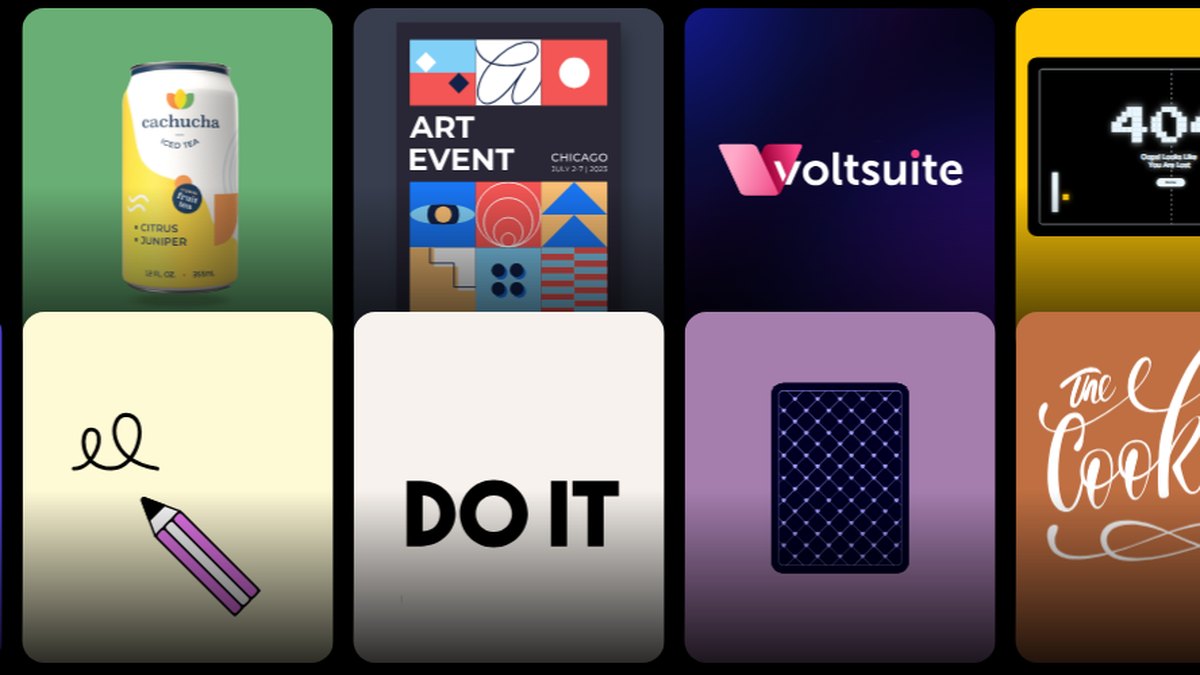
Recraft is the best AI tool for web illustration: its vector images export as SVG, you can build a custom style from reference images, and paid plans grant full commercial rights, from $12 a month billed monthly. QuiverAI is #2 and the best value at $8 a month, and Playground is #3 with SVG export and a commercial license on every plan.
Individual $19.99 per user a month and Team $24.99 per user a month, both billed annually; the Prompt to Vector tool is described as free (read 2026-11-08)
Generating an SVG and animating it for a web page in one place
Pro US$144 a year for one person, Business US$250 a year per person, Free US$0; the page showed yearly prices only (read 2026-11-08)
Non-designers who want layout and images in one editor
Pick by what you want
Best overall
Recraft Vector Illustration
Best value
QuiverAI
Commercial license on every plan
Playground
Best for animated web SVG
SVGator
Best for converting art to SVG
Vectorizer.AI
The ranking
1
Recraft Vector Illustration
Answrs VerdictThe best all-round AI tool for website illustration.
Price: Basic $12 per month billed monthly ($10 per month billed annually, $120 per year); Pro from $20 per month (read 2026-11-08)Vector export: Vector images can be exported as SVG and PDF; export formats also include PNG, JPG, TIFF and LottieBrand styles: Build a custom style from reference images and apply it Precisely or Flexibly; Teams plans include shared custom stylesCommercial use: Paid plans grant full ownership and commercial rights; Free plan images are public and not licensed for commercial useTeams: Teams plan includes shared custom styles, centralized account management and Single Sign-On (SSO)
Recraft turns prompts into vector images that export as SVG and PDF, and its custom styles let you build a look from reference images and reuse it across a whole site. Basic is $12 per month billed monthly ($10 per month billed annually, $120 per year). Paid plans grant full ownership and commercial rights, while Free plan images are public and not licensed for commercial use.
Go ifWeb teams that need on-brand SVG illustrations and icons from one tool
Skip ifYou only need a free, no-account trial of AI art
Why #1 over #2: It pairs SVG export with reusable brand styles, which QuiverAI’s pages do not list.
2
QuiverAI
Answrs VerdictThe best value for SVG-first web illustration.
Price: Go $8 a month, Plus $20 a month, Pro $40 a month, from the Monthly price list (read 2026-11-08)Output: Generates, vectorizes, animates and edits vector graphics; its illustrations are fully vector and can be edited or recolored for UI and marketingIncluded usage: Go includes $5 of weekly usage that resets every Monday UTC with no rollover; a 14-day Go trial needs a cardCommercial use: The free tier is personal and non-commercial only; that limit does not apply to paid tiers, and QuiverAI assigns you its rights in generated contentAPI: Text to SVG and Image to SVG endpoints, plus an MCP server for agents
QuiverAI is built around vectors: it generates, vectorizes, animates and edits SVG, and its illustrations can be edited or recolored for UI and marketing. Go is $8 a month, Plus $20 and Pro $40. The free tier is non-commercial, but that limit does not apply to paid tiers.
Go ifThe cheapest way to get every output as clean, editable SVG
Skip ifYou want photo-style or painterly images
Why #2 over #3: Its $8 Go plan costs less than Playground’s $15 Pro plan.
3
Playground
Answrs VerdictThe easiest all-plans commercial license with SVG export.
Price: Pro $15 a month, or $12 a month billed annually ($144 a year); Pro Plus $45 a month, or $36 a month billed annually ($432 a year) (read 2026-11-08)SVG export: SVG exports (turn an image into an SVG) are listed at 20 credits in the Pro and Pro Plus columnsCredits: Pro has 1,500 monthly credits and Pro Plus has 6,000Commercial use: Every plan, including Free, lists commercial use under a world-wide, royalty free licenseOwnership: You own the images you create and can use them for personal or commercial use
Playground lists SVG exports at 20 credits on Pro and Pro Plus, and every plan, including Free, lists commercial use under a world-wide, royalty free license. Pro is $15 a month, or $12 a month billed annually; Pro Plus is $45 a month, or $36 a month billed annually.
Go ifDesigners who want AI images turned into SVG with a commercial license on every plan
Skip ifYou need vectors generated natively rather than converted
Why #3 over #4: It states commercial use on every plan, which LottieFiles’ pricing page does not spell out.
4
LottieFiles Prompt to Vector
Answrs VerdictA free text-to-SVG tool with a path to web animation.
Price: Individual $19.99 per user a month and Team $24.99 per user a month, both billed annually; the Prompt to Vector tool is described as free (read 2026-11-08)Text to SVG: Describe an idea in plain text and get a clean, scalable SVG illustration, icon or designAnimation: Send generated SVGs straight into Lottie Creator to animate themPlans: The Team plan is labeled for teams working on commercial projects
LottieFiles’ Prompt to Vector tool turns plain text into a scalable SVG illustration or icon and sends it straight into Lottie Creator to animate. The tool is described as free; paid plans are Individual at $19.99 per user a month and Team at $24.99, both billed annually.
Go ifGenerating an SVG and animating it for a web page in one place
Skip ifYou need a monthly-billed plan or a clear per-tool license page
Why #4 over #5: It generates new SVG art, which Vectorizer.AI does not.
5
Ideogram
Answrs VerdictA strong generator that lists a vector model.
Price: Plus $20 a month billed monthly ($180 billed annually); Pro $60 a month ($504 a year); Team $30 per user a month (read 2026-11-08)Credits: Plus has 2,400 priority credits a month and Pro has 7,500Vector model: The site lists an Ideogram Vector model; the pricing page does not state SVG exportPay as you go: Pay as you go is 1¢ per creditCommercial use: The pricing FAQ has a question on commercial use of generated images; its answer was not read
Ideogram Plus is $20 a month billed monthly with 2,400 priority credits; Pro is $60 a month with 7,500. The site lists an Ideogram Vector model, but its pricing page does not state SVG export, and the commercial-use FAQ answer was not read.
Go ifIllustrations with lettering, plus a listed vector model to try
Skip ifYou need confirmed SVG export and stated commercial terms
Why #5 over #6: It lists a vector model, which Vectorizer.AI, a converter, does not generate.
6
Vectorizer.AI
Answrs VerdictThe sharpest converter for turning raster art into SVG.
Price: Unlimited Web Images $9.99 a month, billed monthly, cancel anytime (read 2026-11-08)Formats: Vectorizes PNG, JPG, GIF, BMP and WebP into SVG, PDF, EPS and DXFAI art: Turns images from Midjourney, DALL·E, Stable Diffusion or Flux into editable vector illustrations, icons and stickersPreview: A free interactive preview shows the result before you subscribe
Vectorizer.AI converts PNG, JPG, GIF, BMP and WebP into SVG, PDF, EPS and DXF, and it can turn Midjourney, DALL·E, Stable Diffusion or Flux images into editable vectors. Unlimited Web Images is $9.99 a month, billed monthly, with a free preview first.
Go ifConverting AI or raster art you already have into clean SVG
Skip ifYou want a tool that generates new illustrations
Why #6 over #7: It is a converter built only for clean SVG, unlike SVGator, which animates finished art.
7
SVGator
Answrs VerdictThe best SVG animator for finished web art.
Price: Starter $20 a month and Pro $24 a month, both billed yearly; Free $0 (read 2026-11-08)Free plan: Unlimited static SVG exportsStarter: Animated SVG export (CSS and JS), Lottie JSON export and React Native and Flutter exportPro: Export unlimited animations plus video and GIF export
SVGator animates SVG for the web. Free gives unlimited static SVG exports; Starter is $20 a month, billed yearly, with animated SVG export (CSS and JS), Lottie JSON and React Native and Flutter export; Pro is $24 a month, billed yearly.
Go ifAnimating SVG illustrations for a website
Skip ifYou need a tool that generates the artwork
Why #7 over #8: It outputs SVG, which Midjourney’s plan page does not state.
8
Midjourney
Answrs VerdictThe richest-looking art, with no vector output listed.
Price: Basic $10, Standard $30, Pro $60 and Mega $120 a month, billed monthly (read 2026-11-08)Annual price: Billed annually: Basic $96 a year ($8 a month), Standard $288 ($24 a month), Pro $576 ($48 a month), Mega $1,152 ($96 a month)Fast time: Basic gets 3.3 hr a month of Fast GPU timeUsage rights: General Commercial Terms apply on every plan; a company with more than $1,000,000 a year in gross revenue must buy Pro or Mega
Midjourney plans are Basic $10, Standard $30, Pro $60 and Mega $120 a month, billed monthly; Basic gets 3.3 hr of Fast GPU time. General Commercial Terms apply on every plan, and a company making more than $1,000,000 a year in gross revenue must buy Pro or Mega. No SVG output is stated.
Go ifPainterly hero art and spot images you will export as PNG
Skip ifYou need SVG output: none is stated on the plan page
Why #8 over #9: It states commercial terms on every plan, while Adobe Firefly’s answer was not read.
9
Adobe Firefly
Answrs VerdictA well-priced all-round generator; vector output is not stated on its plan page.
Price: Firefly Standard US$9.99 a month and Firefly Pro US$19.99 a month, billed monthly (read 2026-11-08)Credits: Standard includes 2,000 generative credits a month and Pro includes 4,000Models: Unlimited standard image features such as Generative Fill, plus partner models from Google, OpenAI, Flux and moreCommercial use: The plan FAQ addresses whether Firefly outputs are safe for commercial use; its answer was not read
Adobe Firefly Standard is US$9.99 a month with 2,000 generative credits, and Pro is US$19.99 a month with 4,000, both billed monthly. Plans include unlimited standard image features such as Generative Fill and partner models from Google, OpenAI, Flux and more. Adobe’s plan FAQ addresses commercial use, but vector output is not stated.
Go ifTeams already working in Adobe apps who want partner models in one plan
Skip ifYou need vector output confirmed on the plan page
Why #9 over #10: It lists monthly prices, while Canva’s plan page shows yearly prices only.
10
Canva
Answrs VerdictEasy to use, but its plan page shows yearly prices only.
Price: Pro US$144 a year for one person, Business US$250 a year per person, Free US$0; the page showed yearly prices only (read 2026-11-08)Free plan: Canva Free is US$0
Canva’s plan page showed yearly prices only: Pro US$144 a year for one person, Business US$250 a year per person and Free US$0. With no monthly figure, it is left off the chart.
Go ifNon-designers who want layout and images in one editor
Skip ifYou need a monthly price or SVG output stated on the plan page
Illustrating a book instead of a website?
Book art needs the same character on every page, plus print and publishing rules. Our companion list covers that.
We ranked tools first on whether the maker’s own pages show vector or SVG output for illustration, then on commercial-use rights stated by the maker, then on the lowest published monthly price. Best value is the lowest monthly-billed price among tools that both list vector or SVG output and state commercial-use rights; that is QuiverAI. All plan prices were read on the makers’ own pages on 2026-11-08. The chart compares one metric across the tools that publish a monthly-billed price: the cheapest paid plan in USD per month. LottieFiles, SVGator and Canva are left off the chart because their pages show yearly prices only. Adobe Firefly, Midjourney and Ideogram rank below the SVG-first tools because their plan pages do not state SVG export (Ideogram only lists a vector model). Figma, Picsart, FLUX and Krea were dropped from the top 10 because they lack a vector or SVG statement or a clear billing basis. Writing a book instead of a website? See our children’s book illustration list. Facts are taken from each maker's own published information; check the official site before you buy.
Questions people ask
What is the best AI tool for website illustration?
Recraft: its vector images export as SVG and PDF, you can build a custom style from reference images, and paid plans grant full ownership and commercial rights, from $12 a month billed monthly.
Which AI illustration tool is cheapest and still outputs SVG?
QuiverAI’s Go plan is $8 a month and its illustrations are fully vector and editable. Vectorizer.AI is $9.99 a month billed monthly for converting images to SVG.
Can I use AI-generated illustrations commercially on a client website?
Recraft paid plans grant full ownership and commercial rights, QuiverAI’s free-tier limit does not apply to paid tiers, and Playground lists commercial use on every plan. Check each maker’s terms before launch.
How do I animate an SVG illustration for the web?
SVGator exports animated SVG with CSS and JS from its $20 a month Starter plan, billed yearly, and LottieFiles sends generated SVGs into Lottie Creator.
Cheapest paid plan listed on each maker’s page, USD per month, monthly billing (annual-only plans are left out) at a glance
QuiverAI8 USD
Vectorizer.AI9.99 USD
Adobe Firefly9.99 USD
Midjourney10 USD
Recraft Vector Illustration12 USD
Playground15 USD
Ideogram20 USD
Cheapest paid plan listed on each maker’s page, USD per month, monthly billing (annual-only plans are left out), as published by each maker. Picks without a published figure are left off.