The 10 Best AI Tools for Website Performance Optimization in 2027
By Kory White · Updated Oct 2026 · 6 min read
Direct answer
Chrome DevTools AI assistance is the best AI tool for website performance optimization: it uses Gemini to investigate a slow page, starting from the prompt “Help me optimize my LCP score”, and its docs list no price. Sentry is #2 for AI that diagnoses and fixes Web Vitals issues from $29 a month, and Contentsquare is #3 for plain-English speed questions.
Starting at $176 a month on annual billing; the pricing page does not say which plan that applies to
Product teams who want session replay with AI-written issue summaries
Pick by what you want
Best overall
Chrome DevTools AI Assistance
Best AI code fixes for Web Vitals
Sentry
Best plain-English speed questions
Contentsquare
Best for AI coding agents
DebugBear
Best value AI alerting
Site24x7
The ranking
1
Chrome DevTools AI Assistance
Answrs VerdictThe best AI helper for fixing a slow page, built into the browser.
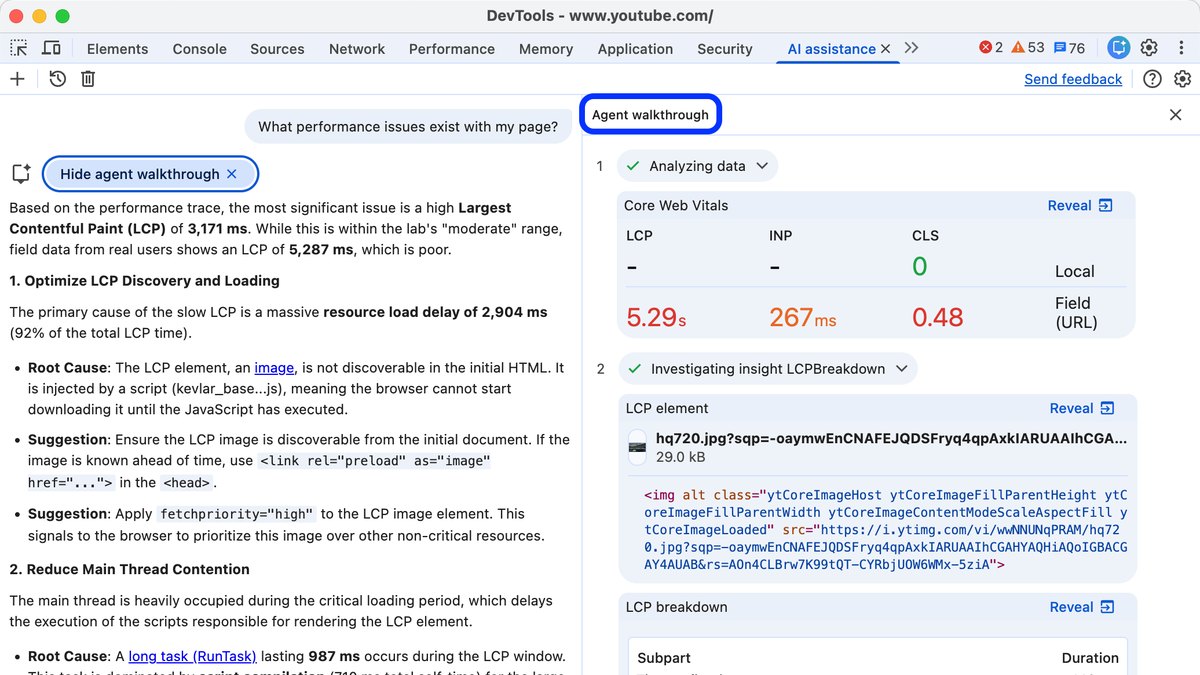
Price: Not published: the AI assistance docs do not list a priceAI feature: Gemini in Chrome DevTools offers AI assistance for styling, performance, network and sourcesPerformance prompt: Under “Investigate page performance”, the example prompt is “Help me optimize my LCP score”Performance Insights: In Performance > Insights, a Debug with AI button opens the AI assistance panel for more performance insightsSetup: Disabled by default; you must be at least 18 and agree to Google’s Terms of Service
Chrome DevTools AI assistance puts Gemini inside the browser tools you already use, with help for styling, performance, network and sources. Its performance example is “Help me optimize my LCP score”, and in Performance > Insights a Debug with AI button opens the same panel. It is disabled by default, requires you to be at least 18, and its docs list no price.
Go ifDevelopers who want AI to explain a slow page right where they profile it
Skip ifYou need always-on monitoring of live visitors
Why #1 over #2: It is built into the browser and needs no account with a monitoring vendor, unlike Sentry’s Seer, which is a separate paid subscription.
2
Sentry
Answrs VerdictThe most direct AI path from a poor Web Vitals score to a code fix.
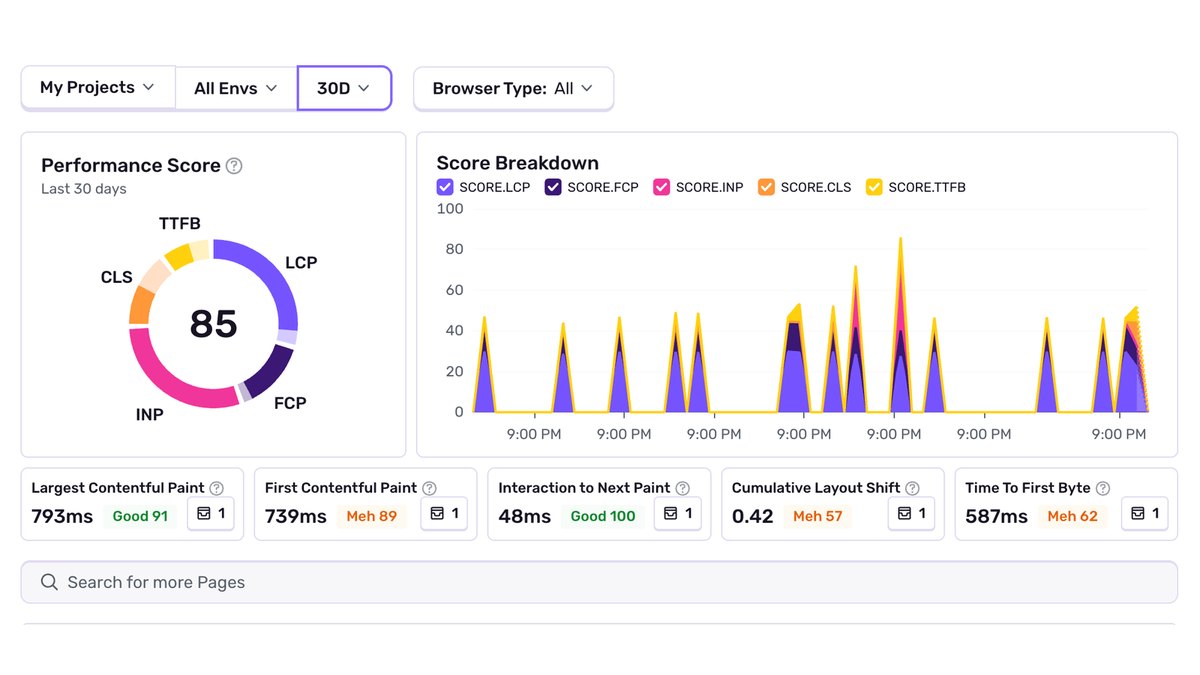
Price: Developer free; Team $29 a month ($26 on annual billing); Business $89 a month ($80 annual)AI feature: Seer, an AI debugging agent, with Root Cause Analysis and Fix Generation on Team and higherSeer cost: Seer is a separate subscription (“at additional cost” in the plan table)Web Vitals issues: A scheduled detector checks the 7-day average Web Vitals of the top 5 highest-opportunity pagesRequirements: Seer must be enabled and the project needs a GitHub code mapping
Sentry’s Seer is an AI debugging agent that offers Root Cause Analysis and Fix Generation on Team and higher. A scheduled detector checks the 7-day average Web Vitals of your top 5 highest-opportunity pages, and Sentry’s docs point to Seer’s Autofix to fix the issues it opens. Team is $29 a month and Business $89 a month, with Seer at additional cost.
Go ifTeams that want an AI agent to diagnose and fix Web Vitals problems in code
Skip ifYou do not use GitHub or do not want to pay for Seer
Why #2 over #3: It goes from a poor score to a suggested code fix, while Contentsquare’s Sense Chat answers questions about the data.
3
Contentsquare
Answrs VerdictThe best AI chat for tying page speed to business results.
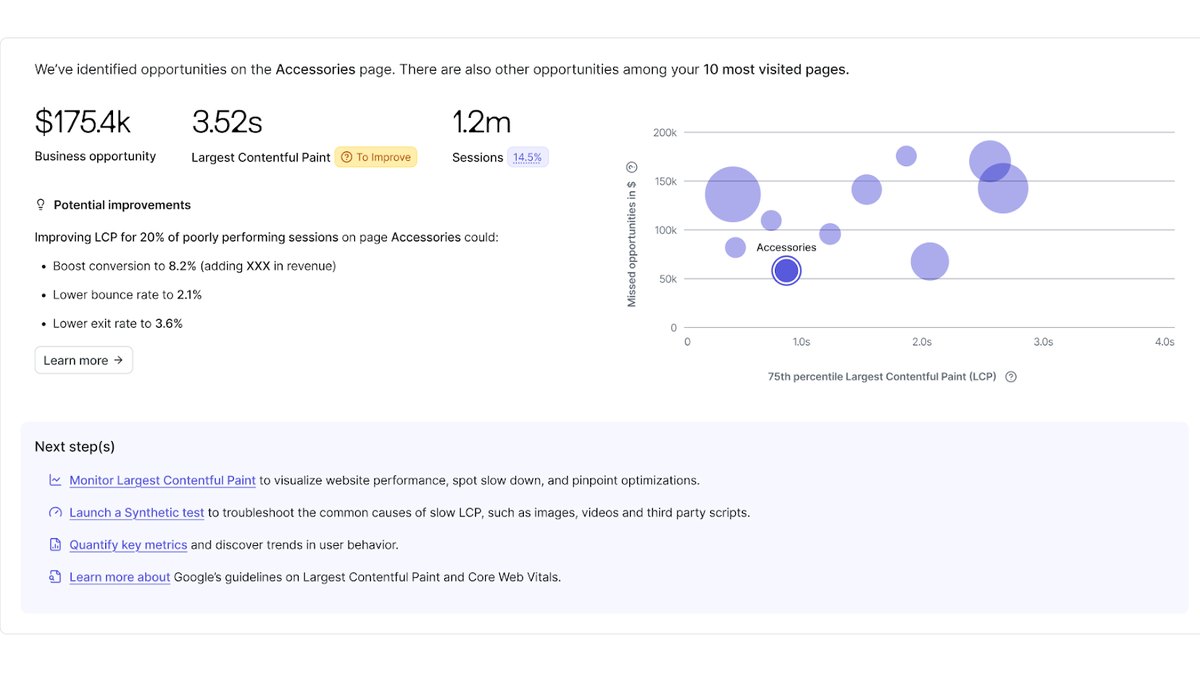
Price: Not publishedAI feature: Sense Chat lets you ask web performance questions in natural language and loads the matching dataExample questions: “Which are my slowest pages?” and “What pages have LCP above 2.5 seconds?”Business link: Can show how page speed affects conversion rate and how LCP relates to bounce ratePlans: Needs Experience Monitoring, on Enterprise and Growth plans or as an add-on to Pro
Contentsquare’s Sense Chat lets you ask questions like “Which are my slowest pages?” or “What pages have LCP above 2.5 seconds?” and loads the matching data and filters. It can also show how page speed affects conversion rate. It needs Experience Monitoring, on Enterprise and Growth plans or as an add-on to Pro, and no price is published.
Go ifMarketing and product teams who want to ask performance questions in plain English
Skip ifYou need a public price list or a free plan
Why #3 over #4: It links speed to conversion in plain language, while Datadog’s Bits AI is aimed at engineers analyzing profiling data.
4
Datadog Real User Monitoring
Answrs VerdictThe strongest full-stack RUM with an AI assistant on top.
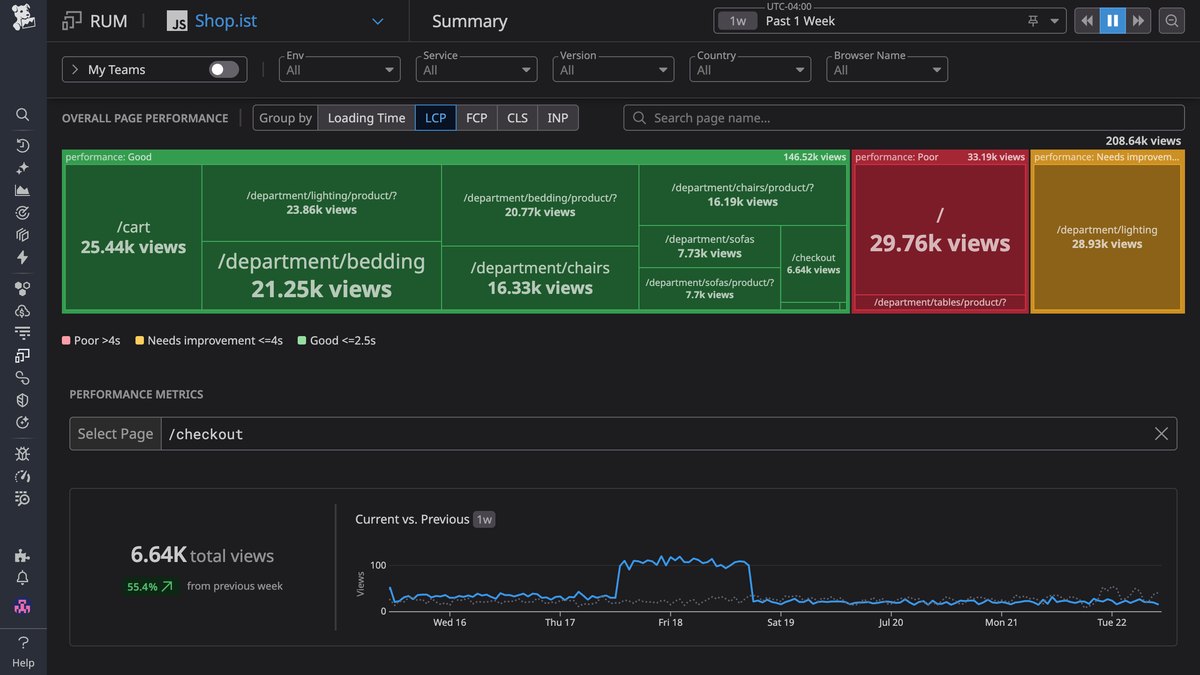
Price: RUM Measure starts at $0.15 per 1,000 sessions a month on full traffic (billed annually, or $0.22 on-demand)AI feature: Ask Bits AI or use MCP tools to analyze profiling data in natural languageMetrics: 30+ out-of-the-box performance metrics, retained for 15 monthsSessions: Captures 100% of user sessions while retaining the most valuable data
Datadog Real User Monitoring lets you ask Bits AI or use MCP tools to analyze profiling data in natural language. It captures 100% of user sessions and calculates 30+ out-of-the-box performance metrics, retained for 15 months. RUM Measure starts at $0.15 per 1,000 sessions a month on full traffic, billed annually, or $0.22 on-demand.
Go ifEngineering teams that already run Datadog for the backend
Skip ifYou only run a small site and want a flat price
Why #4 over #5: It covers every session with a published per-session price, while DebugBear charges a flat monthly plan.
5
DebugBear
Answrs VerdictThe cleanest handoff from a speed test to an AI coding agent.
Price: Startup $99 a month ($1,188 billed yearly): 4,000 synthetic tests and 100,000 page viewsAI feature: AI agent prompts: ready-to-use prompts for AI coding agents like Claude Code or CursorWhat the prompts contain: Specific, actionable fix instructions based on your test resultsTrial: Free 14-day trial, no credit card requiredData retention: 24 months on every plan
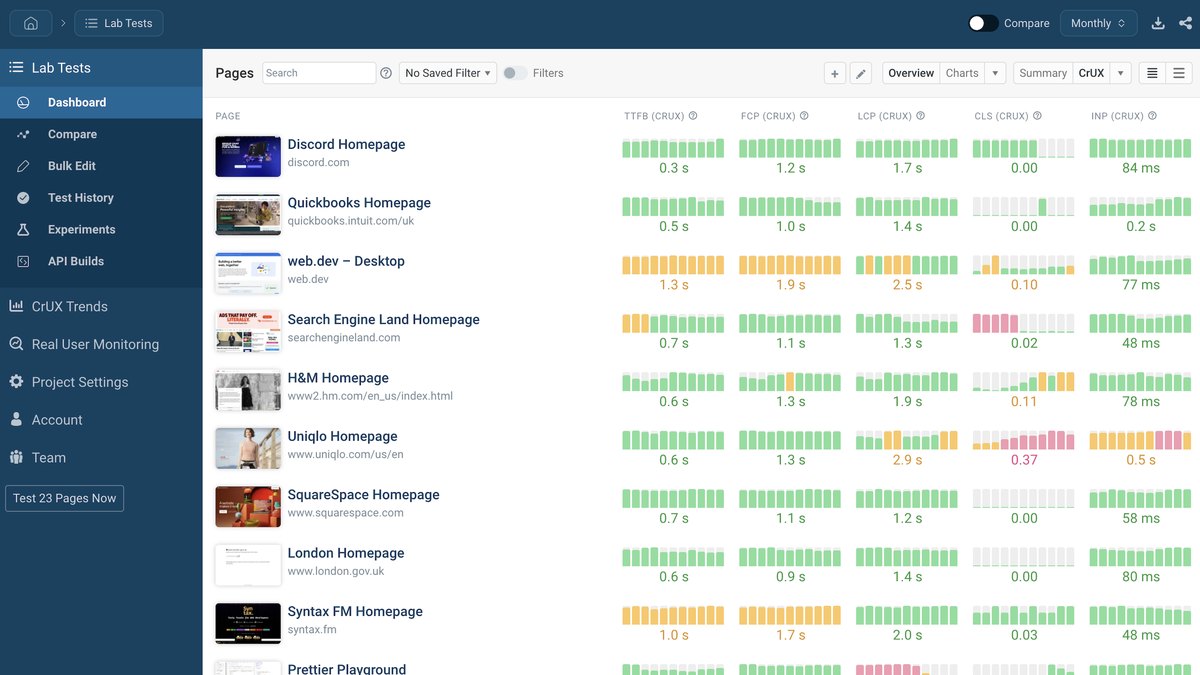
DebugBear’s AI agent prompts generate ready-to-use prompts for AI coding agents like Claude Code or Cursor, with specific, actionable fix instructions based on your test results. The Startup plan is $99 a month ($1,188 billed yearly) with 4,000 synthetic tests and 100,000 page views, and there is a free 14-day trial with no credit card required.
Go ifTeams that want monitoring results turned into prompts for their coding agent
Skip ifYou want a price under $100 a month
Why #5 over #6: It turns a test result straight into a coding-agent prompt, while Site24x7’s AI focuses on alerting.
6
Site24x7
Answrs VerdictThe best-priced AI alerting for real-user performance.
Price: Web Perf plan $39 a month ($36 paid annually), including 100K page viewsAI feature: Zia AI adds dynamic baselines, predictive alerting and automated root cause analysis to RUMAlert noise: Zia suppresses false positives and groups related errorsImpact scoring: Ranks issues by users affected and estimated revenue at riskTrial: 30-day full-feature trial, no credit card required
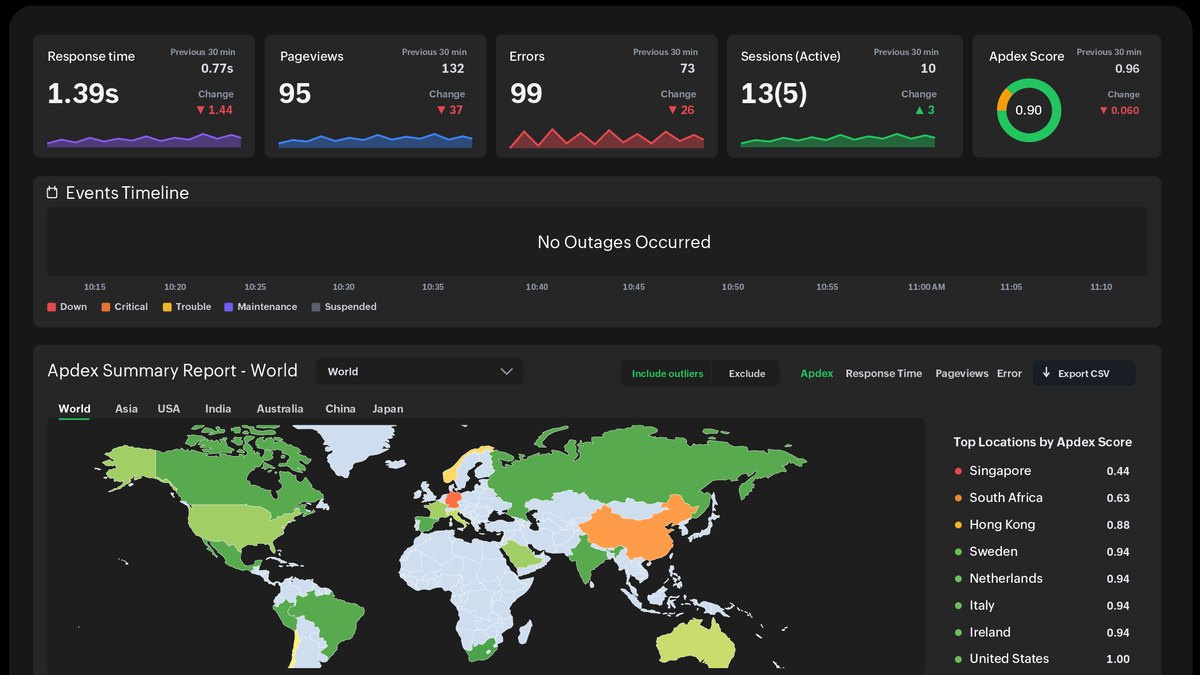
Site24x7 RUM uses Zia AI for dynamic baselines, predictive alerting and automated root cause analysis, and it ranks issues by users affected and estimated revenue at risk. The Web Perf plan is $39 a month ($36 paid annually) and includes 100K page views, with a 30-day full-feature trial.
Go ifSmall teams that want AI alerting and a published price
Skip ifYou want an AI that writes the code fix
Why #6 over #7: Its $39 plan includes AI alerting, while Calibre’s Starter plan is $75 a month.
7
Calibre
Answrs VerdictThe best pick for AI-checked, noise-free test results.
Price: Starter $75 a month; Team $150 a month; Company $1,500 a month paid yearlyAI feature: An AI-powered test verification engine re-tests results when an anomaly is detectedStarter includes: Up to 5,000 real-user sessions and 5,000 synthetic tests a month, with 3 seatsLocations: Test from 17 global locationsTrial: Free 15-day trial, no credit card required
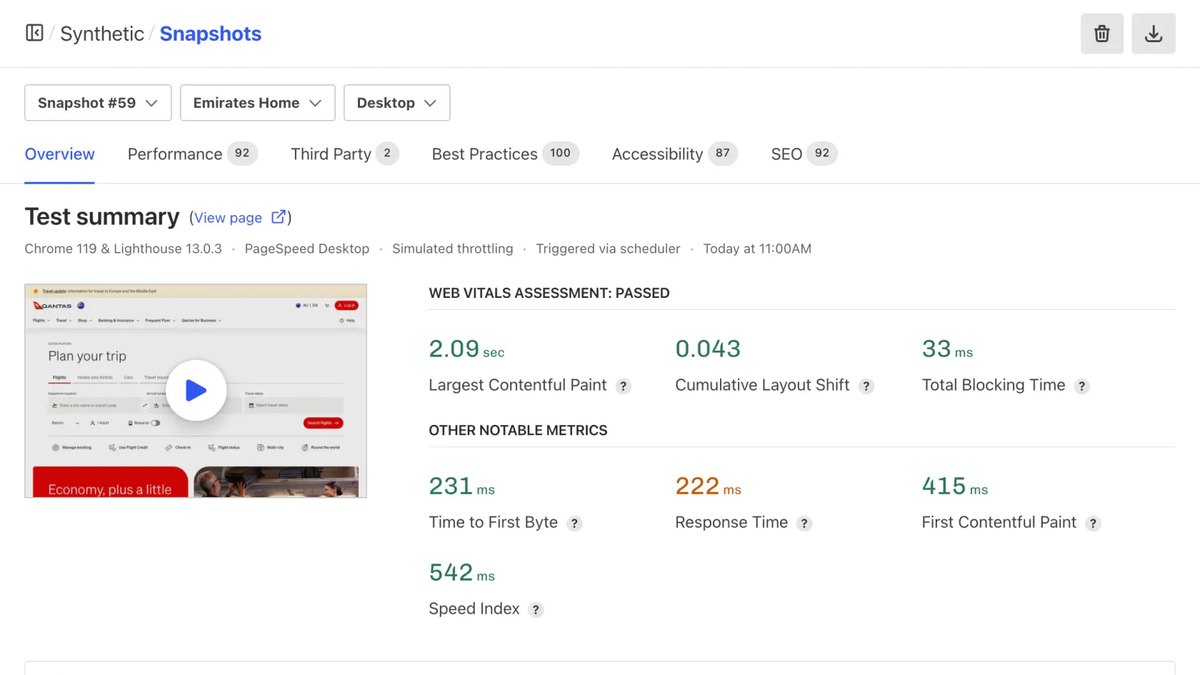
Calibre’s AI-powered test verification engine re-tests results when an anomaly is detected, so you can trust your metrics. Starter is $75 a month with up to 5,000 real-user sessions, 5,000 synthetic tests and 3 seats; Team is $150 a month; Company is $1,500 a month paid yearly. Tests run from 17 global locations.
Go ifTeams that want trustworthy synthetic test numbers they do not have to second-guess
Skip ifYou want an AI chat or code-fix assistant
Why #7 over #8: It checks its own test results with AI, which Dynatrace’s alerting does not claim to do.
8
Dynatrace
Answrs VerdictThe best auto-adaptive alerting on Core Web Vitals.
Price: Real User Monitoring $2.25 per 1,000 sessions; with session replay $4.50 per 1,000 sessionsAI feature: Frontend health alerts are raised by Dynatrace IntelligenceHow alerts work: Based on seasonal and auto-adaptive anomaly detection modelsMetrics watched: Core Web Vitals (LCP, FID, CLS and INP) for web frontendsRetention: 35 days of data retention
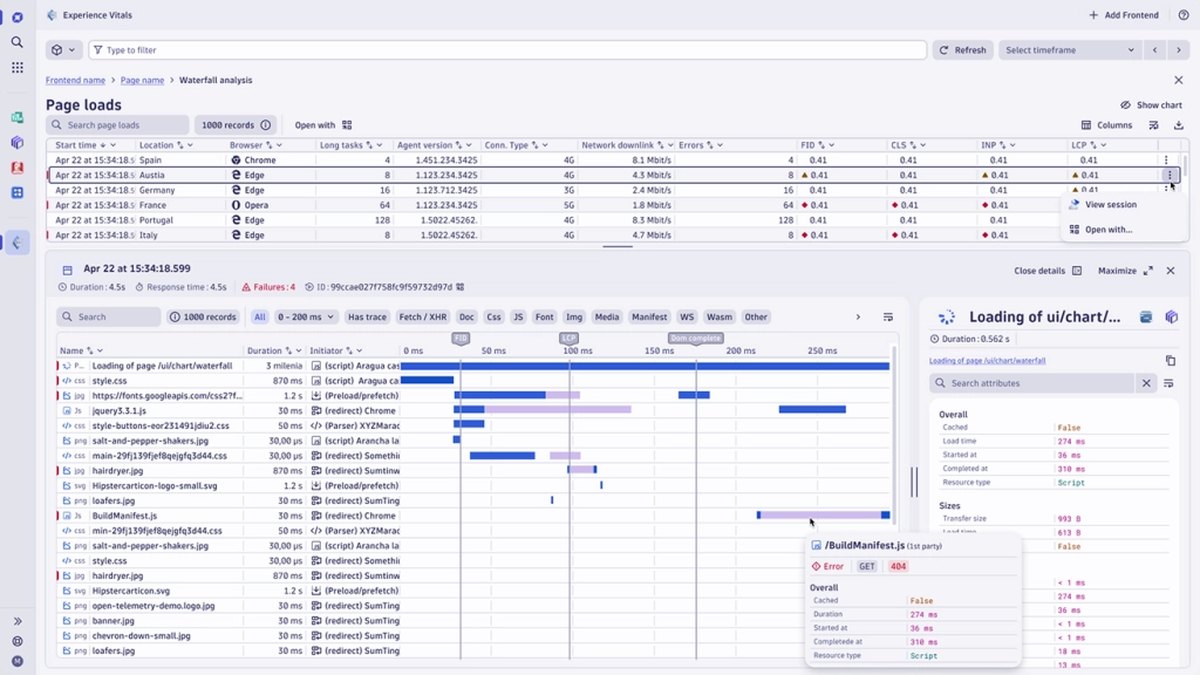
Dynatrace’s Experience Vitals app watches Core Web Vitals (LCP, FID, CLS and INP) for web frontends, and its health alerts are raised by Dynatrace Intelligence using seasonal and auto-adaptive anomaly detection models. Real User Monitoring is $2.25 per 1,000 sessions, or $4.50 per 1,000 sessions with replay, with 35 days of retention.
Go ifLarge teams that want automatic alerting on Core Web Vitals
Skip ifYou want an AI that explains or fixes the page
Why #8 over #9: Its alerts adapt to seasonal patterns automatically, while Vercel’s agent investigates alerts you have already set up.
9
Vercel
Answrs VerdictA good fit if your site already runs on Vercel.
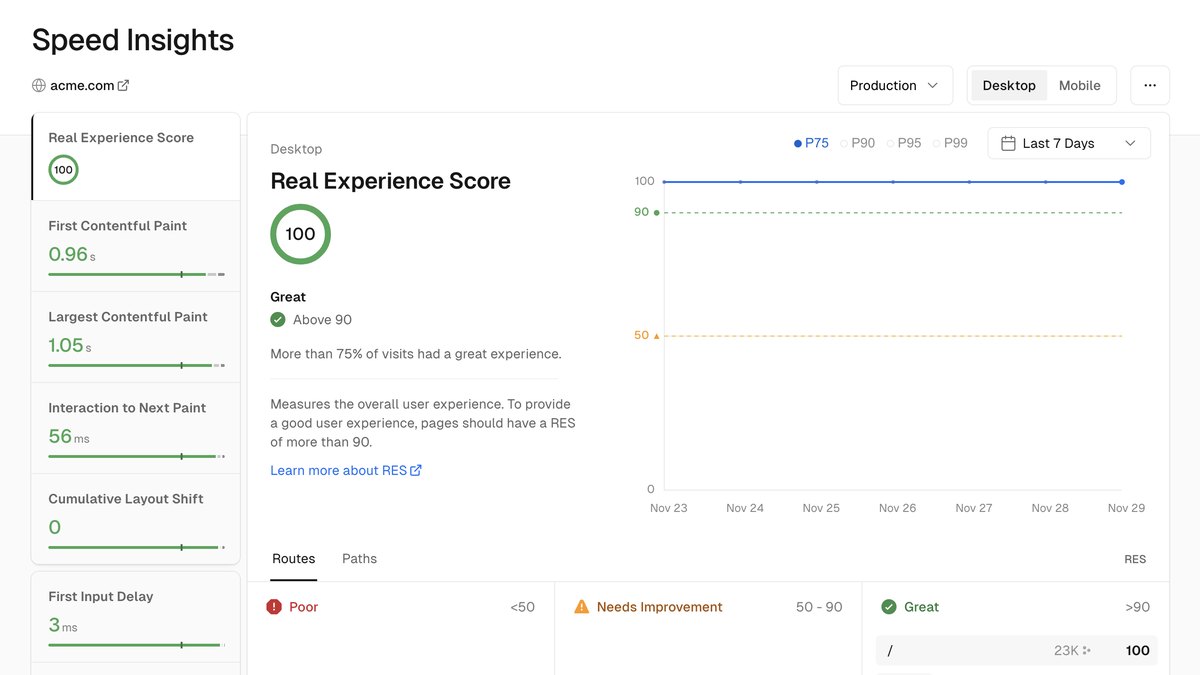
Price: Speed Insights is free on every plan; Speed Insights Plus is $10 per project per month on ProSpeed Insights: Shows Core Web Vitals-based metrics, including a Real Experience ScoreAI feature: Vercel Agent investigates your logs and metrics to find the root cause of an anomaly alertIncluded: 10 alert investigations per billing cycle with Observability PlusExtra investigations: Provider inference at the underlying token rate plus $0.25 per million tokens
Vercel Speed Insights is free on every plan and shows Core Web Vitals-based metrics, including a Real Experience Score; Speed Insights Plus is $10 per project per month on Pro. Separately, Vercel Agent investigates your logs and metrics to find the root cause of an anomaly alert, with 10 investigations per billing cycle included with Observability Plus.
Go ifTeams hosting on Vercel that want speed data and AI alert investigation in one dashboard
Skip ifYou host elsewhere
Why #9 over #10: It pairs a free speed dashboard with an AI alert investigator, while LogRocket’s AI summarizes user-facing issues.
10
LogRocket
Answrs VerdictBest for AI summaries of user-facing issues, with performance tracking alongside.
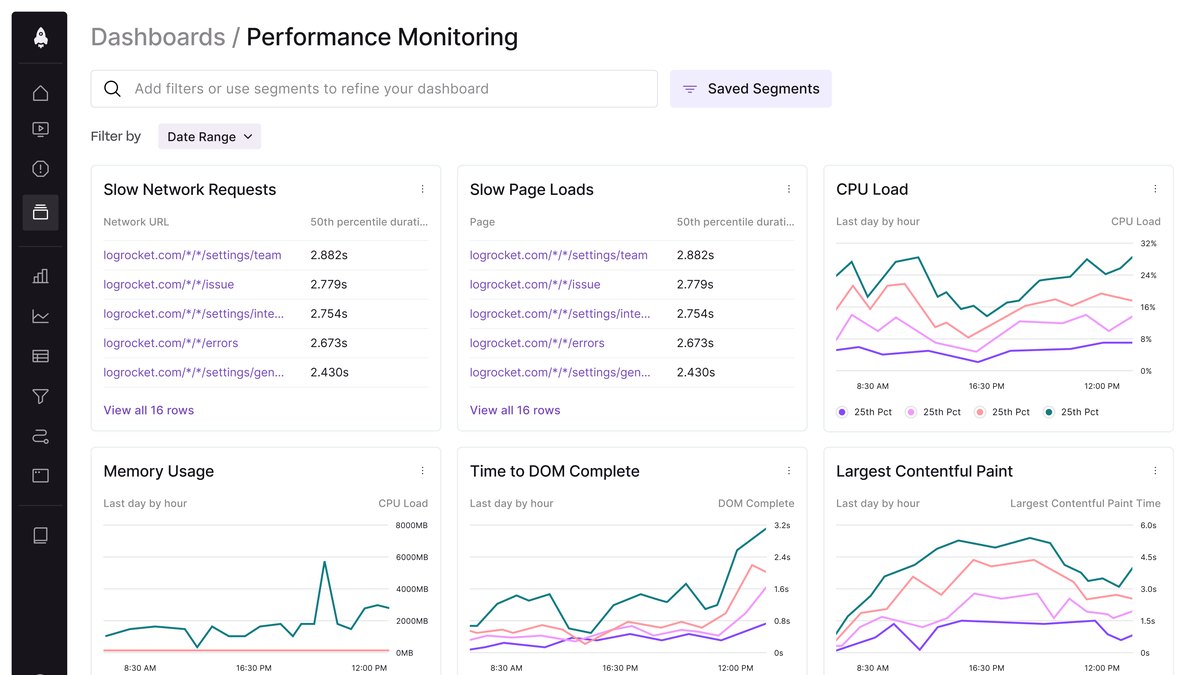
Price: Starting at $176 a month on annual billing; the pricing page does not say which plan that applies toAI feature: Galileo AI writes a human-like description of every issue and scores its severityPlans with Galileo: Included in Pro and Enterprise; not listed on CorePerformance monitoring: Tracks Core Web Vitals, CPU and memory usage, and network speed and page loadTrial: All features free for 14 days
LogRocket’s Galileo AI writes a human-like description of every issue and scores its severity, and its performance monitoring tracks Core Web Vitals, CPU and memory usage, and network speed and page load. Galileo is included in Pro and Enterprise. Pricing starts at $176 a month on annual billing, and all features are free for 14 days.
Go ifProduct teams who want session replay with AI-written issue summaries
Skip ifYou need AI built into the speed metrics themselves
How we ranked these
We ranked tools by how directly each vendor’s own AI feature helps you find or fix a slow website, using each vendor’s published docs and pricing, then by published price. Many tools on the old list (PageSpeed Insights, Cloudflare, WebPageTest, GTmetrix, NitroPack, Fastly, ImageKit and ChatGPT) were replaced because we could not find an AI feature built into their own performance products on their official pages, or could not find a usable product screenshot. Several picks use AI for alerts or issue summaries rather than for automatic page fixes, which we note on each pick. Facts are taken from each maker's own published information; check the official site before you buy.
Questions people ask
What is the best AI tool for website performance optimization?
Chrome DevTools AI assistance is the best starting point: it uses Gemini to investigate page performance, with “Help me optimize my LCP score” as its example prompt. Sentry’s Seer is #2 for diagnosing and fixing Web Vitals issues in code.
Is there a free AI tool for website speed?
Chrome DevTools AI assistance is in the browser and its docs list no price, and Vercel Speed Insights is free on every plan. Sentry has a free Developer plan, but Seer needs a separate subscription.
Can AI fix my Core Web Vitals?
Sentry opens Web Vitals issues for your highest-opportunity pages and its docs recommend Seer’s Autofix to diagnose and fix them. DebugBear generates prompts you can paste into AI coding agents like Claude Code or Cursor.
Which tool lets me ask questions about speed in plain English?
Contentsquare’s Sense Chat answers questions such as “Which are my slowest pages?”, and Datadog lets you ask Bits AI about profiling data in natural language.
Lowest paid plan price shown on each vendor’s pricing page, in US dollars a month at a glance
Vercel Speed Insights Plus10 USD per month
Sentry Team29 USD per month
Site24x7 Web Perf39 USD per month
Calibre Starter75 USD per month
DebugBear Startup99 USD per month
LogRocket176 USD per month
Lowest paid plan price shown on each vendor’s pricing page, in US dollars a month, as published by each maker. Picks without a published figure are left off.