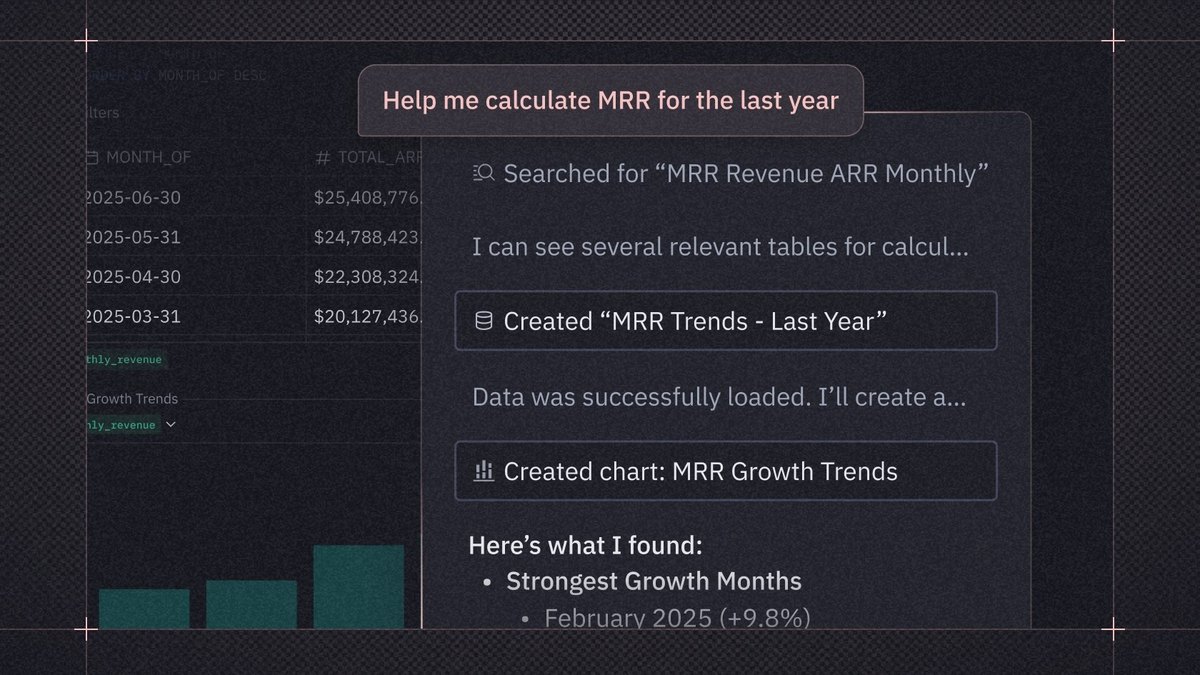
SQLAI.ai is the best AI tool for writing SQL queries: it turns plain language into SQL, adds six SQL tools in one app and starts at $6 a month. AI2SQL is #2 because it can run the query on a live read-only connection. Text2SQL.ai is #3 for its unlimited messages and credentials-local desktop app. Metabase is the pick if you want free, self-hosted AI SQL.
Open Source is free; Starter $100 a month; Pro $575 a month; Enterprise from $20,000 a year; Metabase Cloud managed AI is $3.75 per 1M tokens with 1 million tokens included
Teams that want SQL generation inside a BI tool they can self-host for free
Plans are Community, Local, Pro and Enterprise; amounts are not published, and Pro has a free 30-day trial
Developers who want one client for many databases with AI built in
Pick by what you want
Best overall
SQLAI.ai
Best for live results
AI2SQL
Best desktop app
Text2SQL.ai
Best for BigQuery
Gemini in BigQuery
Best for SQL Server
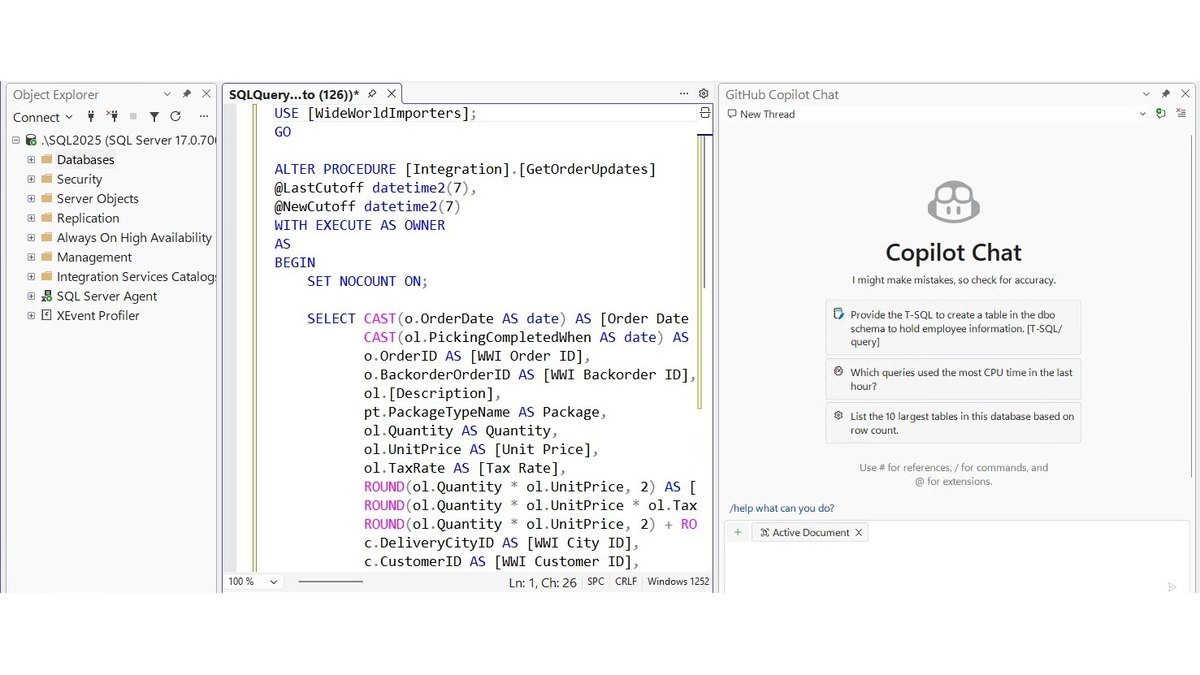
GitHub Copilot in SQL Server Management Studio
Best free and self-hosted
Metabase
The ranking
1
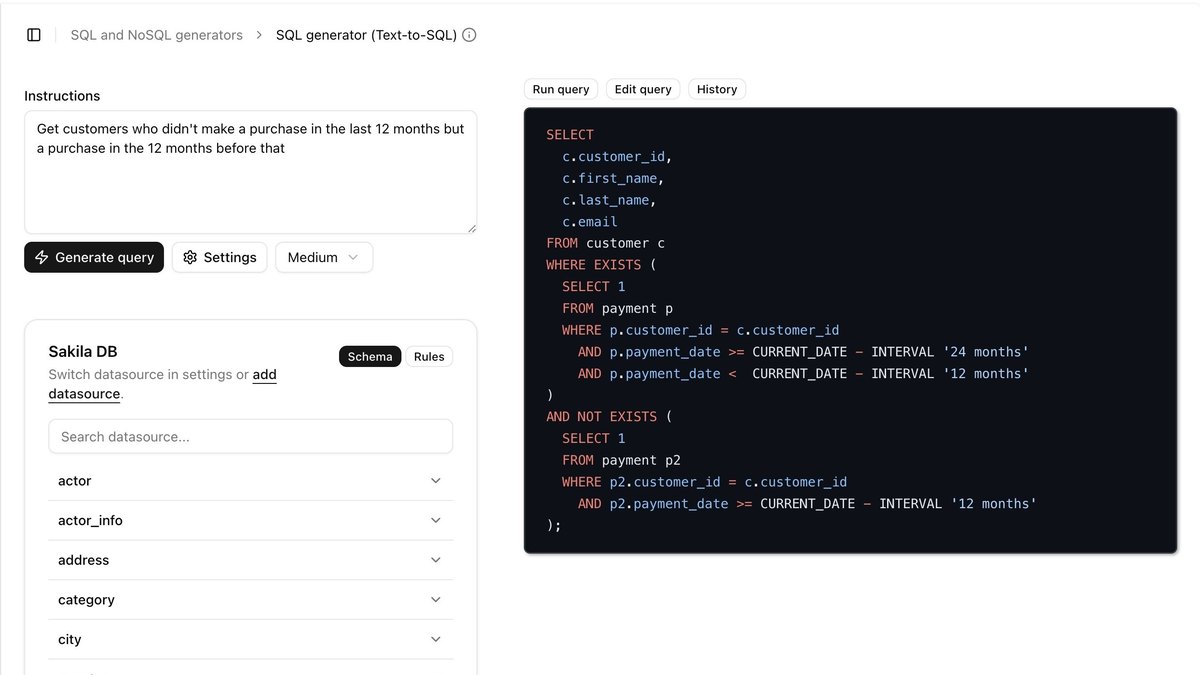
SQLAI.ai
Answrs VerdictThe lowest published price for full text-to-SQL.
Price: Starter $6 a month (300 queries), Pro $12 a month (1,000 queries), Max $32 a month (2,500 queries); each starts with a 7-day free trialText-to-SQL: Converts any language into SQL and NoSQL queries; the same app also has a SQL optimizer, validator, explainer, formatter and converterDatabases: The page lists 28 database engines, with live connection for MySQL, PostgreSQL, SQL Server, Oracle PL/SQL, MariaDB and MongoDB and schema-only support for the restPlan features: All three plans include all four SQL generators, unlimited databases, unlimited team members and full historyAccuracy: Vendor claim: the Large Schemas feature keeps strong SQL accuracy on databases with 900+ tables; the page names no one who measured it
SQLAI.ai converts any language into SQL and NoSQL queries and puts an optimizer, validator, explainer, formatter and converter in the same app. Its page lists 28 database engines, with live connection for MySQL, PostgreSQL, SQL Server, Oracle PL/SQL, MariaDB and MongoDB. Starter is $6 a month for 300 queries, Pro is $12 a month for 1,000 queries and Max is $32 a month for 2,500 queries, each with a 7-day free trial. The 900+ table accuracy statement is a vendor claim, and the page names no one who measured it.
Go ifAnyone who wants plain-English SQL plus optimizing, explaining and converting in one low-priced app
Skip ifYou need an independent accuracy benchmark before you buy
Why #1 over #2: It has the lowest published paid price on the list and bundles six SQL tools, while AI2SQL adds live query results.
2
AI2SQL
Answrs VerdictThe generator that also runs your query and shows the rows.
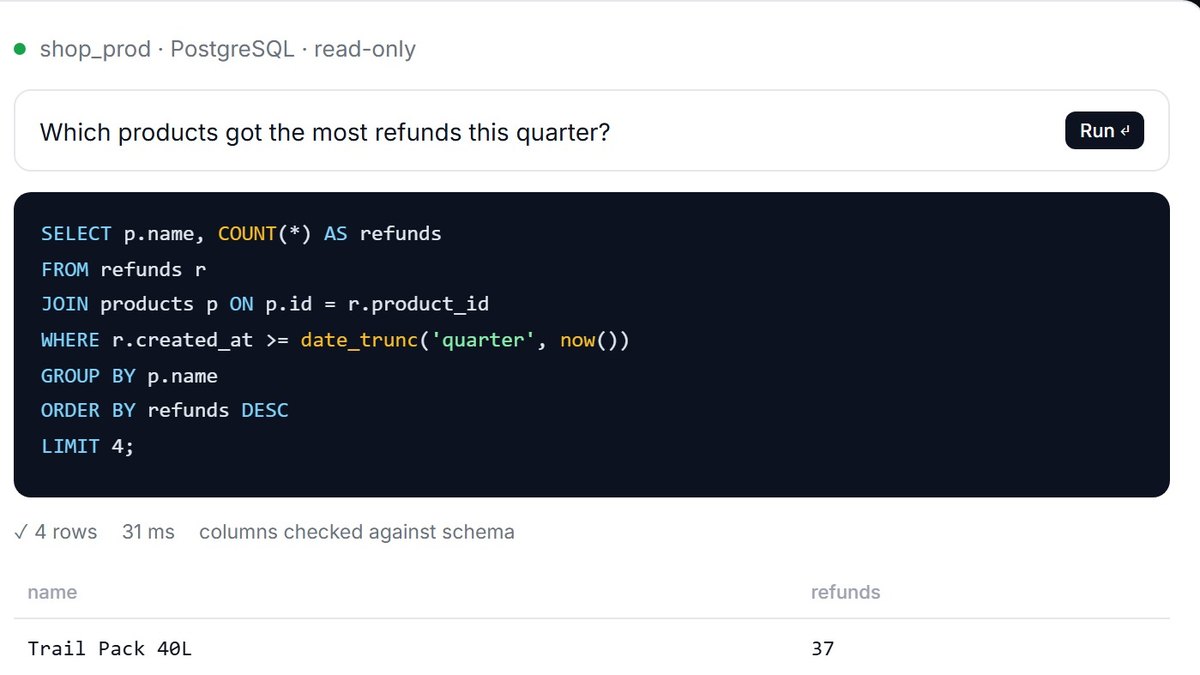
Price: Free is 3 queries a day on a demo database; Start $9 a month, Pro $19 a month, Team $39 a month; paid plans have a 7-day free trialText-to-SQL: Generates SQL from plain-English requests in the dialect of your database, and also explains, fixes, optimizes and formats SQLLive data: Runs queries on a live read-only connection and shows the rows; connecting your own database needs the Pro or Team planDatabases: PostgreSQL, MySQL, SQL Server, Oracle, Snowflake, BigQuery, Amazon Redshift, MongoDB, SQLite and FirebirdAccess: Reachable through MCP (Claude, ChatGPT, Cursor), a REST API and a desktop app for Windows and macOS on the Pro plan
AI2SQL generates SQL from plain-English requests in the dialect of your database, then explains, fixes, optimizes and formats it. It can run the query on a live read-only connection and show the rows, though connecting your own database needs the Pro or Team plan. Free is 3 queries a day on a demo database; Start is $9 a month, Pro $19 a month and Team $39 a month, with a 7-day free trial on paid plans. It is reachable through MCP, a REST API and a desktop app on Pro.
Go ifRunning generated queries against your own live data without leaving the tool
Skip ifYou want your own database connected on the free plan
Why #2 over #3: It shows the rows from a live read-only connection, which Text2SQL.ai does not describe on its page.
3
Text2SQL.ai
Answrs VerdictUnlimited messages and a credentials-local desktop app.
Price: Pro $20 a month and Team $40 a month, both billed annually, each with a 7-day free trial; Enterprise is customText-to-SQL: Natural-language-to-SQL with follow-up questions, plus tools to explain, fix and optimize SQLPlan limits: Pro sends unlimited messages and includes API access with 100 requests per month; Team includes 3 team membersDesktop app: Windows, macOS and Linux app included with Pro; the page says database credentials never leave your laptopDatabases: Support for 12+ database types on the Pro plan
Text2SQL.ai turns natural language into SQL with follow-up questions and adds tools to explain, fix and optimize SQL. Pro is $20 a month billed annually with unlimited messages and 100 API requests per month, and Team is $40 a month billed annually with 3 team members. Both come with a 7-day free trial. The desktop app for Windows, macOS and Linux comes with Pro, and the page says database credentials never leave your laptop.
Go ifDevelopers who want a desktop app that keeps database credentials on their own machine
Skip ifYou want a month-to-month price without annual billing
Why #3 over #4: It offers unlimited messages and a credentials-local desktop app, while Gemini in BigQuery works only inside Google Cloud.
4
Gemini in BigQuery
Answrs VerdictNative SQL generation inside the BigQuery console.
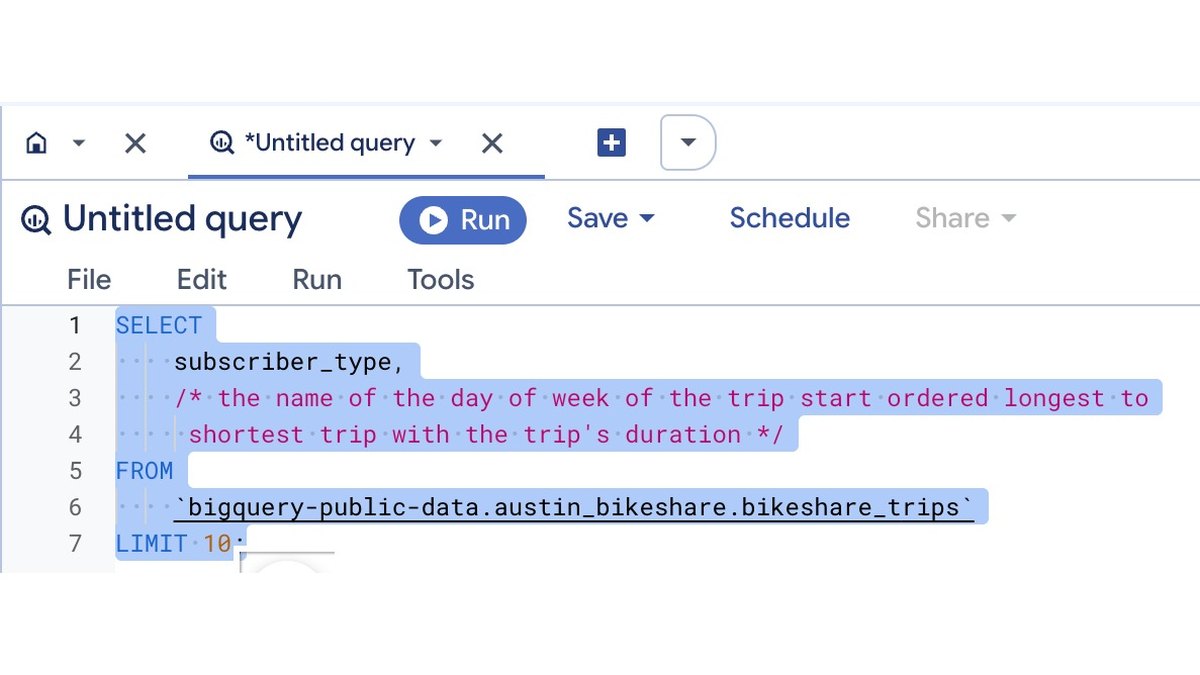
Price: Not published on the feature page, which points to a separate Gemini in BigQuery pricing overviewGenerate SQL: Use the SQL generation tool next to the query editor, or write a comment such as the ten longest trips and press Tab to accept the suggested queryTable context: The tool works from recently viewed or queried tables, and you can name tables by fully qualified name in backticksLimits: Only English prompts are supported, and Google warns Gemini can produce output that seems plausible but is factually incorrectAccess: Users need the roles/cloudaicompanion.user role
Gemini in BigQuery writes SQL in the BigQuery console two ways: the SQL generation tool next to the query editor, or a comment such as the ten longest trips that you accept with Tab. It works from recently viewed or queried tables and supports English prompts only. Google warns the output can seem plausible but be factually incorrect, so validate it before use. The feature page states no price and points to a separate pricing overview.
Go ifBigQuery teams who want SQL written inside the console they already use
Skip ifYou need to work in a language other than English
Why #4 over #5: It writes SQL natively in the BigQuery editor, while GitHub Copilot in SSMS is tied to SQL Server and Azure SQL.
5
GitHub Copilot in SQL Server Management Studio
Answrs VerdictT-SQL help built into the SSMS editor.
Price: Not published on the overview page; it uses your GitHub account with Copilot accessChat: Use natural language in the chat window or inline to ask about your database or get help writing T-SQLEditor help: Slash commands such as /doc explain, fix, document or optimize T-SQL, and autocompletions arrive in the query editor from SSMS 22.2Agent mode: From SSMS 22.7 agent mode can execute queries, read execution plans and modify schema with your approvalEngines: SQL Server 2014 through 2025, Azure SQL Database, Azure SQL Managed Instance, SQL Server on Azure Virtual Machines and SQL database in Microsoft Fabric
GitHub Copilot in SQL Server Management Studio lets you use natural language in a chat window or inline to ask about your database or get help writing T-SQL. Slash commands such as /doc explain, fix, document or optimize queries, autocompletions arrive from SSMS 22.2, and agent mode from SSMS 22.7 can execute queries and modify schema with your approval. It supports SQL Server 2014 through 2025, Azure SQL Database, Azure SQL Managed Instance and SQL database in Microsoft Fabric. It signs in with your GitHub account, and the page states no price.
Go ifSQL Server and Azure SQL developers who already work in SSMS
Skip ifYour databases are not SQL Server or Azure SQL
Why #5 over #6: It covers the whole SQL Server family inside SSMS, while Snowflake Cortex Analyst works only on Snowflake data.
6
Snowflake Cortex Analyst
Answrs VerdictGoverned text-to-SQL on top of a Snowflake semantic model.
Price: Billed per message processed, counting only successful responses; the credit rate is not stated on the pageHow it works: Generates SQL from a question using a semantic view of logical tables, dimensions, facts, metrics and relationships, and the SQL runs in your virtual warehouseWarehouse cost: Warehouse costs for running the generated SQL are billed separatelyAccuracy: The page gives no measured accuracy figure; it points to Cortex Analyst evaluations, which let you test accuracy against your own verified queriesDirection: Snowflake recommends moving to Cortex Agents, which it says support every Cortex Analyst capability
Snowflake Cortex Analyst generates SQL from a business question using a semantic view of logical tables, dimensions, facts, metrics and relationships, and the SQL runs in your virtual warehouse. It is billed per message processed, counting only successful responses, and warehouse costs for the generated SQL are billed separately. The page gives no measured accuracy figure and points to Cortex Analyst evaluations for testing against your own verified queries. Snowflake recommends moving to Cortex Agents.
Go ifSnowflake teams that already model their business logic in semantic views
Skip ifYour data is not in Snowflake
Why #6 over #7: It grounds SQL in a governed semantic model, while Metabase works from your BI data model.
7
Metabase
Answrs VerdictPlain-language SQL inside a free, self-hostable BI tool.
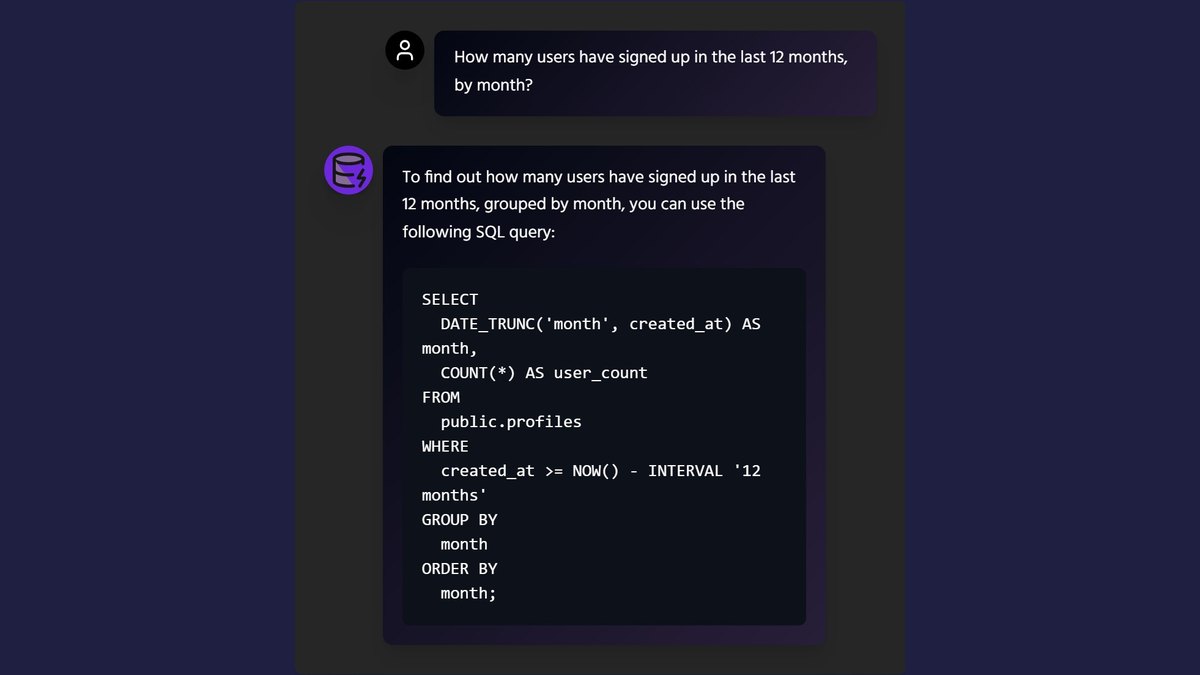
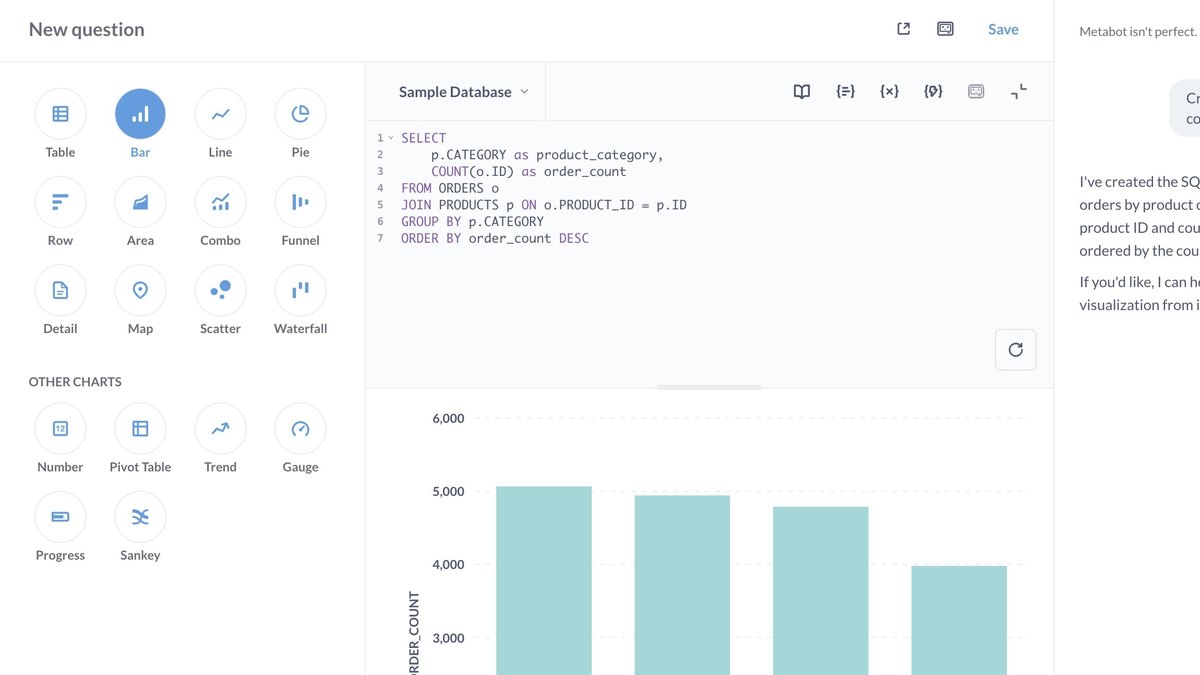
Price: Open Source is free; Starter $100 a month; Pro $575 a month; Enterprise from $20,000 a year; Metabase Cloud managed AI is $3.75 per 1M tokens with 1 million tokens includedMetabot SQL: Describe what you want in plain language and Metabot writes the SQL, grounded in your data model, and can troubleshoot failing SQLAvailability: AI features are available in all Metabase editions, including the free open-source versionAccess control: Admins choose which user groups can use SQL generationOwn key: You can bring your own AI provider key and pay the provider with no markup from Metabase
Metabase’s Metabot writes SQL from a plain-language description, grounded in your data model, and can troubleshoot failing SQL. AI features are in all Metabase editions, including the free open-source version, and admins choose which groups can use SQL generation. Starter is $100 a month, Pro is $575 a month and Enterprise starts at $20,000 a year; you can bring your own AI key or use Metabase Cloud at $3.75 per 1M tokens with 1 million tokens included.
Go ifTeams that want SQL generation inside a BI tool they can self-host for free
Skip ifYou want a per-user price for a small team
Why #7 over #8: Its AI is free in the open-source edition, while DBeaver’s other providers need a paid edition.
8
DBeaver AI Assistant
Answrs VerdictA database client with a choice of eight AI providers.
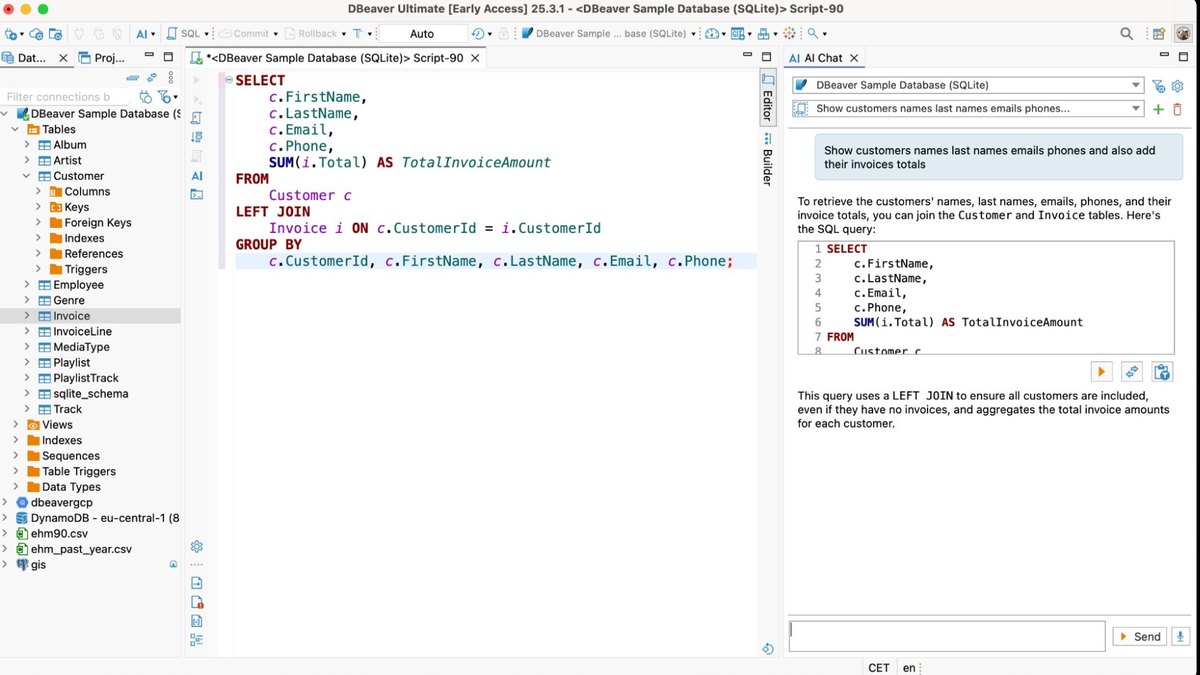
Price: Lite $12 a month or $113 a year; Enterprise $26 a month or $255 a year; Ultimate $510 a yearAI command: Type a request such as @ai show films in which Grace Mostel starred and the AI generates the SQL; AI Auto Complete also suggests SQL as you typeProviders: OpenAI, GitHub Copilot, Azure OpenAI, Google Gemini, Ollama, Anthropic Claude, Amazon Bedrock and Grok; all but OpenAI and GitHub Copilot are marked available only in PROEditions: The AI capabilities row is marked for Lite, Enterprise, Ultimate, CloudBeaver and TeamPrivacy: The page says AI Assistant works with the minimum information required, with processing under provider privacy policies
DBeaver’s @ai command generates SQL from a request typed in the SQL editor, and AI Auto Complete suggests SQL as you type. It works with OpenAI, GitHub Copilot, Azure OpenAI, Google Gemini, Ollama, Anthropic Claude, Amazon Bedrock and Grok, though all but OpenAI and GitHub Copilot are marked available only in PRO. Lite is $12 a month or $113 a year, Enterprise $26 a month or $255 a year and Ultimate $510 a year.
Go ifPeople who already use DBeaver as their database client and want to pick their own AI provider
Skip ifYou want a hosted text-to-SQL service with no desktop client
Why #8 over #9: It lets you choose among eight AI providers, while Hex ties you to its own agent and credits.
9
Hex Notebook Agent
Answrs VerdictAn agent that writes and edits SQL cells in a notebook.
Price: Community is free with limited AI credits; Professional $36 per Editor a month; Team $75 per Editor a month; Enterprise is customNotebook Agent: Creates and modifies Python, SQL, Markdown, Pivot and Chart cells, and is meant for technical users who can audit the SQL it suggestsCredits: All paid plans include monthly per-seat credit grants for Hex AI features; credit amounts are not published on the pricing pageTypeahead: Context-aware inline code completions as you typeThreads: A conversational interface for self-serve data questions aimed at non-technical users
Hex’s Notebook Agent creates and modifies Python, SQL, Markdown, Pivot and Chart cells, and Hex says it is meant for technical users who can audit the SQL it suggests. Community is free with limited AI credits, Professional is $36 per Editor a month and Team is $75 per Editor a month. Paid plans include monthly per-seat credit grants, and the credit amounts are not published.
Go ifAnalytics teams that want an agent editing SQL cells inside a shared notebook
Skip ifYou only need a quick query box without a notebook workspace
Why #9 over #10: It edits SQL inside a shared notebook, while Chat2DB is a client for running queries.
10
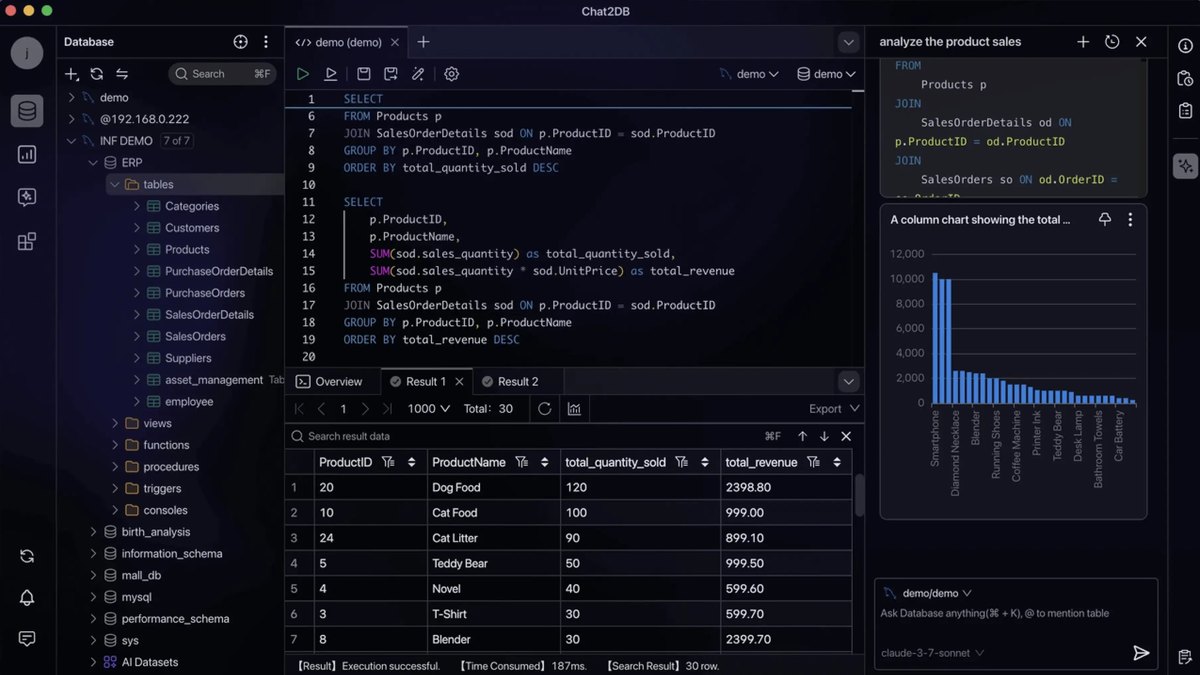
Chat2DB
Answrs VerdictA many-database client with Text2SQL built in.
Price: Plans are Community, Local, Pro and Enterprise; amounts are not published, and Pro has a free 30-day trialText-to-SQL: The Text2SQL feature converts natural language queries into SQL statements automaticallyOther AI: SQL Copilot, an AI SQL editor, one-click SQL error fixing and AI-generated dashboards and chartsDatabases: Supported databases include MySQL, PostgreSQL, Oracle, SQL Server, Snowflake and BigQueryLocal plan: The Local plan works offline, but AI functions cannot be used on it
Chat2DB’s Text2SQL feature converts natural language queries into SQL statements automatically, alongside SQL Copilot, an AI SQL editor and one-click SQL error fixing. It supports many databases, including MySQL, PostgreSQL, Oracle, SQL Server, Snowflake and BigQuery. Plans are Community, Local, Pro and Enterprise with no published amounts, Pro has a free 30-day trial, and AI functions cannot be used on the Local plan.
Go ifDevelopers who want one client for many databases with AI built in
Skip ifYou need published prices before you try it
How we ranked these
We ranked tools that write SQL from plain English, putting dedicated text-to-SQL apps first, then SQL generation built into a database console or BI tool, then database clients and notebooks with an AI agent, using only each maker’s own published features, limits and prices. Where a price or accuracy figure is not published we say so, and any accuracy statement from a maker is labeled as that maker’s claim. Facts are taken from each maker's own published information; check the official site before you buy.
Questions people ask
What is the best AI tool for writing SQL queries?
SQLAI.ai is our top pick: it turns plain language into SQL and NoSQL, adds an optimizer, validator, explainer, formatter and converter, and starts at $6 a month. AI2SQL is #2 because it also runs the query on a live read-only connection.
Is there a free AI tool that writes SQL?
Metabase includes AI features in its free open-source version, and AI2SQL has a free plan of 3 queries a day on a demo database. Hex has a free Community plan with limited AI credits.
Can AI write SQL inside the tools I already use?
Yes. Gemini in BigQuery generates SQL in the BigQuery query editor, GitHub Copilot in SQL Server Management Studio helps write T-SQL in SSMS, and DBeaver has an @ai command in its SQL editor.
How accurate is AI-written SQL?
None of the makers we read publish an independent accuracy measurement. Google warns that Gemini output can seem plausible but be factually incorrect, and Microsoft tells users to review GitHub Copilot output before using it. SQLAI.ai’s 900+ table accuracy statement is a vendor claim with no named measurer.
Advertised monthly price of the cheapest paid plan on each maker’s pricing page, where one is published (Hex per Editor; Text2SQL.ai billed annually) at a glance
SQLAI.ai6 USD
AI2SQL9 USD
DBeaver12 USD
Text2SQL.ai20 USD
Hex36 USD
Metabase100 USD
Advertised monthly price of the cheapest paid plan on each maker’s pricing page, where one is published (Hex per Editor; Text2SQL.ai billed annually), as published by each maker. Picks without a published figure are left off.