How Do You Build a Cost Dashboard for AI and LLM Spend in 2027?
Build the dashboard in layers: collect token-level usage and billed cost from each provider's own API, attach an owner (team, feature or customer) to every request, add the cloud and GPU bill in a common format, then compute a few unit-cost KPIs on top. The ledger comes from the providers: OpenAI offers a usage endpoint and a costs endpoint, Anthropic offers a usage report and a cost report, and the big clouds expose Bedrock metrics and cost allocation tags, Azure Cost Management, and a Google Cloud billing export to BigQuery.
Two details decide whether the numbers are right. First, provider cost reports tell you who spent what at a daily grain, but only your own request-level metadata can say which feature or customer caused it, so you tag at call time. Second, cached and batched tokens are priced differently from normal tokens, so the dashboard must keep them as separate usage types or it will misstate cost per request.
Every fact below comes from an official page read on October 31, 2026, with whose number it is. Observability products are labelled as vendors. Prices and APIs change, so confirm on the provider page before you build. This page is not financial advice.
Start with the provider usage and cost APIs
The cleanest token-level source is the provider itself. OpenAI documents a completions usage endpoint and a costs endpoint under /v1/organization/. The usage results carry token counts (input, output, cached and audio), a request count, and project, user, API key and model fields; the costs results carry an amount with currency, a line item and a project. Both need an Admin Key rather than a regular API key. Usage can be bucketed by minute, hour or day, while costs come back only by day.
- OpenAI usage and costs endpoints/v1/organization/usage/completions and /v1/organization/costs; group by model, project_id or line_item; Admin Key required; costs are daily only.
- Anthropic usage and cost reports/v1/organizations/usage_report/messages and /v1/organizations/cost_report; Admin API credentials required; costs in USD, daily only; Anthropic calls this API legacy and recommends its Usage and Cost Analytics API for new integrations.
Anthropic's usage report tracks uncached input, cached input, cache creation and output tokens, and can be filtered and grouped by API key, workspace, model, service tier, context window, data residency or speed. Its cost report groups by workspace or description. Two caveats from the docs matter for a dashboard: Priority Tier costs are not in the cost endpoint, so you read them from the usage endpoint instead, and the default workspace has a null workspace ID. Data typically appears within 5 minutes of a request finishing.
Pull cloud-hosted model spend from Bedrock, Azure and Google Cloud
If your models run through a cloud, the dashboard reads that cloud's metering instead. Amazon Bedrock publishes runtime metrics to CloudWatch under the AWS/Bedrock namespace, including InputTokenCount, OutputTokenCount, CacheReadInputTokenCount and CacheWriteInputTokenCount, with a ModelId dimension. Those are volume signals. For dollars, AWS says an application inference profile can be created to track usage and costs when invoking a model, and it accepts tags, which connect to AWS cost allocation tags.
For caller-level attribution in AWS, the Cost and Usage Report 2.0 has a setting that adds a column holding the IAM principal ARN of whoever made the Bedrock inference request. When IAM principal tags are activated as cost allocation tags they appear in the tags column with an iamPrincipal/ prefix, for example iamPrincipal/department. AWS notes that this data starts on April 8, 2026.
Microsoft's cost guide for Foundry and Azure OpenAI says token-based pricing shows up as meters in Cost Management, where you can group by Resource and then by Meter and filter by tag. For supported models, project usage is automatically tagged with a project tag (marked preview) so shared spend can be charged back. Google Cloud's Vertex AI lets you put a labels object in the request body of a generateContent call, and those labels are forwarded to Cloud Billing so charges can be grouped by label. Cloud Billing can also export to BigQuery as standard usage cost, detailed usage cost (resource level) and pricing data.
- Google labels have limits. Google states that labels are forwarded to billing only for PayGo requests, that Provisioned Throughput requests silently ignore them, that a call can carry up to 64 labels, and that a key may be dropped without notice past 1,000 unique values over the billing account's lifetime. Do not put a user ID or timestamp in a label.
- Azure has no hard stop. Microsoft says Azure OpenAI does not currently provide a hard limit that prevents going over budget; budgets send alerts, and anything stronger needs automation you build.
- Expect lag. Google says costs can take a day or more to appear in Cloud Billing, and AWS says Budgets data is updated up to three times a day. A dashboard that shows today as complete is wrong.
Tag every request so spend has an owner
Provider reports stop at the project, workspace or API key. To answer which feature or customer drove the cost, attach that identity when you make the call. There are three layers, and a mature dashboard uses all of them.
- Account structure. Separate projects (OpenAI), workspaces (Anthropic) or resource groups and inference profiles (AWS, Azure) per team or environment. This is the only attribution that every provider report understands without your help.
- Cloud tags and labels. Use AWS cost allocation tags, Azure tags and Google labels for team and cost centre. Keep the values low-cardinality, as Google's own limits warn.
- Request metadata in your gateway or tracing layer. Record feature name, customer ID and request ID per call. Helicone, for example, documents a Helicone-Property-[Name] header for custom properties and a reserved Helicone-User-Id header for per-user cost analytics. LangSmith and Langfuse take metadata and tags on traces in a similar way.

Model prompt caching and batch discounts as separate usage types
Cached and batched tokens do not cost what ordinary tokens cost, so a dashboard that only multiplies total tokens by one rate will be wrong. Anthropic prices a 5-minute cache write at 1.25x the base input price, a 1-hour write at 2x, and a cache read at 0.1x by default, or 0.05x for Claude Opus 5.5 and Claude Sonnet 5.5. Its Message Batches API reduces cost by 50 percent, and the page says the multipliers stack with the batch discount.
- Claude Sonnet 5.5 list prices (Anthropic pricing page)$2 per MTok base input, $10 per MTok output, $0.10 per MTok cache hits; batch input $1 per MTok and batch output $5 per MTok.
- Anthropic response fields to loginput_tokens, cache_creation_input_tokens and cache_read_input_tokens; total input is the sum of the three.
- OpenAI caching and batchCached input discounted up to 95% per OpenAI's caching guide; minimum cacheable prefix 1,024 tokens for GPT-5.6 and later; Batch API gives a 50% discount and completes within 24 hours.
Log each type in its own column. Langfuse makes the reason explicit: each token must be counted in exactly one usage key, so the input count should exclude cached tokens, otherwise cost is double-counted when a provider reports inclusive totals. The same split gives you the most useful efficiency number on the page, cache read tokens as a share of total input tokens, and it tells you whether a prompt change actually reduced spend.
Treat these as list prices from the provider's own page, not as what your invoice will show. Negotiated discounts and commitments change the effective rate, which is why the billed cost report stays the source of truth.
Bring GPU and cloud cost in with the FOCUS format
Token APIs cover hosted models. Self-hosted models and fine-tuning show up on the cloud bill as GPU instances, storage and network, in a different schema for every vendor. The FinOps Foundation's FOCUS specification is an open specification that normalizes billing datasets across AI, cloud, SaaS, data center and other technology vendors, and its site points to FOCUS 1.4 as current. It lists FOCUS-format data for AWS, Microsoft Azure and Google Cloud at version 1.2, and for CoreWeave at 1.0. Google Cloud also lists a FOCUS usage cost export, in preview, beside its standard BigQuery export.
The practical step is to land every provider's billing export in one warehouse table, in FOCUS shape where available, and join your token ledger to it by date, project and tag. That lets one query show hosted-model spend and GPU spend side by side. Microsoft also warns that fine-tuned model hosting is charged hourly even when the deployment is unused, which is the kind of line a token-only dashboard misses. For more on costs that never appear as tokens, see the hidden costs of running AI infrastructure.
Choose an observability layer for per-request cost
Billing exports are daily and coarse. To see cost per request, per trace or per user, most teams add an LLM observability tool. The four below document cost tracking; all are vendors, and each has its own pricing that this page does not cover.
- Langfuse (vendor). Records usage and cost per generation by usage type, takes ingested usage over inferred, supports your own model definitions, and offers dashboards by model, tag or user plus spend alerts. It cannot infer cost for reasoning models unless token counts are ingested.
- Helicone (vendor). Tags requests with custom property headers and a user ID header, then groups cost and metrics by those properties.
- LangSmith (vendor, LangChain). Derives LLM cost from token counts and a model price map, using the ls_provider and ls_model_name metadata; costs for tool calls and retrieval steps must be sent manually, and changed prices are not backfilled to old traces.
- Datadog LLM Observability (vendor). Provides out-of-the-box dashboards for cost, latency and usage trends, with token counts in traces. Datadog bills it per ingested LLM span, not per token, and its page does not explain how token costs are calculated.
Anthropic's docs also list partner integrations for usage and cost monitoring, including CloudZero, Datadog, Grafana Cloud, Harness, Honeycomb, Tempo and Vantage. If you build your own, an open tracing layer plus the provider cost report is enough to start; buy when attribution and alerting become the bottleneck.
If agents call models in loops, per-request cost understates the real unit cost, because one task can make many calls. See the infrastructure needed to run AI agents in production for why, and tag a task or session ID so you can sum across calls.
Pick the KPIs and set budget alerts
Raw spend charts get ignored. Convert spend into unit costs that a product owner can act on, each computed from columns you already collected.
- Cost per request. Billed or estimated cost divided by request count, split by model and by cached versus uncached input.
- Cost per user or per customer. Spend grouped by the user or customer ID in your own request log, compared with what that account pays you.
- Cost per resolved task. Total spend across every call and tool step in a task, divided by tasks completed successfully. Failed and retried attempts count in the numerator, which is why this number is the honest one for agents.
- Cache read share. Cache read tokens as a share of total input tokens, to check that caching is working.
- Forecast versus budget. Month-to-date spend and projected spend against the budget for each team or feature.
For alerts, use the cloud's own budget tool for the cloud bill. AWS Budgets supports cost and usage budgets, alerts on both actual and forecasted spend, notifications to an Amazon SNS topic or email, and budget actions such as applying an IAM policy. Azure Cost Management supports budgets and alerts too. For API-provider spend, Anthropic's docs list budget monitoring alerts as a use case of its usage and cost data, and Langfuse can alert on spend thresholds. Because every source lags, alert on trends and forecasts, and keep a separate real-time guard in your gateway if you need a hard cap.
Questions people ask
What data do I need to build an AI cost dashboard?
Four inputs: token usage by type from the provider usage APIs or your gateway, billed cost from the provider cost reports or cloud billing export, an owner tag on each request (team, feature, customer), and task or session IDs so you can sum several calls into one task.
Can I get per-customer LLM cost from the provider APIs alone?
Usually not. OpenAI groups by project, user and API key, and Anthropic's cost report groups by workspace or description, so per-customer cost needs your own request metadata, logged at call time and joined to the provider data.
Do prompt caching and batch discounts change how I count cost?
Yes. Cache writes, cache reads and batch requests are priced differently from standard tokens, so keep them as separate columns. Anthropic's and OpenAI's pages document the multipliers and discounts; check the current prices before you hard-code any rate.
What is FOCUS and do I need it?
FOCUS is the FinOps Foundation's open specification for normalizing billing datasets across AI, cloud, SaaS and other vendors. You do not need it for token APIs, but it helps when GPU instances, storage and several clouds sit next to token spend in one warehouse.
Should I buy an LLM observability tool or build the dashboard myself?
Start with the provider cost reports and your own request log. Add a vendor such as Langfuse, Helicone, LangSmith or Datadog when you need per-trace cost, per-user views or alerting faster than you can build it. Compare their own pricing pages, which this page does not cover.
How fresh will the dashboard be?
Not real-time. Anthropic says its usage and cost data typically appears within 5 minutes, but cloud billing data lags by hours or a day or more, so treat the latest day as incomplete.
Sources
- OpenAI cookbook: Completions Usage API and Costs API · Usage and costs endpoints, group_by options, bucket widths, Admin Key
- OpenAI: Prompt caching guide · Cached-input discount, minimum prefix, cached_tokens field
- OpenAI: Batch API guide · Batch discount and completion window
- Anthropic: Usage and Cost API · Usage and cost report endpoints, grouping, caveats, partner integrations
- Anthropic: Prompt caching · Cache write and read multipliers, usage fields
- Anthropic: Pricing · Claude 5.5 model prices and batch prices
- Anthropic: Batch processing · Message Batches API discount
- AWS: Bedrock runtime CloudWatch metrics · Token count and cache token metrics, ModelId dimension
- AWS: Create an application inference profile · Tracking usage and costs with tagged inference profiles
- AWS: Cost and Usage Report 2.0 · IAM principal data for Bedrock inference costs, tags
- AWS: Managing your costs with AWS Budgets · Cost and usage budgets, forecast alerts, actions
- Microsoft Learn: Plan and manage costs for Microsoft Foundry · Cost Management meters, project tag, budgets, no hard limit
- Google Cloud: Add labels to API calls · Request labels forwarded to billing, PayGo only, limits
- Google Cloud: Cloud Billing export to BigQuery · Standard, detailed and pricing exports, FOCUS export preview
- FinOps Foundation: FOCUS · Open billing data specification and provider support
- Langfuse: Token and cost tracking (vendor docs) · Usage types, inferred vs ingested cost, dashboards and alerts
- Helicone: Custom properties (vendor docs) · Property headers and per-user cost analytics
- LangChain: LangSmith cost tracking (vendor docs) · usage_metadata, model price map, dashboards
- Datadog: LLM Observability (vendor docs) · Cost and token dashboards, billing per LLM span
Figures were read from the linked pages on October 31, 2026. Several pages were read through a fetch tool that returns summaries, so confirm each price, limit and endpoint on the provider's own page before you build. This page is not financial advice.
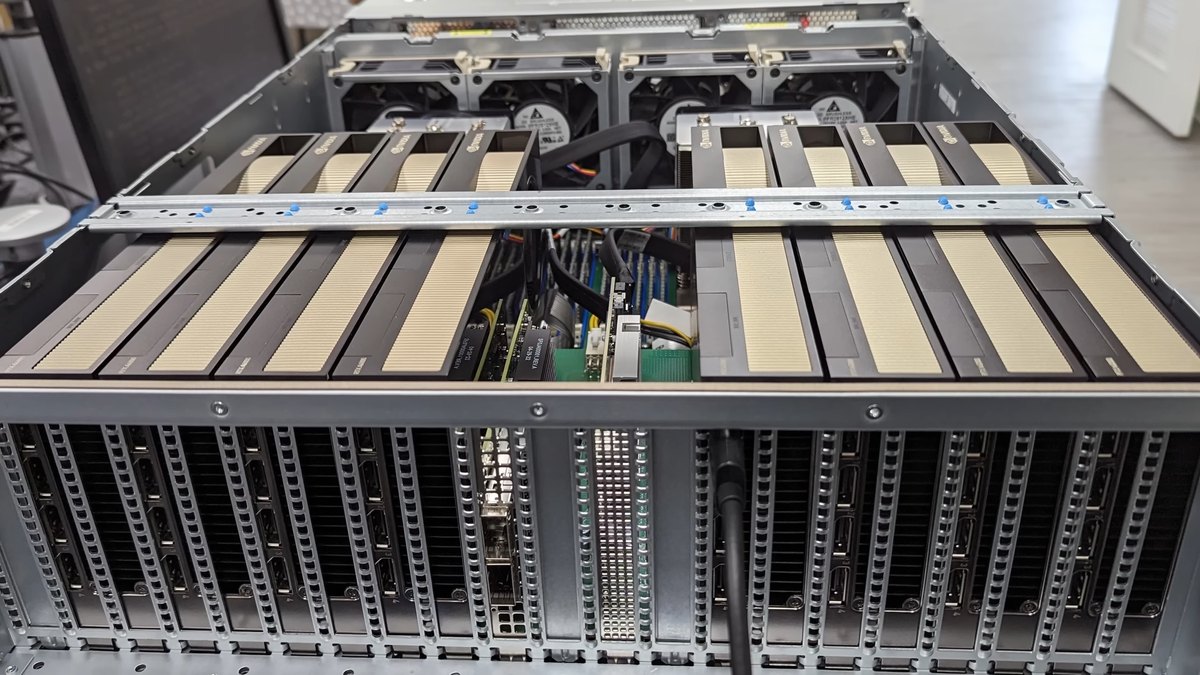
Top photo: Lawrence Systems / CC BY 3.0 via Wikimedia Commons