Spacely AI is the top AI tool for interior design in our scoring: it turns a sketch, 3D model or room photo into a render, has a free plan with 40 trial credits, publishes prices from $20 per month billed yearly, lists a commercial license on every plan including free, and works on the web and in SketchUp. mnml.ai ties it on 84 out of 100 and is #2, and Homestyler is #3 with the lowest published paid price, from $6.8 per month. Every score is our own judgment from the vendors pages read.
Free plan at $0 with 40 trial credits; Personal is $20 per month billed $240 yearly for 1 seat and 500 credits, Studio is $40 per month billed $480 yearly for up to 2 seats and 1,500 credits, and Agency is $80 per month billed $960 yearly for up to 5 seats and 3,500 credits; monthly billing is $25, $50 and $100
Designers and small studios who want photo, sketch or model renders with a stated commercial license, even on the free plan
New accounts get 100 free credits with no card required; Lite is $29 per month for 1,000 credits, Plus $49 for 3,000 and Studio $119 for 10,000; a one-time pack is $149 for 10,000 credits valid 12 months
Architects and interior designers who model in SketchUp, Revit or Rhino and want render control
Basic is free with unlimited 1K rendering; Pro+ starts from $6.8 per month, Master+ from $11.8 per month and Team from $19.9 per seat per month, with Enterprise on custom pricing
Home planners who want floor plans, a huge 3D furniture library and a free tier
Free plan at $0 with unlimited projects and half the furniture catalog; Premium is $19.99 per month or $59.99 per year, Professional is $49.99 per month or $399.99 per year, and Enterprise is custom
Beginners and homeowners who want to draw a floor plan and furnish it in 3D
Pro is $49 per month or $29 per month billed yearly ($349) for 1,000 designs; Premium is $99 or $49 yearly ($599) for 5,000; Ultra is $199 or $99 yearly ($1,199) for 25,000; the page lists no free plan
Anyone who wants fast style-driven redesigns of room photos with a commercial license
Standard is $19 per month for 60 photo credits, Advanced $49 for 150, Premium $79 for 263 and Enterprise $127 for 526; a Try It Free button is offered and the table lists a free trial with watermark for some features
Real estate agents who want staged listing photos with a commercial photo license
Basic is free with limited uploads; Pro is $29 and Elite is $69 per the structured data on the pricing page, which does not say whether those are monthly or yearly; Enterprise is contact sales
Design firms that want floor plans, renders and virtual tours in one tool
Basic is $16 per month for 6 photos ($192 yearly), Standard $19 for 20, Professional $39 for 60 and Enterprise $79 for 150; the home page says upload an image for free with no sign-up, while the pricing page says it offers no free trial of the service
Agents who only need furniture added to empty listing photos at a low price
Pick by what you want
Best overall
Spacely AI
Best for SketchUp, Revit and Rhino users
mnml.ai
Best for floor plans and 3D
Homestyler
Best for shoppable furniture
REimagineHome
Best for staging listing photos
Virtual Staging AI
The ranking
1
Spacely AI
Answrs VerdictIt scores highest on our rubric by combining a free plan, readable prices, a commercial license on every plan and CAD integrations.
Price / trial: Free plan at $0 with 40 trial credits; Personal is $20 per month billed $240 yearly for 1 seat and 500 credits, Studio is $40 per month billed $480 yearly for up to 2 seats and 1,500 credits, and Agency is $80 per month billed $960 yearly for up to 5 seats and 3,500 credits; monthly billing is $25, $50 and $100Interior features: Realistic Render turns a sketch, 3D model or room photo into a render, with Edit, Lighting, Furnish and Enhance modes and a choice of style or your own imageOutput rights: A Commercial license and watermark-free output are listed on the Free, Personal, Studio and Agency plans; the pricing page does not spell out the license termsPlatforms: Web app plus a SketchUp extension; the pricing page lists SketchUp, Revit, AutoCAD and Rhino integrationsTransparency: The FAQ lists a question on commercial projects but the page text read gave no answer, so the pricing-page license line is the only stated term
Spacely AI offers Realistic Render, which turns a sketch, 3D model or room photo into a render, with Edit, Lighting, Furnish and Enhance modes. A free plan gives 40 trial credits, and paid plans are Personal at $20 per month billed $240 yearly, Studio at $40 and Agency at $80, with monthly billing at $25, $50 and $100. A Commercial license and watermark-free output are listed on the Free, Personal, Studio and Agency plans, though the license terms are not spelled out. It runs on the web and as a SketchUp extension, and the pricing page lists Revit, AutoCAD and Rhino integrations.
Go ifDesigners and small studios who want photo, sketch or model renders with a stated commercial license, even on the free plan
Skip ifYou want a floor-plan editor or a furniture marketplace
Why #1 over #2: It matches mnml.ai on 84 points and wins the tiebreak because Spacely’s own page names interior design as its main use, where mnml describes an architectural studio.
2
mnml.ai
Answrs VerdictExcellent plugin coverage and a license on every plan, but architecture-first rather than interior-first.
Price / trial: New accounts get 100 free credits with no card required; Lite is $29 per month for 1,000 credits, Plus $49 for 3,000 and Studio $119 for 10,000; a one-time pack is $149 for 10,000 credits valid 12 monthsInterior features: AI rendering for interior, residential, plan, commercial and landscape work from a sketch, photo or model view, with style, time of day, up to ten reference images, region-by-region editing and short walkthrough clipsOutput rights: A Commercial license is listed as included in every plan and in the one-time credit pack; the pricing page does not spell out the termsPlatforms: Web app plus free plugins for SketchUp 2026, Revit 2024 to 2027, Rhino 8 and GrasshopperFocus: mnml describes itself as an AI studio for architectural design and visualization, so interior design is one of several modes
mnml.ai renders interior, residential, plan, commercial and landscape scenes from a sketch, photo or model view, with style, time of day, up to ten reference images and region-by-region editing, and it can turn a still into a short walkthrough clip. New accounts get 100 free credits with no card, and Lite is $29 per month for 1,000 credits, Plus $49 and Studio $119. A Commercial license is listed on every plan. Free plugins cover SketchUp, Revit, Rhino and Grasshopper. mnml calls itself an AI studio for architectural design, so interiors are one mode among several.
Go ifArchitects and interior designers who model in SketchUp, Revit or Rhino and want render control
Skip ifYou want a consumer room-makeover app or furniture shopping
Why #2 over #3: It has broader plugin coverage than Homestyler and a license on every plan, where Homestyler states none.
3
Homestyler
Answrs VerdictThe lowest published paid price and the widest 3D and floor-plan toolset, with no stated output license.
Price / trial: Basic is free with unlimited 1K rendering; Pro+ starts from $6.8 per month, Master+ from $11.8 per month and Team from $19.9 per seat per month, with Enterprise on custom pricingInterior features: Upload a 2D floor plan or sketch and convert it to an editable 3D model, add over 10 million branded 3D furniture models, with cloud rendering, VR and AR technology and AI tools such as Image to Image and Image to VideoFree plan limits: Free renders are 1K, 4K renders must be bought each time they are needed, and the plan includes 3 AI Decor credits in totalOutput rights: The pricing page states no commercial license for rendered output and links a membership subscription agreement we did not readPlatforms: Web, iOS and Android apps, with a Desktop Version listed
Homestyler converts an uploaded 2D floor plan or sketch into an editable 3D model and offers over 10 million branded 3D furniture models, cloud rendering, VR and AR technology and AI tools such as Image to Image and Image to Video. The Basic plan is free with unlimited 1K rendering, while 4K renders are bought each time. Pro+ starts from $6.8 per month, Master+ from $11.8 and Team from $19.9 per seat. It runs on the web, iOS and Android. The pricing page states no commercial license for rendered output.
Go ifHome planners who want floor plans, a huge 3D furniture library and a free tier
Skip ifYou need a stated commercial license for client renders
Why #3 over #4: It has a bigger furniture library and the lowest paid price, where Planner 5D lists a library of over 8,000 items.
4
Planner 5D
Answrs VerdictA long-running planner with clear prices and every major platform, but no stated output license or photo-redesign feature on the pages read.
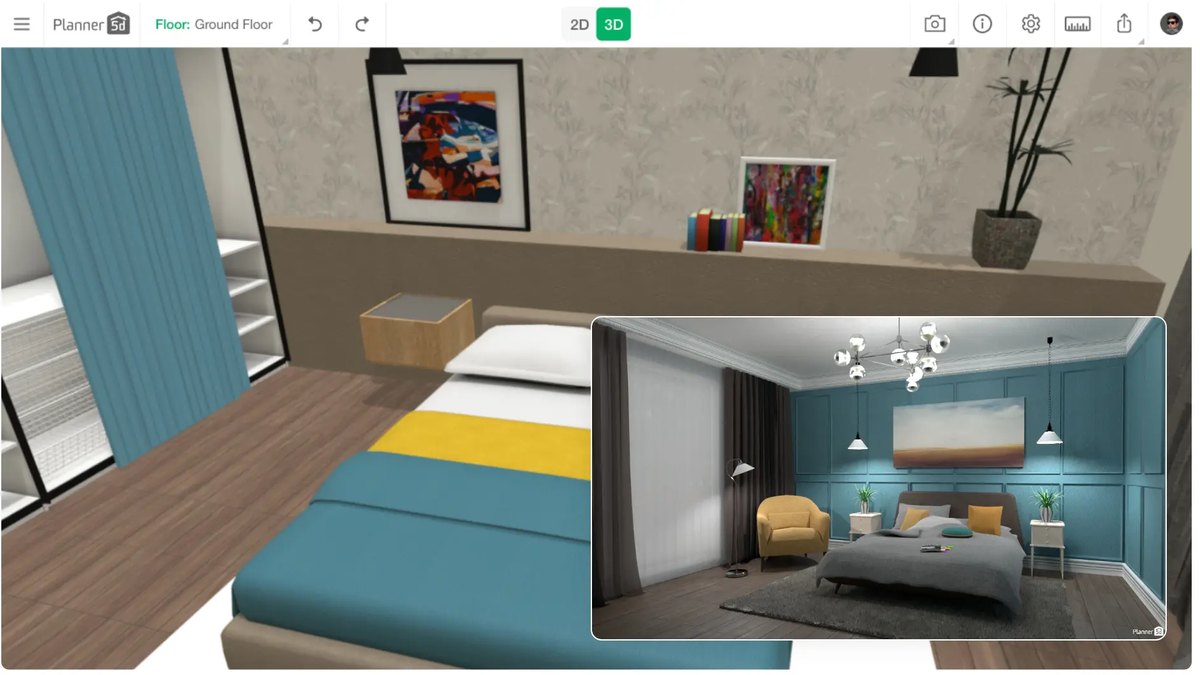
Price / trial: Free plan at $0 with unlimited projects and half the furniture catalog; Premium is $19.99 per month or $59.99 per year, Professional is $49.99 per month or $399.99 per year, and Enterprise is customInterior features: Floor plans for a room, house or commercial building, 3D design with 4K renders, floor plan recognition from uploads, AI 3D rendering and a library of over 8,000 furniture and decor itemsOutput rights: The pricing page states no commercial-use terms; Professional is described as built for interior designers, architects and studios, with watermark-free 4K rendersPlatforms: Windows, Android and iOS, plus webFree plan limits: Floor plan upload, standard renders, the Budget Widget and AI Studio credits are Premium or Professional features
Planner 5D lets you create a floor plan for a room, house or commercial building, build it in 3D with 4K renders and recognize floor plans from uploads, with a library of over 8,000 furniture and decor items. The free plan allows unlimited projects and half the catalog. Premium is $19.99 per month or $59.99 per year and Professional is $49.99 per month or $399.99 per year. It runs on Windows, Android and iOS. No commercial-use terms are stated on the pricing page.
Go ifBeginners and homeowners who want to draw a floor plan and furnish it in 3D
Skip ifYou want to redesign a room from a photo
Why #4 over #5: It lists both a free plan and every major platform, where Interior AI lists no free plan or named apps.
5
Interior AI
Answrs VerdictStrong photo-to-design features and a clear license, but no free tier and some inconsistent pricing text.
Price / trial: Pro is $49 per month or $29 per month billed yearly ($349) for 1,000 designs; Premium is $99 or $49 yearly ($599) for 5,000; Ultra is $199 or $99 yearly ($1,199) for 25,000; the page lists no free planInterior features: Upload a room photo, choose a room type and style, and get renders; 55+ styles and 30+ room types, plus modes for 3D Vision, Virtual Staging, Freestyle, Sketch2Image and SketchUp screenshotsOutput rights: A Commercial use license is included on Pro and higher plansHigher-tier extras: Premium and Ultra add editing, paint walls, change lighting, add people, upscaling and walkthrough videosPlatforms: The page says you can use it from a laptop or phone and names no apps or storesPage inconsistencies: The page lists virtual staging at $390 per year on Pro, which differs from the $349 yearly Pro price shown
Interior AI redesigns a room from a photo: you pick a room type and one of 55+ styles and get renders, with modes for 3D Vision, Virtual Staging, Freestyle, Sketch2Image and SketchUp screenshots. Pro is $49 per month or $29 per month billed yearly for 1,000 designs, Premium $99 or $49 yearly and Ultra $199 or $99 yearly. Pro and higher include a Commercial use license. The page lists no free plan and has inconsistent virtual staging pricing text.
Go ifAnyone who wants fast style-driven redesigns of room photos with a commercial license
Skip ifYou want a free plan or published platform support
Why #5 over #6: It documents a commercial license on all its plans and deep photo features, where Collov lists a license only on some plans.
6
Collov AI
Answrs VerdictClear tiered prices and a stated photo license on some plans, but staging-focused with no platform details.
Price / trial: Standard is $19 per month for 60 photo credits, Advanced $49 for 150, Premium $79 for 263 and Enterprise $127 for 526; a Try It Free button is offered and the table lists a free trial with watermark for some featuresInterior features: Virtual staging with a multi-angle option, style swapping across modern, traditional, minimalist and luxury looks, and virtual renovation of walls and floorsOutput rights: Standard lists a Commercial photo license and Premium lists a Commercial license; Advanced and Enterprise do not list onePlatforms: Not specified on the pages read; an API is listed under Resources
Collov AI is built around virtual staging, with a multi-angle option that applies the same furniture across photos of one room, style swapping across modern, traditional, minimalist and luxury looks, and virtual renovation of walls and floors. Plans run from Standard at $19 per month for 60 photo credits to Enterprise at $127 for 526. Standard lists a Commercial photo license and Premium a Commercial license. A Try It Free button is offered. Platforms are not specified.
Go ifReal estate agents who want staged listing photos with a commercial photo license
Skip ifYou want floor plans or 3D design
Why #6 over #7: It publishes four priced tiers with some license terms, where Coohom does not say whether its prices are monthly or yearly.
7
Coohom
Answrs VerdictA full design workflow with a free tier, held back by unclear billing period and no stated output rights.
Price / trial: Basic is free with limited uploads; Pro is $29 and Elite is $69 per the structured data on the pricing page, which does not say whether those are monthly or yearly; Enterprise is contact salesInterior features: Draw a floor plan or upload a plan image, use AI planning and auto-finishing, and generate photo-realistic renderings in under one minute, plus 360 panoramas and 720 virtual toursFurniture: Branded furniture is available on Pro, Premium or Enterprise and SketchUp .skp files can be uploadedOutput rights: The pricing page states no commercial-use terms
Coohom lets you draw a floor plan or upload a plan image, use AI planning and auto-finishing, and generate photo-realistic renderings in under one minute, plus 360 panoramas and 720 virtual tours. Basic is free with limited uploads, while Pro is $29 and Elite $69 according to the pricing page data, which does not say whether those are monthly or yearly. Branded furniture is limited to Pro, Premium or Enterprise. No commercial-use terms are stated.
Go ifDesign firms that want floor plans, renders and virtual tours in one tool
Skip ifYou need to know whether the price is monthly or yearly before you buy
Why #7 over #8: It has a free plan and a fuller workflow, where REimagineHome states no license and lists no floor-plan tools.
8
REimagineHome
Answrs VerdictThe best furniture-sourcing story here, with a free trial, but no stated output license.
Price / trial: All new users get 5 free designs; Essential is $19 per month for 30 credits, Pro $36 for 200, Advanced $59 for 400 and Agency $119 for 900Interior features: Keeps walls, windows and ceiling lines fixed, uses real shoppable furniture from third-party retailers with a budget filter, accepts a reference image or moodboard and lets you change specific items without redoing the roomBatch tools: Processes up to 50 listing photos in one batch, with a listed turnaround of 2 to 5 minutesOutput rights: The pricing and home pages state no commercial license; Essential lists watermark-free, shareable images
REimagineHome keeps walls, windows and ceiling lines fixed while redesigning a room, uses real shoppable furniture from third-party retailers with a budget filter, accepts a reference image or moodboard and lets you change single items without redoing the room. It can process up to 50 listing photos in a batch. New users get 5 free designs, and plans run from Essential at $19 per month for 30 credits to Agency at $119 for 900. No commercial license is stated.
Go ifShoppers and agents who want a redesign tied to real products they can buy
Skip ifYou need a stated commercial license
Why #8 over #9: It has a free trial and real product sourcing, where DecorMatters lists no price or free tier.
9
DecorMatters
Answrs VerdictA feature-rich consumer app with AR, but no published price or output terms.
Price / trial: No price or free tier is stated on the home pageInterior features: Upload a room photo and try new layouts, furniture, paint colors and decor, preview changes in augmented reality, and use AI to generate room makeovers, edit and refine designsCommunity: The site cites 21M+ community designs and 21,108,745 designs createdPlatforms: iOS and Android apps via the App Store and Google PlayOutput rights: No commercial-use terms are stated on the page
DecorMatters is an iOS and Android app where you upload a room photo and try new layouts, furniture, paint colors and decor, preview changes in augmented reality, and use AI to generate room makeovers. The site cites 21M+ community designs. No price, free tier or commercial-use terms appear on the home page, so confirm them in the app store listing before you subscribe.
Go ifCasual decorators who like a phone app with AR and community inspiration
Skip ifYou need published pricing or license terms
Why #9 over #10: It documents AR and AI makeovers on named platforms, where Virtual Staging AI only adds furniture to photos.
10
Virtual Staging AI
Answrs VerdictSimple and cheap, but the narrowest feature set on this list and no stated license.
Price / trial: Basic is $16 per month for 6 photos ($192 yearly), Standard $19 for 20, Professional $39 for 60 and Enterprise $79 for 150; the home page says upload an image for free with no sign-up, while the pricing page says it offers no free trial of the serviceInterior features: Upload a photo and the AI adds furniture, removes existing furniture and offers 50+ design styles; the site says results take 15 secondsOutput rights: All four plans list No watermark; the pricing page does not address commercial usePlatforms: Not specified on the pages read
Virtual Staging AI adds furniture to a photo, removes existing furniture and offers 50+ design styles, with results the site puts at 15 seconds. Basic is $16 per month for 6 photos, Standard $19 for 20, Professional $39 for 60 and Enterprise $79 for 150, and all four plans list no watermark. The home page invites a free upload with no sign-up while the pricing page says no free trial is offered. Commercial use and platforms are not addressed.
Go ifAgents who only need furniture added to empty listing photos at a low price
Skip ifYou want design tools beyond staging
Related: AI tools for adjacent design work
Interior design overlaps with architecture and home organizing. See our companion rankings.
This list covers AI tools for interior design: products that redesign, stage, plan or render rooms. Each pick was scored out of 100 with the same rubric, read from the vendors’ own pages on 2026-11-02: documented interior-design features (40 points: photo redesign, floor plans, 3D or AR, style and edit control and furniture sourcing, 8 each or 4 for partial), a published price or free tier (25), stated commercial-use terms (20 if on every plan, 15 if only on some) and named platforms (15, or 7 if only generic web or phone). Scores: Spacely AI eighty-four, mnml.ai eighty-four, Homestyler seventy-two, Planner 5D sixty-eight, Interior AI sixty-five, Collov AI fifty-five, Coohom fifty-three, REimagineHome forty-nine, DecorMatters forty-three and Virtual Staging AI forty. Ties go to the higher price and free-tier score, then to the product whose own page names interior design as its main use. The weights and scores are our judgment from the pages read, not vendor data, and no company paid for or adjusted a position. Prices are those published on each vendor’s pages; where none is shown we say so. Midjourney, RoomGPT and Foyr are not ranked because their pages could not be read for the same facts. Photos come from each vendor’s own site and show the vendor’s own example output or interface. Facts are taken from each maker's own published information; check the official site before you buy.
Questions people ask
What is the best AI tool for interior design?
Spacely AI scores highest in our rubric, tied on 84 out of 100 with mnml.ai and placed first on the tiebreak. It offers a free plan with 40 trial credits, published prices from $20 per month billed yearly, a commercial license on every plan including free, and a web app plus a SketchUp extension.
Is there a free AI interior design tool?
Several have a free tier or free credits: Spacely AI gives 40 trial credits, mnml.ai gives 100 free credits at signup, Homestyler Basic and Planner 5D Free cost $0, Coohom Basic is free, and REimagineHome gives 5 free designs. Interior AI lists no free plan on its page.
Can I use AI-generated room designs commercially?
Only where the vendor says so. Spacely AI and mnml.ai list a commercial license on every plan, Interior AI includes one on Pro and higher, and Collov lists one on Standard and Premium. Homestyler, Planner 5D, Coohom, REimagineHome, DecorMatters and Virtual Staging AI state no commercial license on the pages we read, so check their terms.
Which tool works from a floor plan?
Homestyler converts an uploaded 2D floor plan or sketch into an editable 3D model, Planner 5D recognizes floor plans from uploads and Coohom lets you draw a plan or upload a plan image. Interior AI and Collov work from room photos instead.
Lowest published paid plan, US dollars per month (billing basis noted) at a glance
Homestyler Pro+ (from)6.8 US dollars per month
Virtual Staging AI Basic16 US dollars per month
Collov Standard19 US dollars per month
REimagineHome Essential19 US dollars per month
Planner 5D Premium (monthly)19.99 US dollars per month
Spacely Personal (billed yearly)20 US dollars per month
Interior AI Pro (billed yearly)29 US dollars per month
mnml Lite29 US dollars per month
Lowest published paid plan, US dollars per month (billing basis noted), as published by each maker. Picks without a published figure are left off.