How Do You Handle GPU Scheduling on Kubernetes for AI Workloads in 2027?
You handle GPU scheduling on Kubernetes in layers, and each layer solves a different problem. The base layer is the device plugin framework: a vendor plugin advertises GPUs to the kubelet, and a pod asks for them with a resource such as nvidia.com/gpu in its limits. On NVIDIA hardware the GPU Operator automates the drivers, device plugin and node labels. On top of that you decide how GPUs are shared (whole GPUs, time-slicing, or MIG partitions), how pods are matched to the right nodes (labels, node affinity, taints and tolerations, topology), how groups of pods start together (gang scheduling with Kueue, Volcano, Apache YuniKorn or NVIDIA's KAI Scheduler), and how GPU nodes are added and removed (Karpenter or the Cluster Autoscaler).
The newest piece is Dynamic Resource Allocation (DRA). The Kubernetes documentation lists it as stable since Kubernetes v1.35 and says it can no longer be disabled, so it is the direction for describing devices in detail. Kubernetes' own gang scheduling is listed as beta since v1.37 and disabled by default, so most teams still use an add-on queue or scheduler for all-or-nothing starts.
Every fact below comes from official Kubernetes, NVIDIA or project documentation read on October 31, 2026. This page does not predict what will be standard in 2027, and it gives no performance figures because none of the pages read state any.
Layer one: device plugins and GPU resource requests
Kubernetes does not know what a GPU is until a plugin tells it. The device plugin framework lets a vendor advertise hardware to the kubelet. The plugin registers with the kubelet over a gRPC Registration service, the resource is named in the vendor-domain/resourcetype pattern, and the kubelet reports the devices to the API server as part of the node status. The Kubernetes GPU page lists this support as stable since Kubernetes v1.26 for AMD and NVIDIA GPUs, and it says the administrator has to install the vendor's drivers on the nodes and run the vendor's device plugin.
- The resource nameAn NVIDIA GPU is advertised as nvidia.com/gpu; AMD uses amd.com/gpu. You consume it the same way you request cpu or memory.
- Where to put itGPUs are only supposed to be specified in limits. A limit alone is fine because Kubernetes uses it as the request. If you set both, they must be equal. A request without a limit is not allowed.
- Hard limits of the modelExtended resources are integers and cannot be overcommitted, and devices cannot be shared between containers.
That last row is why everything else on this page exists. A plain nvidia.com/gpu request gives a pod a whole GPU, and the scheduler can only count whole units. Sharing, partitioning and smarter placement all have to be added on top.
The NVIDIA GPU Operator takes the node setup off your hands
NVIDIA's documentation says configuring nodes for GPUs means several software components that are difficult and prone to errors, and that the GPU Operator uses the Kubernetes operator framework to automate all of them. It lists the NVIDIA drivers, the Kubernetes device plugin for GPUs, the NVIDIA Container Toolkit, automatic node labeling using GPU Feature Discovery (GFD), DCGM-based monitoring and others.
For scheduling, the labels matter most. Kubernetes' own page suggests Node Feature Discovery (NFD) to detect hardware on each node and advertise it as node labels, and notes that NFD can also add extended resources, annotations and node taints. Mixed fleets are handled with node labels and selectors, or with required node affinity rules written against those labels.
Sharing a GPU: time-slicing versus MIG
Because a plain request hands out whole GPUs, small jobs such as notebooks or light inference can leave expensive hardware mostly idle. NVIDIA documents two ways to share through the GPU Operator.
- Time-slicing (NVIDIA's wording)An administrator defines a set of replicas for a GPU, and each replica can be handed to a different pod. Workloads on an oversubscribed GPU interleave. NVIDIA states there is no memory or fault isolation between replicas.
- Multi-Instance GPU, MIG (NVIDIA's wording)Partitions GPUs based on the Ampere and later architectures into separate and secure GPU instances for CUDA applications, with memory and fault isolation at the hardware layer.
- Combining themNVIDIA says you can combine MIG and time-slicing to provide shared access to MIG instances. Time-slicing also works on older GPUs that do not support MIG.
Time-slicing is set up with a config map that names the resource and a replica count. NVIDIA's example sets four replicas of nvidia.com/gpu, so a machine with one GPU advertises four. The nodes get a replicas label, and by default the product label gains a -SHARED suffix so a node selector can steer pods toward shared or exclusive GPUs. Setting renameByDefault advertises the resource as nvidia.com/gpu.shared instead. One caution from NVIDIA: asking for more than one time-sliced GPU does not guarantee a proportional amount of compute, only access to a GPU that other pods also use.
MIG is driven by a node label. The GPU Operator deploys MIG Manager, you choose a strategy (single enables MIG mode on all GPUs on a node, mixed does not), and you set a label such as nvidia.com/mig.config=all-1g.10gb to apply a profile. NVIDIA warns that MIG Manager terminates the GPU pods on the node while it reconfigures, requires that no user workloads are running on the GPUs being configured, and in some cases needs the node cordoned and rebooted. Plan MIG geometry per node pool rather than changing it under live jobs.
Dynamic Resource Allocation: the newer way to ask for devices
Dynamic Resource Allocation (DRA) changes how a pod describes what it needs. The Kubernetes documentation lists it as stable since Kubernetes v1.35, first available in v1.30, and says the feature gate is locked so you can no longer disable it. Device drivers and cluster admins define device classes; workload operators create ResourceClaims or ResourceClaimTemplates; Kubernetes allocates matching devices to the claims and places pods on nodes that can reach them. The documentation compares this to dynamic volume provisioning with PersistentVolumeClaims.
- FilteringCommon expression language (CEL) lets you filter on specific device attributes. Device plugins do not support expression-based filtering.
- SharingSeveral containers or pods can share a device by referencing the same resource claim. Device plugins do not support device sharing.
- ConfigurationVendor-specific device configuration can be attached to a claim, giving per-workload configuration instead of per-node configuration.
- Driver sideDRA drivers publish ResourceSlices, configure devices according to the claim and attach them to containers through the Container Device Interface (CDI).
DRA does not replace the device plugin overnight. Existing clusters keep using nvidia.com/gpu requests, and the projects below are adding DRA support alongside them: Kueue lists quota management for devices requested through DRA, and KAI Scheduler lists DRA support through ResourceClaims.
Gang and batch scheduling: Kubernetes, Kueue, Volcano, YuniKorn and KAI
Distributed training needs all of its workers at once. If the default scheduler places seven of eight pods and the last one waits, seven GPUs sit blocked. Gang scheduling fixes this with an all-or-nothing rule. Kubernetes now has this natively: its documentation says that if the cluster cannot fit the whole group, or the defined minimum (minCount), none of the pods are bound. It is listed as beta since Kubernetes v1.37 and disabled by default, requires the GenericWorkload feature gate, and depends on the PodGroup API. The hierarchical CompositePodGroup extension is listed as alpha. Check your cluster version and gates before relying on it.
Until that is switched on in your cluster, you pick a queue or scheduler. They differ in how deeply they replace kube-scheduler.
- Kueue (project docs)A Kubernetes-native system that manages quotas and how jobs consume them: it decides when a job waits, is admitted, or is preempted. It installs on a vanilla cluster and does not replace kube-scheduler. Supports resource flavor fungibility, cohorts, MultiKueue, Topology-Aware Scheduling, all-or-nothing scheduling with ready pods, and integrates with the Cluster Autoscaler provisioningRequest through admission checks.
- Volcano (project docs)A CNCF batch scheduling project with gang scheduling, binpack, queue-based quotas, heterogeneous device scheduling that supports both CUDA and MIG modes, task-topology and network-topology-aware scheduling.
- Apache YuniKorn (project docs)A Kubernetes-compatible alternative to the default scheduler with hierarchical queues, fairness across queues, preemption and gang scheduling. With its admission controller installed, scheduling is delegated to YuniKorn. A gang is declared through a taskGroups definition, and gang queues should use FIFO sorting.
- KAI Scheduler (NVIDIA)NVIDIA announced the open-source release of the Run:ai scheduler as KAI Scheduler under the Apache 2.0 license, on April 1, 2025, and says it continues to ship inside the NVIDIA Run:ai platform. The README lists batch (gang) scheduling, bin packing and spread, hierarchical queues, fairness policies, time-based fairshare, DRA support and Topology-Aware Scheduling. It can run alongside other schedulers and needs the NVIDIA GPU Operator to schedule GPU requests.
A practical way to choose: if you want to keep the default scheduler and add quotas, queues and admission control, Kueue is built for that. If you want a full batch scheduler with its own plugins, look at Volcano, YuniKorn or KAI Scheduler. For a ranked comparison of the tooling, see the best GPU orchestration tools for Kubernetes. Whatever you pick, test it against your own training framework, because each project lists its own supported integrations.
Placement: labels, taints, affinity and topology
Most GPU scheduling problems are placement problems. Kubernetes documents the standard answer in its Taints and Tolerations page, under the heading for nodes with special hardware. When only a few nodes have GPUs, you want to keep pods that do not need them off those nodes so room remains for pods that do. The page recommends representing the hardware as an extended resource, tainting the GPU nodes with the extended resource name, and running the ExtendedResourceToleration admission controller. A pod that requests the GPU resource then gets the toleration added automatically, and everything else is repelled.
- Labels and affinity. Label nodes by GPU type (manually or with NFD) and use node selectors or required node affinity so a job lands on the model it needs.
- Taints and tolerations. Taint GPU nodes so CPU-only pods do not occupy them. NFD can also taint nodes for specific features.
- Topology on the node. The kubelet Topology Manager, listed as stable since Kubernetes v1.27, coordinates CPU and device placement. Without it, the CPU and device managers decide independently and can pick resources from different NUMA nodes, adding latency. The device plugin API carries topology information, and the single-numa-node policy is aimed at latency-sensitive and high-throughput workloads.
- Topology across nodes. Kueue, Volcano and KAI Scheduler each list topology-aware scheduling, meaning placement that considers the data-center network layout, which Volcano says matters for communication-intensive distributed training.
GPU nodes: Karpenter and the Cluster Autoscaler
GPUs are expensive to leave idle, so node supply matters as much as pod placement. Karpenter's documentation says it watches for pods that the Kubernetes scheduler has marked unschedulable, evaluates their constraints (resource requests, node selectors, affinities, tolerations and topology spread), provisions nodes that meet them, and removes nodes that are no longer needed. A NodePool can set taints, labels, requirements such as instance types and capacity type, and limits, so a dedicated GPU NodePool with a taint pairs naturally with the toleration pattern above.
The Cluster Autoscaler has GPU-aware settings in its FAQ. The scale-down-gpu-utilization-threshold flag divides the GPU requests of pods on a node by the node's allocatable GPUs, and below the threshold (default 0.5) the node can be considered for scale-down; for accelerator nodes only GPU utilization is considered, not CPU or memory. The same FAQ says its gpu-total flag, which caps the number of GPUs in the cluster, currently works only on GKE. It also says a node group can be scaled to zero.
Queues and autoscalers connect. Kueue's docs say autoscaling is the Cluster Autoscaler's job and that Kueue integrates with its provisioningRequest through admission checks, so a job can wait for capacity before any of its pods are created.
A sensible order of operations
- Start with the basics. Install the vendor driver and device plugin (or the GPU Operator for NVIDIA), label GPU nodes, taint them, and request nvidia.com/gpu in limits.
- Decide on sharing per workload class. Whole GPUs for training, MIG or time-slicing for small jobs, knowing time-slicing has no memory or fault isolation and MIG reconfiguration can disrupt pods.
- Add a queue or batch scheduler when jobs compete. Quotas, fairness and all-or-nothing starts are what separate a busy shared cluster from a stuck one.
- Wire in node autoscaling. Let Karpenter or the Cluster Autoscaler add and remove GPU nodes, and keep scale-down thresholds in mind.
- Evaluate DRA for new hardware. Check that a DRA driver exists for your GPUs, and remember the scheduler's no-preemption limit for DRA resources.
Scheduling is one part of running AI on Kubernetes. For the wider picture see the role of Kubernetes in AI infrastructure and the infrastructure needed to run AI agents in production.
Questions people ask
How do I request a GPU for a pod in Kubernetes?
After the vendor device plugin is installed, request the custom resource, such as nvidia.com/gpu, in the container's limits. Kubernetes uses a limit as the request by default. If you set both, they must be equal, and you cannot set a GPU request without a limit.
Can multiple pods share one GPU?
Not with a plain request, because extended resources are whole integers that cannot be overcommitted. With the NVIDIA GPU Operator you can use time-slicing (no memory or fault isolation) or MIG partitions (hardware isolation on supported GPUs), and you can combine the two.
What is Dynamic Resource Allocation and is it production ready?
DRA lets pods claim devices through ResourceClaims and device classes, with CEL filtering and sharing. The Kubernetes docs list it as stable since Kubernetes v1.35. One documented limit is that the scheduler does not support preemption for DRA resources, and you still need a DRA driver for your specific hardware.
Does Kubernetes support gang scheduling on its own?
There is a built-in gang scheduling feature, but the Kubernetes docs list it as beta since Kubernetes v1.37 and disabled by default, behind the GenericWorkload feature gate. Kueue, Volcano, Apache YuniKorn and KAI Scheduler provide all-or-nothing scheduling as add-ons.
Is the KAI Scheduler an NVIDIA project?
NVIDIA's technical blog says NVIDIA open-sourced the scheduler, originally developed within the Run:ai platform, under the Apache 2.0 license on April 1, 2025, and that it also continues to ship as part of NVIDIA Run:ai. The public repository is under the kai-scheduler organization on GitHub.
Do I still need a separate autoscaler for GPU nodes?
A scheduler or queue decides where and when pods run; adding and removing nodes is the autoscaler's job. Karpenter and the Cluster Autoscaler both react to unschedulable pods, and Kueue can hand off to the Cluster Autoscaler through provisioning requests.
Sources
- Kubernetes docs: Schedule GPUs · GPU support status, nvidia.com/gpu limits, node labels, NFD, affinity
- Kubernetes docs: Device plugins · Registration, extended resources, integer and no-sharing limits, topology info
- Kubernetes docs: Topology Manager · Status, NUMA alignment, single-numa-node policy
- Kubernetes docs: Taints and Tolerations · Nodes with special hardware, ExtendedResourceToleration
- Kubernetes docs: Dynamic Resource Allocation · Status, claims, device classes, CEL, limitations
- Kubernetes docs: Gang Scheduling · All-or-nothing scheduling, minCount, feature state
- NVIDIA GPU Operator: About · Components the Operator automates
- NVIDIA GPU Operator: Time-Slicing GPUs in Kubernetes · Replicas, labels, isolation, limitations
- NVIDIA GPU Operator: GPU Operator with MIG · MIG strategies, profile labels, MIG Manager behavior
- Kueue: Overview · Quotas, admission, integrations, autoscaler and DRA support
- Volcano: Introduction · Gang scheduling, GPU sharing, topology-aware scheduling
- Apache YuniKorn · Queues, fairness, scheduler replacement
- Apache YuniKorn: Gang Scheduling · Task groups and FIFO queue requirement
- NVIDIA Technical Blog: NVIDIA Open Sources Run:ai Scheduler · Open-source release of KAI Scheduler, Apache 2.0, April 1, 2025
- KAI Scheduler repository · Features, prerequisites, license
- Karpenter docs · How Karpenter provisions nodes, NodePool constraints
- Kubernetes Cluster Autoscaler FAQ · GPU scale-down threshold, gpu-total flag, scale to zero
Figures and statements were read from the linked official pages on October 31, 2026. Feature states change between Kubernetes releases, so confirm the status of DRA, gang scheduling and each add-on against the documentation for the version you run. Vendor claims are the vendors' own. This page is not an engineering guarantee for your cluster.
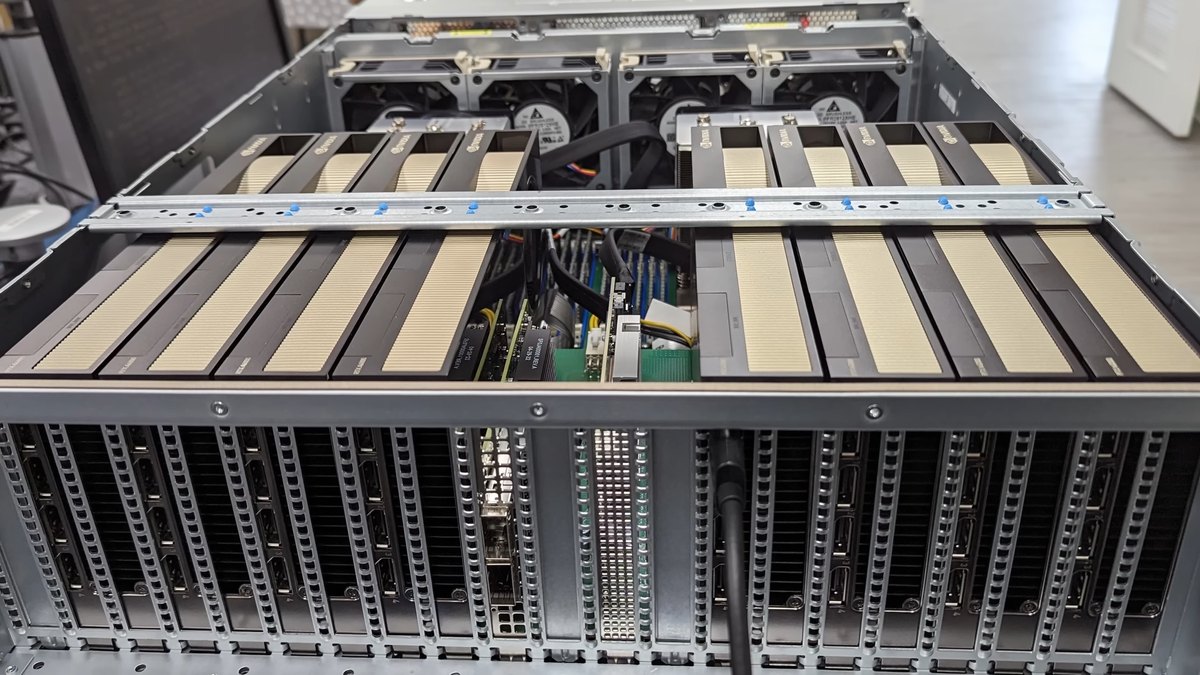
Top photo: Lawrence Systems / CC BY 3.0 via Wikimedia Commons