How Do You Choose an Inference Accelerator: GPU, TPU, or Custom Silicon in 2027?
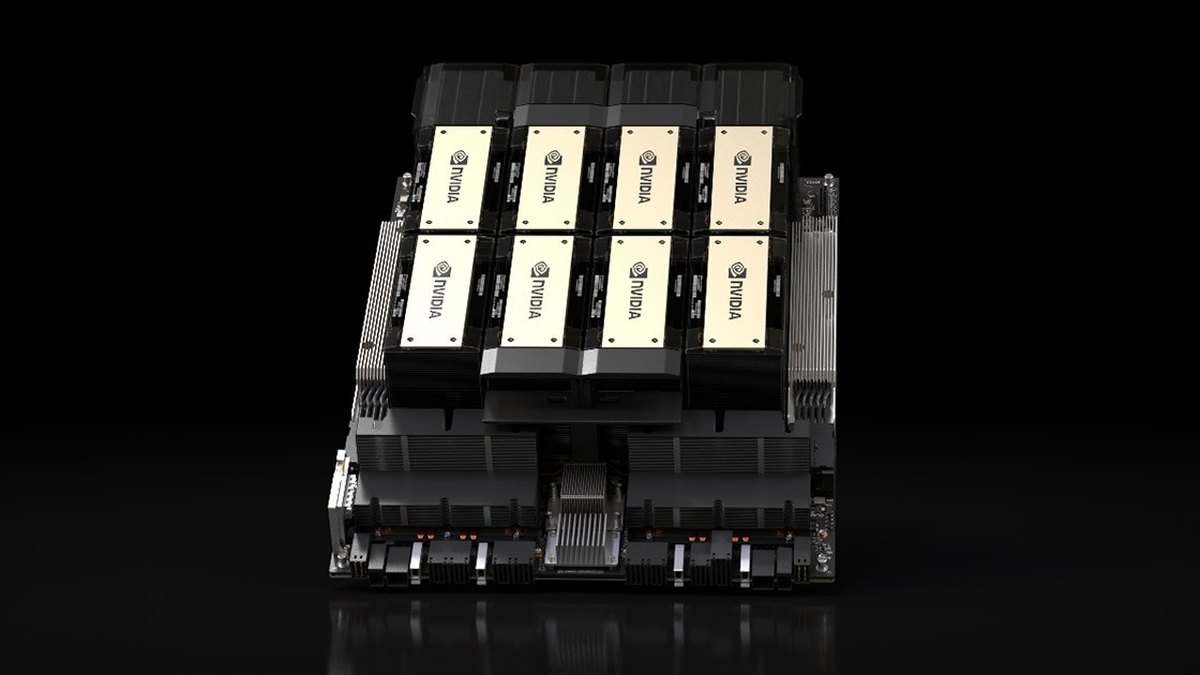
Choose by six things, in this order: whether your model and serving framework run on the chip, your latency and throughput targets, memory per chip, where you can actually get capacity, cost per token on your own workload, and how much lock-in you will accept. NVIDIA GPUs are the default because CUDA support is the widest; Google TPUs and AWS Inferentia or Trainium are worth a test when you already run on those clouds and your model is supported; Groq and Cerebras are specialist options when response speed is the product.
No published number settles this for you. Vendor speedups are measured on the vendor's chosen model, batch size and software, and cloud prices change by region and date. Run your own model on two candidates and compare cost per million tokens at the latency you need.
This page collects the specs and claims each vendor publishes, labels which are vendor claims, and says where a figure is not published. For the cost side of GPU serving, see how to reduce GPU costs when serving large language models; for how teams schedule these accelerators, see the role of Kubernetes in AI infrastructure. For a ranked list of products, see our best AI inference accelerators page.
The six questions that decide it
Work through these in order, because an early no removes a chip from the list before price matters.
- Model and framework support. Does your model, at your precision, run on the chip with your serving stack (for example vLLM)? An unsupported operator can cost more engineering time than the hardware saves.
- Latency versus throughput. Interactive chat needs fast first token and steady per-user speed; batch jobs need tokens per dollar. The best chip for one is often not the best for the other.
- Memory per chip. Weights and the key-value cache must fit, or you split the model across chips and pay for interconnect.
- Availability where you run. A chip you cannot reserve in your region or cloud is not an option.
- Cost per token on your workload. Compare at the same model, precision and latency target, not at the same list price per hour.
- Lock-in. Code written against one vendor's compiler or kernels is work you repeat if you move.
NVIDIA GPUs: H100, H200 and B200
NVIDIA publishes the following figures on its product pages. FP8 numbers are with sparsity, as NVIDIA marks them.
- H100 SXM (NVIDIA)80GB memory, 3.35TB/s bandwidth, FP8 3,958 TFLOPS, up to 700W
- H100 NVL (NVIDIA)94GB memory, 3.9TB/s bandwidth, FP8 3,341 TFLOPS, 350-400W
- H200 SXM (NVIDIA, preliminary)141GB memory, 4.8TB/s bandwidth, FP8 3,958 TFLOPS, NVLink 900GB/s, up to 700W
- DGX B200 (NVIDIA, whole system of eight Blackwell GPUs)1,440 GB total GPU memory, 64 TB/s HBM3e bandwidth, 14.4 TB/s NVLink; the page gives no per-GPU figure
The H200 keeps the H100's compute but adds memory: 141GB against 80GB, and 4.8TB/s against 3.35TB/s. That matters for inference because decoding is usually limited by memory bandwidth and the key-value cache. NVIDIA's vendor claims: Llama2 70B inference "1.9X faster" than H100 (throughput, ISL 2K, OSL 128, one H100 SXM at batch size 8 against one H200 SXM at batch size 32), and GPT-3 175B "1.6X faster" (eight GPUs each). The comparison changes the batch size, so it is not a like-for-like chip test. NVIDIA's page also says the H200 boosts inference speed by up to 2X for LLMs like Llama2 but lists no conditions for that figure.
For B200, NVIDIA claims 15X the inference performance of DGX H100 under stated conditions (token-to-token latency 50ms, first token latency 5s, input 32,768 tokens, output 1,028) and labels the figure a projection subject to change. NVIDIA also cites SemiAnalysis InferenceX results of about $0.02 per million tokens for B200 with TensorRT-LLM against about $0.09 for H100 with vLLM, on GPT-OSS-120B; NVIDIA notes the two used different software, so the gap mixes hardware and software.
Where this fits: the widest software support and the most places to rent capacity. The cost is that you compete with everyone else for the same chips.
Google Cloud TPUs
Google Cloud's documentation lists seven TPU versions, from v2 to TPU7x (Ironwood). Two matter most for new inference work:
- TPU v6e (Google Cloud docs)918 TFLOPs bf16, 1836 TOPs Int8, 32 GB HBM, 1638 GBps HBM bandwidth, 800 GBps ICI per chip
- TPU7x, Ironwood (Google Cloud docs)192 GiB HBM, 7380 GBps HBM bandwidth, 2307 TFLOPs BF16, 4614 TFLOPs FP8, 1200 GBps ICI per chip, 9216 chips per pod
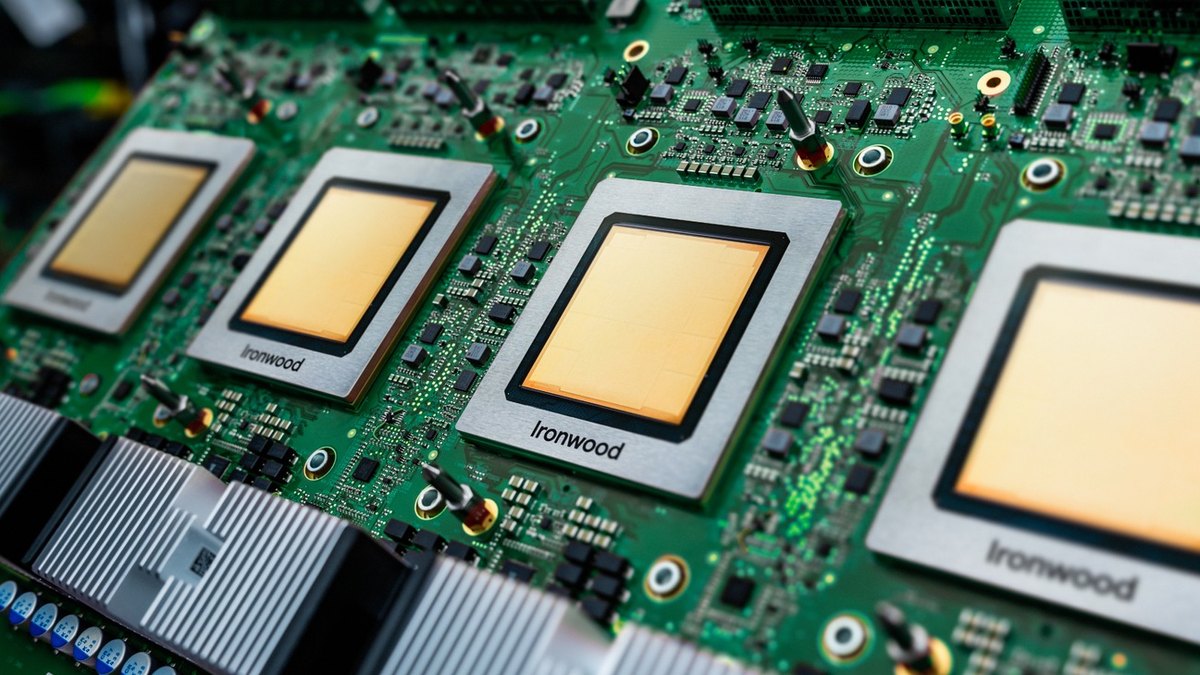
Google says 8-chip v6e slices on a single VM "are optimized for inference, allowing all 8 chips to be used in a single serving workload," and that multi-host inference is possible with Pathways on Cloud. Neither the TPU7x nor the v6e documentation page lists regions, and the TPU pricing page's price tables did not load in the text we could read, so this page quotes no TPU price. Check the pricing page for your region before you plan.
Where this fits: models in JAX, or serving stacks Google supports on TPU, when you already run on Google Cloud. The caution is that a TPU is only reachable through Google Cloud.
AWS Inferentia and Trainium
Inferentia2 is AWS's inference chip. AWS says it offers 32 GB of HBM per chip, with up to 12 chips in an Inf2 instance and up to 190 TFLOPS of FP16 per chip, and claims "up to 4x higher throughput and up to 10x lower latency compared to Inferentia" (the first generation). Those comparisons are against AWS's own earlier chip, not against a GPU, and AWS's page gives no Inf2 price-performance figure.
AWS's Inf2 page lists these on-demand prices per hour, read on October 20, 2026; the page does not name a region, so confirm yours:
- inf2.xlarge (1 chip, 32 GB)$0.76 per hour
- inf2.8xlarge (1 chip, 32 GB, 32 vCPU)$1.97 per hour
- inf2.24xlarge (6 chips, 192 GB)$6.49 per hour
- inf2.48xlarge (12 chips, 384 GB)$12.98 per hour
Trainium is AWS's training chip that it also pitches for inference. The current Trainium page describes Trainium3 with 144 GB of HBM3e per chip at 4.9 TB/s and claims "better cost-per-token at production scale," but gives no benchmark numbers for that claim.
Where this fits: teams already on AWS whose model is supported by the Neuron SDK. Price per hour is not cost per token, so measure throughput on your model before you compare it with a GPU instance.
Other custom silicon: Groq and Cerebras
Cerebras says its Wafer-Scale Engine delivers inference "up to 30x faster than GPU systems," and its own footer says comparisons rely on third-party benchmarking or internal testing and may vary with workload, configuration, date and models. Its inference page lists a free tier with $5 in credit, a pay-per-token Developer tier with funds starting at $10, and Enterprise by contact, but no per-token rates.
Groq's pricing page, as we read it, gave no per-million-token prices and no tokens-per-second figures, so none are quoted here. Groq describes itself as a neocloud for fast inference.
Where this fits: products where response speed is the feature, and where you are content to buy tokens from an API rather than own hardware. Check the model list, context length limits and rate limits before you commit.
What MLPerf Inference does and does not tell you
MLCommons publishes MLPerf Inference: Datacenter results in rounds; the current page is round v6.1. Each row is, in MLCommons' words, "a set of results produced by a single submitter using the same software stack and hardware platform," with the system, processor and accelerator named. That means a result describes one named system in one round, not a chip in general.
Use it to compare chips on the benchmarks you resemble, and read the system and accelerator count on the row: an eight-accelerator system and a single chip are not comparable. Not every vendor submits to every benchmark, so a missing result is not a bad result. We do not quote individual MLPerf numbers here; read them from the MLCommons results table.
Software ecosystem and lock-in
- CUDA (NVIDIA). NVIDIA describes the CUDA Toolkit as a development environment for creating high-performance, GPU-accelerated applications, with CUDA-X libraries for AI. It is the most widely targeted stack, which is why model support usually arrives there first.
- JAX and XLA (TPU). The JAX documentation says the same code executes on CPU, GPU and TPU, which limits lock-in at the framework level. TPU-specific tuning is still your work.
- Neuron SDK (AWS). AWS describes Neuron as the SDK for Inferentia and Trainium. Its documentation lists JAX NeuronX and TorchNeuron as Beta, and vLLM serving through vLLM Neuron.
- vLLM. A serving layer that several of these chips target. If your stack is vLLM, check each vendor's vLLM support and version before you test.
The practical rule is to keep your model in a portable framework, keep serving behind an API you control, and treat chip-specific kernels as the part you are willing to rewrite.
Decision checklist
- Confirm support: your model, precision and serving framework run on the candidate chip.
- Fix the target: write down first-token latency, per-user speed and total tokens per second you need.
- Check memory: weights plus key-value cache at your context length fit per chip, or you have budgeted for splitting.
- Check capacity: you can reserve it in your cloud and region.
- Measure: run the same model on two candidates and compute cost per million tokens at your latency target.
- Price the exit: estimate the work to move if the vendor changes price or capacity.
Questions people ask
Is a GPU always the safest inference choice?
It is the lowest-risk starting point because CUDA has the widest software support and capacity is sold by many providers. It is not always the cheapest per token; test a TPU or Inferentia if you are already on those clouds and your model is supported.
Are the vendor speedup numbers reliable?
They are vendor claims under stated conditions. NVIDIA labels its B200 and H100 multiples as projections, and Cerebras says its comparisons may vary with workload, configuration, date and models. Treat them as hypotheses to test.
How much does a TPU cost per hour?
This page does not quote a TPU price, because the price tables on Google Cloud's TPU pricing page did not load in the text we could read. Check the page for your region.
What does MLPerf Inference show?
Results for named systems in a named round, from one submitter with one software stack. The current round on the MLCommons page is v6.1. Read the system and accelerator count before comparing rows.
Does a custom chip lock me in?
Less if your model stays in a portable framework and serving sits behind an API you control; more if you write chip-specific kernels. Buying tokens from a hosted API moves the lock-in to that provider's model list and pricing.
Sources
- NVIDIA H200 · H200 specs and inference claims
- NVIDIA H100 · H100 specs and InferenceX citation
- NVIDIA DGX B200 · B200 system specs and claims
- NVIDIA CUDA Toolkit · CUDA description
- Google Cloud: TPU system architecture · TPU versions
- Google Cloud: TPU7x · Ironwood per-chip specs
- Google Cloud: TPU v6e · v6e per-chip specs and inference notes
- Google Cloud: TPU pricing · Prices by version and region
- AWS Inferentia · Inferentia2 claims
- AWS Inf2 instances · Inf2 sizes and on-demand prices
- AWS Trainium · Trainium3 claims
- AWS Neuron documentation · Neuron SDK frameworks
- Cerebras inference · Vendor speed claims and tiers
- Groq pricing · Groq pricing page
- MLCommons: MLPerf Inference Datacenter · Round v6.1 results
- JAX documentation · JAX backends
Figures were read from the linked pages on October 20, 2026. Specs and speedups are the vendors' own and several are marked preliminary or projected; cloud prices change by region and date, so check the provider's pricing page before you plan. This page is not financial advice.